

New Note Creation
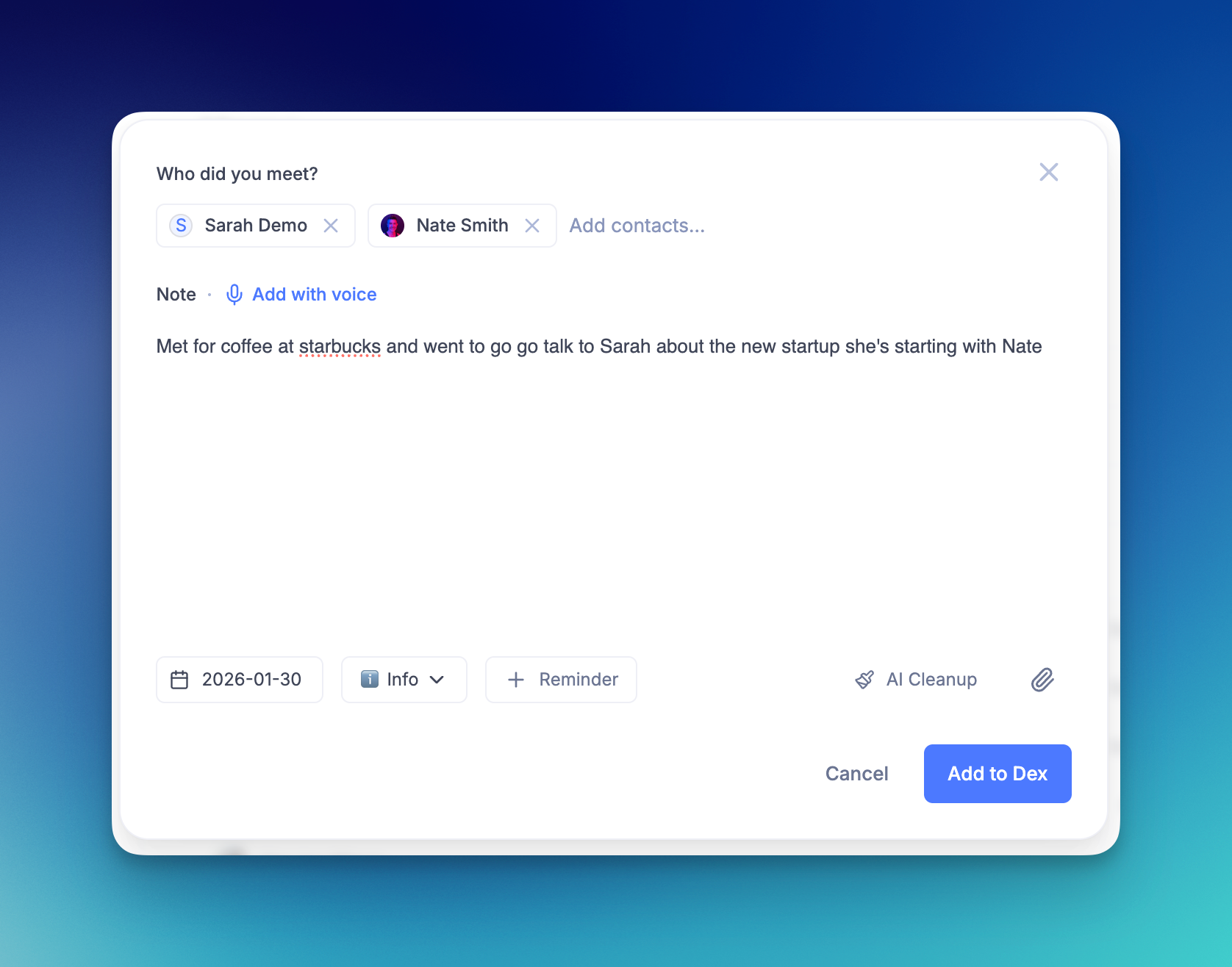
We've redesigned note creation to help you capture what matters, right when it happens. With clearer structure, built-in reminders, and a focused writing space, it's easier to turn quick notes into actionable follow-ups.
Ways to create a new note:
- Press
Non the homepage to instantly start a new note - Click the "New" button from anywhere in Dex
- NEW Dex Action Button: Open the Shortcuts app, create a new shortcut using the "Open composer" action, then go to Settings → Action Button, scroll to Shortcuts, and select it. One press opens the Dex note composer instantly.
Once you're in the flow:
- Default note types help you organize notes the moment you create them
- Add reminders while creating a note so follow-ups don't get forgotten
- Full-tab note experience gives you a focused, distraction-free workspace
Add notes with voice + AI cleanup
Capture notes hands-free as part of the new note creation flow.
Ways to add voice notes:
- Press
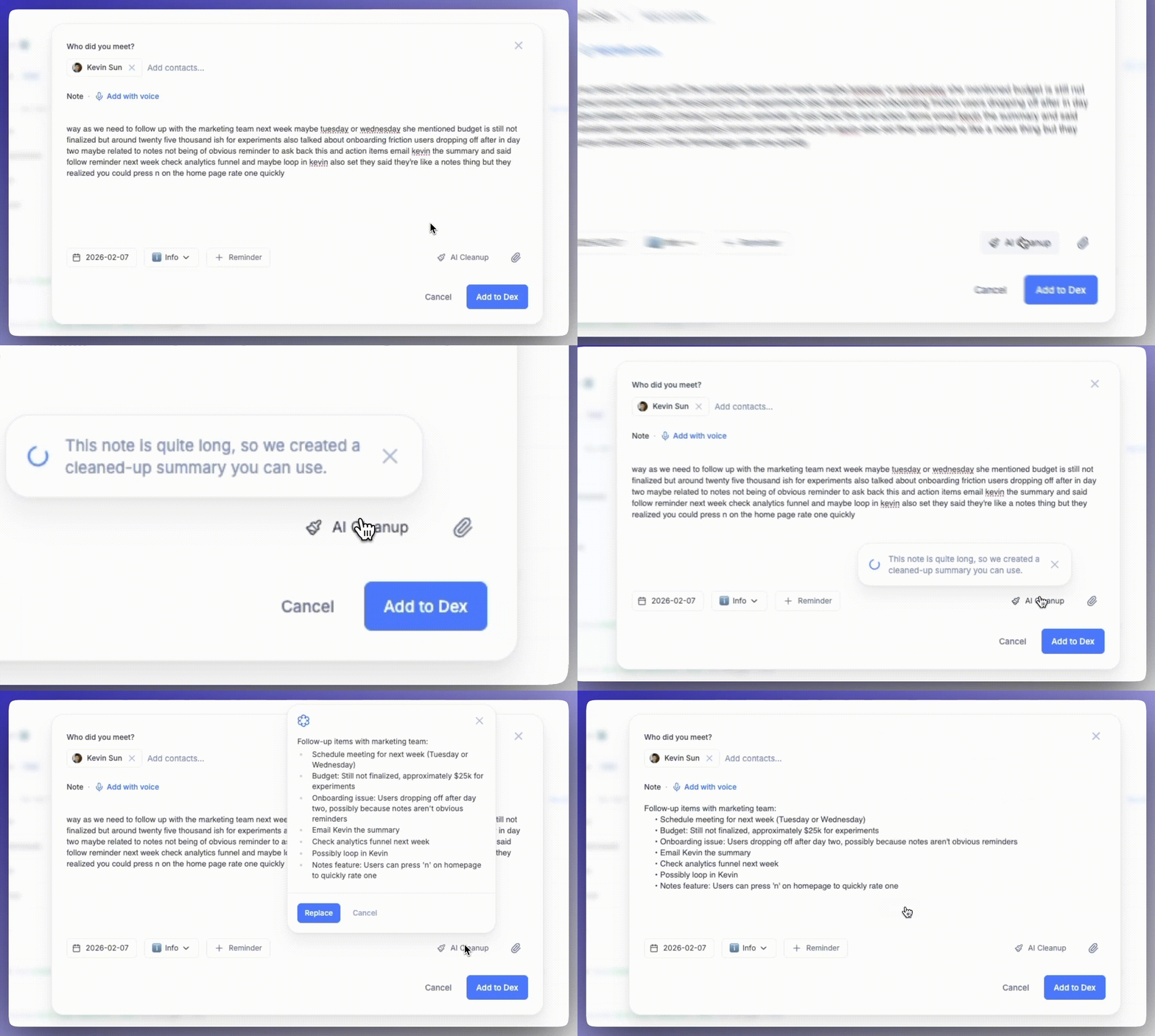
Non the homepage , then choose "Add with voice" - Use voice input while creating a note on desktop or mobile
- NEW Open the composer via the Action Button, then tap the mic and choose "Add with voice"
What happens next:
- Dictate notes by voice while creating a note
- AI Cleanup automatically formats long transcripts for readability while preserving important details
How are notes ordered on a contact?
Notes appear on the contact's timeline in date order, newest first, using the date on the note itself. There is no manual sort, and no way to reorder the timeline.
Can I pin a note to the top of a contact?
No. A note cannot be pinned, starred or held above the others. The actions available on a note you have already written are Copy, Edit and Delete.
If there is something about a contact you want kept permanently in view, use the Description field instead. It sits at the top of the contact, above the timeline, and stays put however many notes you add. Open the contact from Contacts and click Add a description… under their name.
How do I change a note's type after I've saved it?
Open the note from the contact's timeline, click the pencil (Edit note), pick the type you want from the Note type picker, and click Save. The list holds every type you have — the defaults like Meeting, Call, Coffee and Meal, plus any you created yourself under Settings → Data Setup → Note types.
You can set the type the same way while you write: the Note type picker sits in the note composer, so you can choose Meal or Meeting before saving instead of correcting it afterwards.