

Dex Shuffle
Some of the best relationships just slip off the radar. Dex Shuffle brings them back.
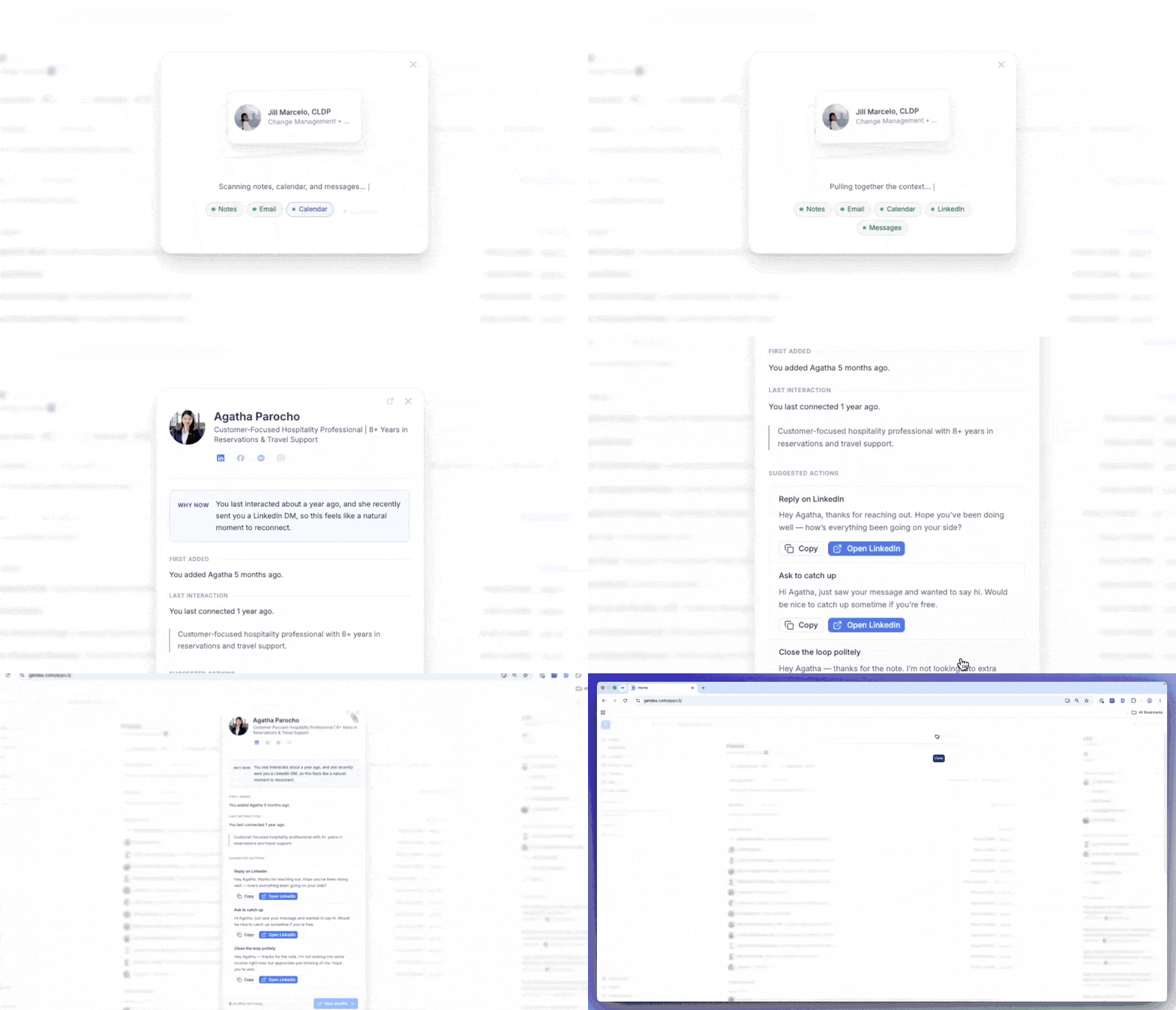
Tap the dice icon in the top-right corner of your screen, and Dex surfaces someone from your real relationship history, gathers the context from your past interactions, and drafts a thoughtful message that's ready to send.
What You Can Do
- See the story so far: their role and company, when they joined your network, how long it's been since your last interaction, and the last message you exchanged on LinkedIn, WhatsApp, iMessage or Instagram.
- Reach out in a tap: Dex drafts a few short, editable messages. Copy one, draft an email, or open the right channel.
- Save it for later: not ready today? Tuck a shuffle into your saved list and come back when the moment's right.
- Three a day, on purpose: you get three shuffles daily, enough to make it a light habit, not a to-do list.
How it Works
Tap the dice icon.
Find the dice icon in the top-right corner of your screen to start a shuffle.
Review the context.
Dex shows you what it holds on the relationship: their role and company, their description, when they joined your network, how long it's been since your last interaction, and the last message you exchanged on a connected channel.
Reach out or save it.
Pick one of the drafted messages and edit it to sound like you, then copy it, draft an email, or open the right channel. Not the right moment? Save the shuffle for later.
Nothing is ever sent automatically. You're always in control of what goes out, and when.
Good to Know
- Dex Shuffle draws only from your real relationship history, so the people it surfaces are always ones you've actually connected with before.
- You get three shuffles per day. Saved shuffles stay in your list until you're ready to act on them.
- The number on the dice icon is how many shuffles you have left today. It counts down and disappears at zero, and it isn't an unread count. There's no setting to hide it or to turn Dex Shuffle off.
- Shuffle doesn't read your email or your calendar. It works from what's already on the contact in Dex plus your most recent message on each connected channel.