

Dex Extension
Outlook Integration
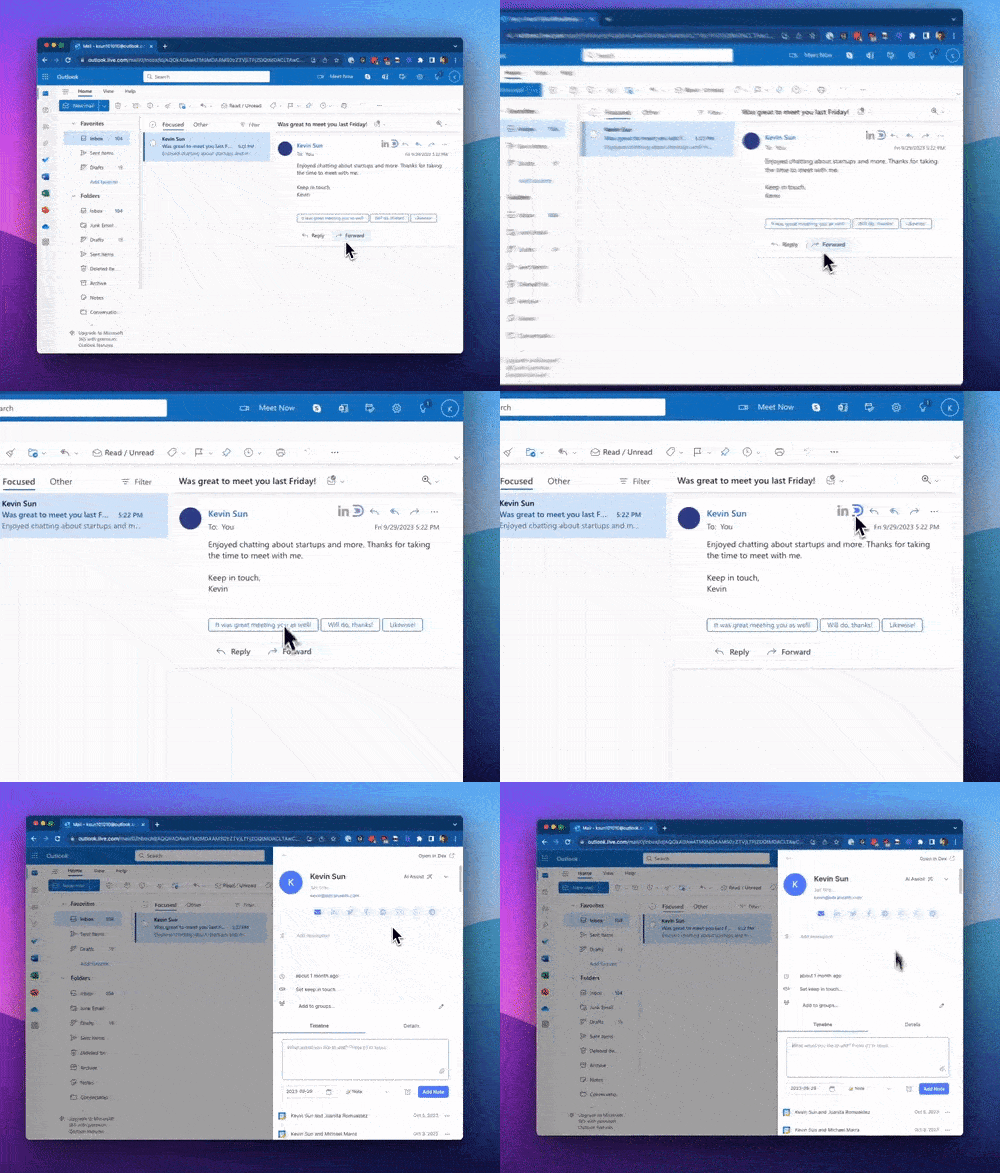
After installing the Chrome extension, you'll notice both Dex and LinkedIn icons appear when opening a message thread. Clicking the LinkedIn icon will search LinkedIn for the sender, while the Dex icon will add or open the contact in the Dex sidebar.
After installing the Chrome extension, you'll notice both Dex and LinkedIn icons appear when opening a message thread. Clicking the LinkedIn icon will search LinkedIn for the sender, while the Dex icon will add or open the contact in the Dex sidebar.
If you don't see the extension icon, you need to click on the conversation from the left pane. The button will be visible on the thread pane.
This works only on the web version of Outlook.
Gmail Integration
Once you've installed the Chrome extension, you'll spot a Dex icon conveniently displayed next to email addresses within Gmail. Clicking this icon allows you to swiftly add contacts to Dex and effortlessly track your email interactions!
Google Calendar Integration
If you're using Google Calendar for meetings, the Dex Chrome Extension unlocks additional capabilities: