

Import Features
Share into Dex
Add people to Dex from any app on your phone — no copying, no typing.
Share into Dex
Add people to Dex from any app on your phone — no copying, no typing.
Getting Started
Important Notes
- Available on the Dex mobile app for iPhone and Android.
- Works from any app that supports your phone's share sheet, including LinkedIn, X, Instagram, and your phone's Contacts app.
- If the person already exists in Dex, we update their existing profile instead of creating a duplicate.
- Sharing a saved contact from your phone's Contacts app brings across the details stored on that contact, such as phone number and email.
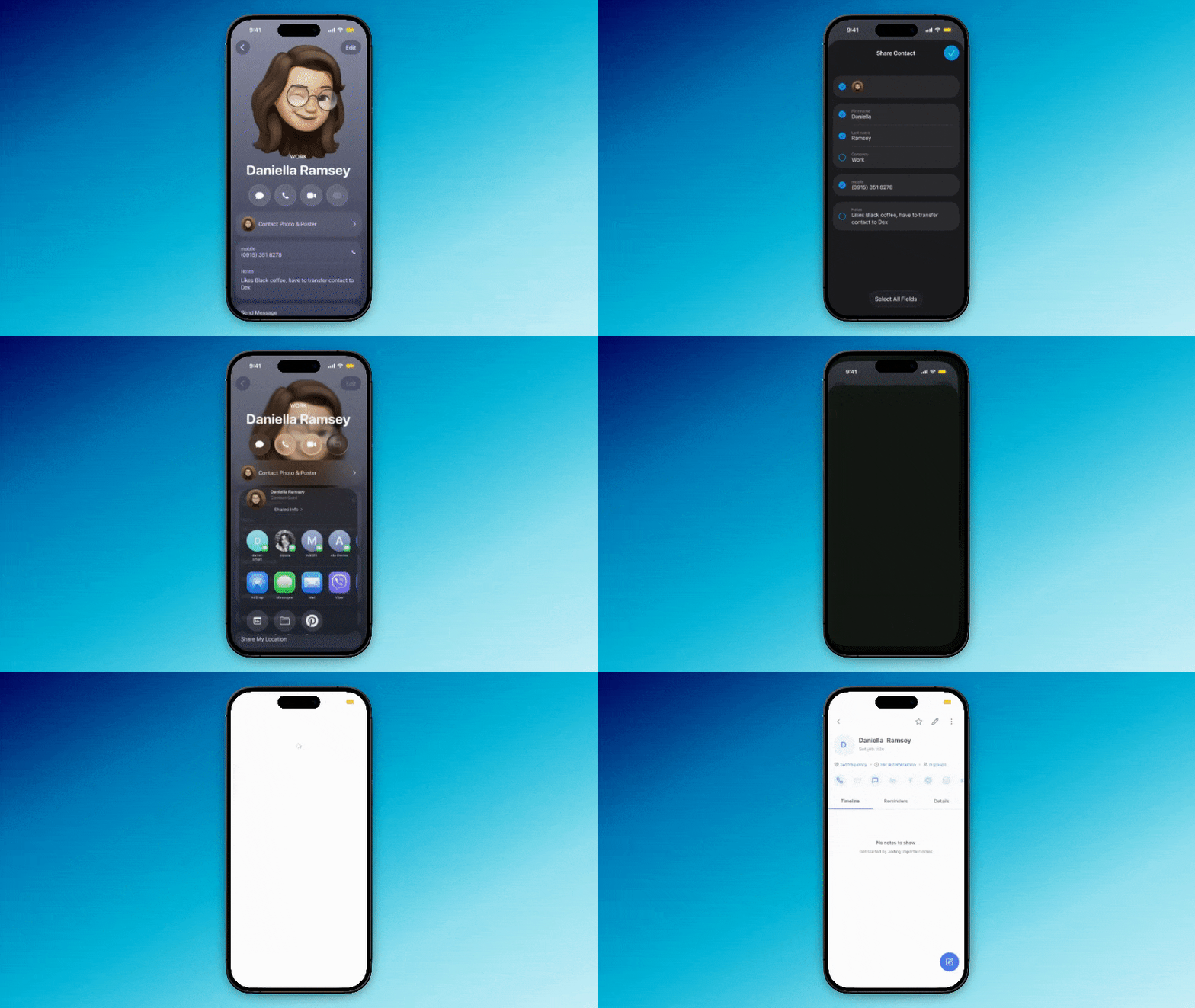
Open the profile you want to add
This can be a LinkedIn profile, an X or Instagram account, or an entry in your phone's Contacts app.
Tap 'Share' and choose Dex
On iPhone, tap the share icon (the box with an arrow). On Android, tap the share icon or the three-dot menu.
If you don't see Dex in the list, scroll to the end of the app row and tap More (iPhone) or See all (Android) to enable it. You only need to do this once.

Confirm and save
Dex opens with the details it captured. Review them, make any edits, and save. We'll either create a new contact or update the matching one automatically.

Tips
- Add a note right after saving while the context is fresh — how you met, what they're working on, what to follow up on. Use Add with voice if you're on the move.
- Not every app exposes the same fields to the share sheet. Some share only a profile link, from which Dex pulls what it can.
Looking to import contacts in bulk? See our documentation here.