

Outlook Sync
Dex's integration with Microsoft Outlook and Office 365 gives you a powerful way to stay on top of your relationships—faster syncs, smarter updates, and workflows to save you time.
By connecting your Outlook account, you can:
- Automatically update the last interaction based on emails and calendar events
- View relevant calendar events and email threads for each contact
- Search across multiple calendars and email subjects
- Add notes to calendar events with ease
- Start an email from a contact: open a Contact, click Actions › Send email, and Dex opens a new message in your computer's default mail app
- Enable auto-add: automatically add people you email or meet moving forward
💡 Dex Professional Required: Outlook sync is available only on the Dex Professional plan.
What's New?
- Real-time sync: Emails and calendar events are reflected on Dex almost instantly.
- Auto-add workflow: Automatically create Dex contacts for people you email or meet (forward-looking only).
- Send email from a contact: Open a contact → click Actions › Send email to hand the address to your default mail app.
- Smarter contact linking: Dex matches contacts based on email address or calendar attendee name.
Getting Started
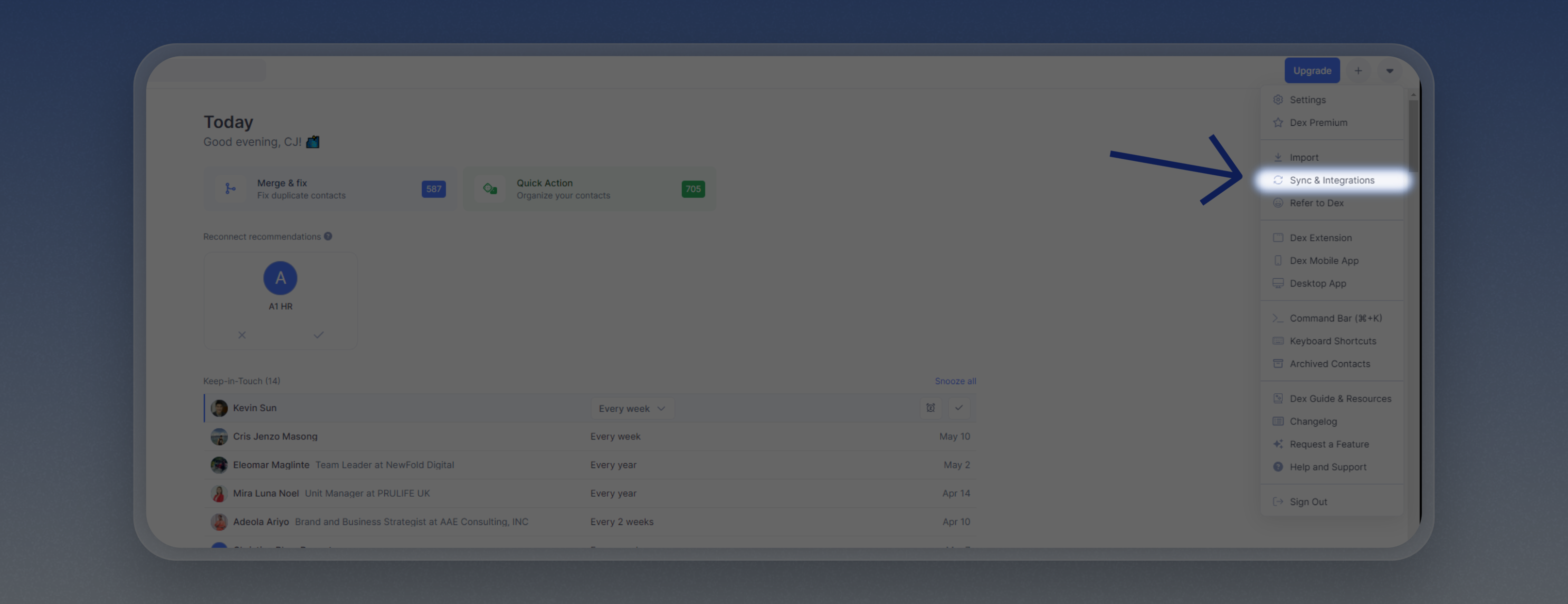
Go to your Sync & Integrations page
From the home page, click the dropdown icon at the top-right corner and choose Sync & Integrations.
Connect your Outlook Account
Under Outlook, click Connect Account and follow the Microsoft login prompts.
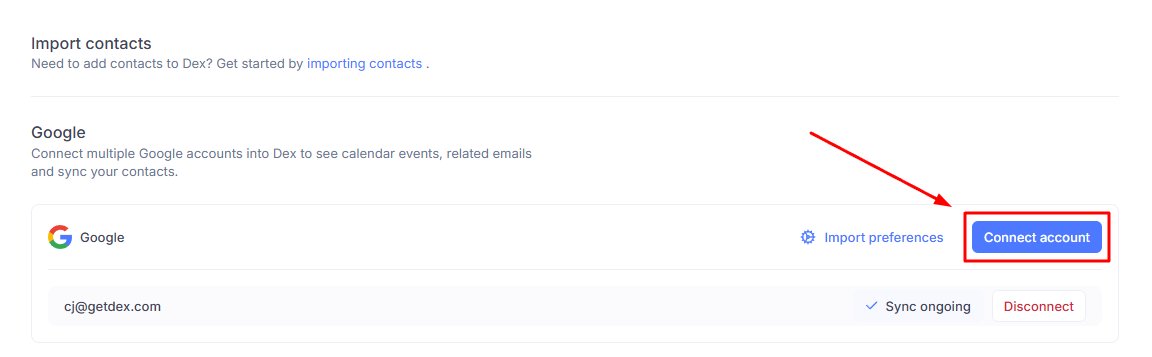
Note: If you are not on the Professional plan, you will be prompted to upgrade to enable this integration.
Email Sync Details
- Clicking on an email in Dex will open Outlook Web (
https://outlook.office.com/mail/). - Unlike Gmail, Outlook links may not open the specific thread directly due to platform limitations, but will take you to your inbox.
What Send email does
Actions › Send email on a contact hands the address to your computer's default mail app and opens a new message there. Dex does not send the message itself.
- If your computer has no default mail app set, clicking the button appears to do nothing. Set a default mail app in your operating system settings and it will work.
- You cannot pick which connected account the message comes from. It goes out from whatever account your mail app sends from, which may not be the Outlook account you connected to Dex. To choose a sending account inside Dex, use Mail Merge.
The button behaves the same whether your email sync has finished or not. A message that opens in the wrong app is not a sign that sync is still running.
Calendar Sync Details
- Dex shows relevant events where the contact's email is listed as an attendee, or where their name matches the calendar invite.
- Dex syncs the primary calendar for each connected Outlook account.
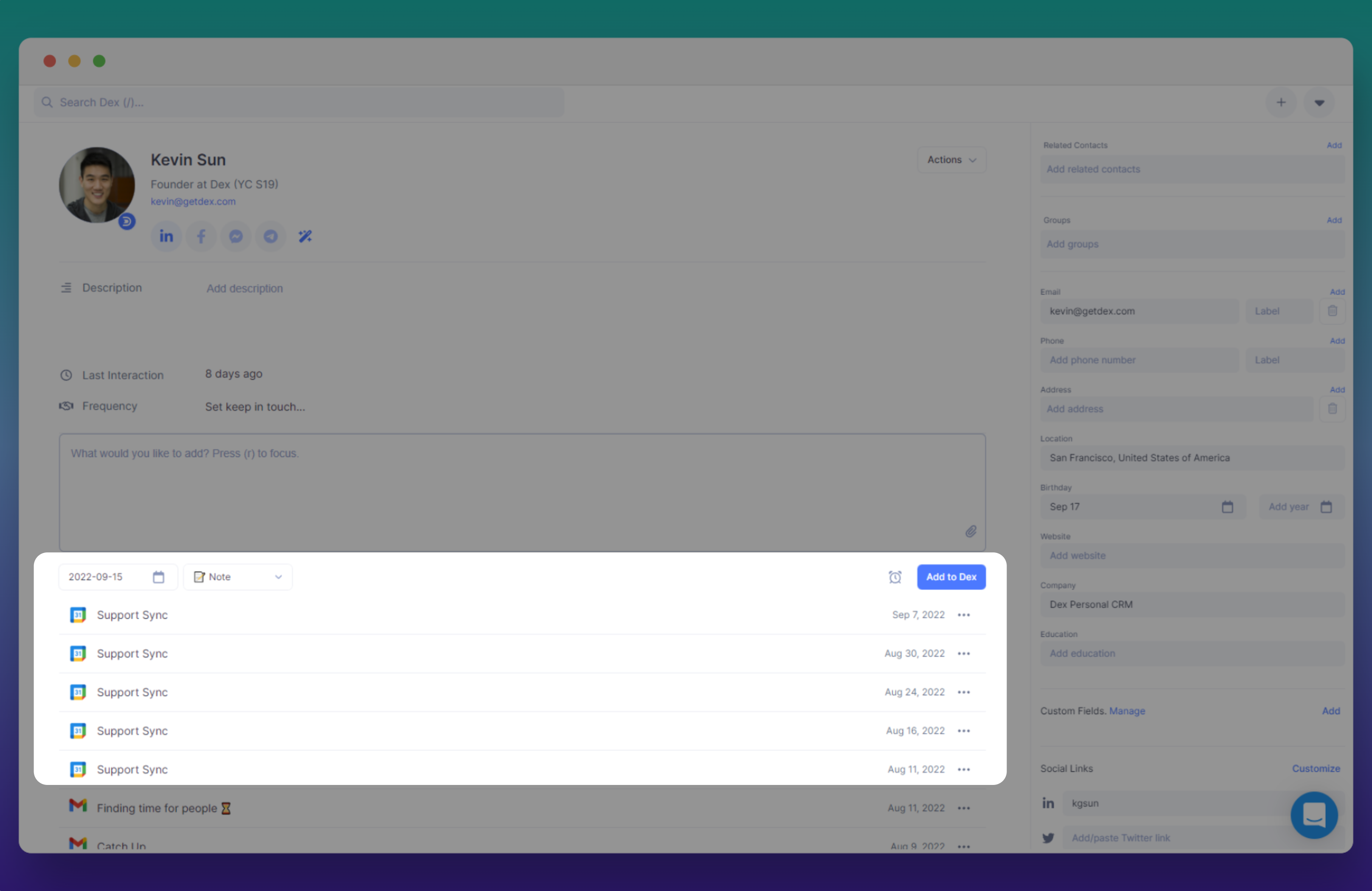
- You can add notes to calendar events directly within Dex.
Connected, but nothing is syncing
If the account shows as connected on the Sync & Integrations page and no new emails or events are coming through, disconnect the account and connect it again.
There is no refresh or sync-now button for a healthy account. The menu on a connected account row offers Set as primary account and Disconnect, plus the Email and Calendar toggles, and nothing else. A Reconnect option appears only when Dex has already detected that the credential is broken, so if the row looks fine you won't see it.
Before you disconnect, check the two toggles on the account row. If Email or Calendar is switched off there, turning it back on is the whole fix.
Things to Know
- Dex Professional: This feature requires a Dex Professional subscription.
- Initial sync may take a few minutes; after that, changes sync almost instantly.
- Works with Outlook.com and Office 365 accounts.
- You can manage multiple Outlook accounts from the same Sync & Integrations page.
- You can set a Primary Account to handle default email workflows and agent interactions if you have multiple accounts connected.
Instagram Sync
If Instagram is part of your personal or professional outreach, let Dex handle the busywork. Connect it from Settings → Workflow → Sync & Integrations, under Messaging.
Granola Sync
Connect Granola to Dex and every meeting you record writes itself into your CRM. The summary lands on the people who were there, and the people you met become contacts.