

MCP Server
Organize contacts
Sort your Dex network with tags, groups, custom fields and priority by talking to your AI assistant.
Sort your network by talking to your assistant. Tags are flat labels such as "Investor". Groups are named collections with an emoji such as "Advisory Board". Custom fields hold your own data, such as a deal stage.
What you need
- The Dex Professional plan, with Dex connected to your assistant. See MCP Server for setup.
Steps
See what you already have
List my tags and groups.
Tag a set of people in one request
The assistant creates the tag if it does not exist.
Tag everyone at Lanternfish Ventures as Investor.
Create a group and fill it
Create a group called Advisory Board and add Marcus and Lisa.
Track your own data with a custom field
Create a custom field called Deal Stage with options Prospect, Qualified, Negotiation and Closed. Then set Jake's deal stage to Qualified.
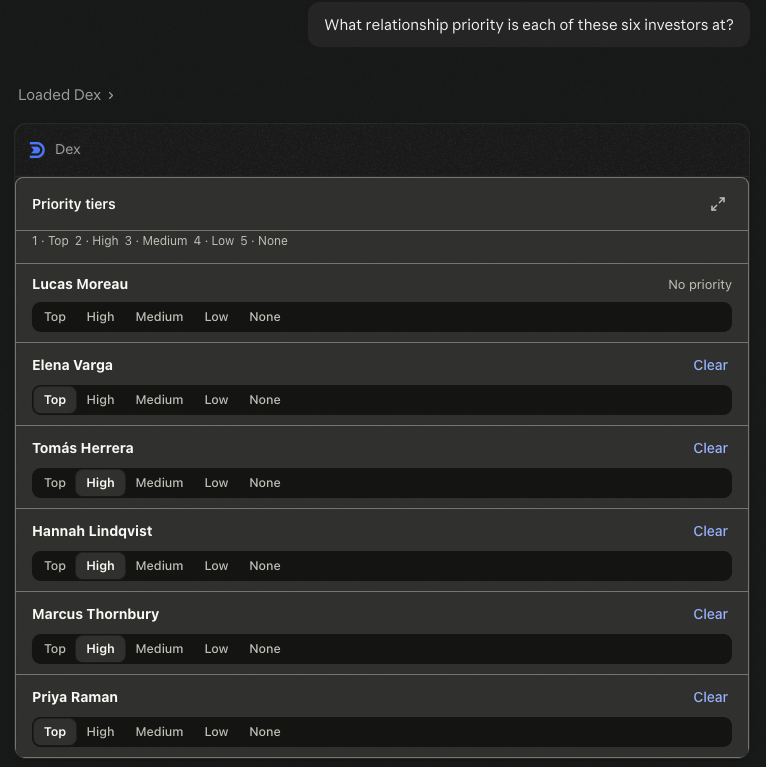
Rank relationships by priority
What relationship priority is each of these six investors at? Put Priya and Marcus in High.
Review a group
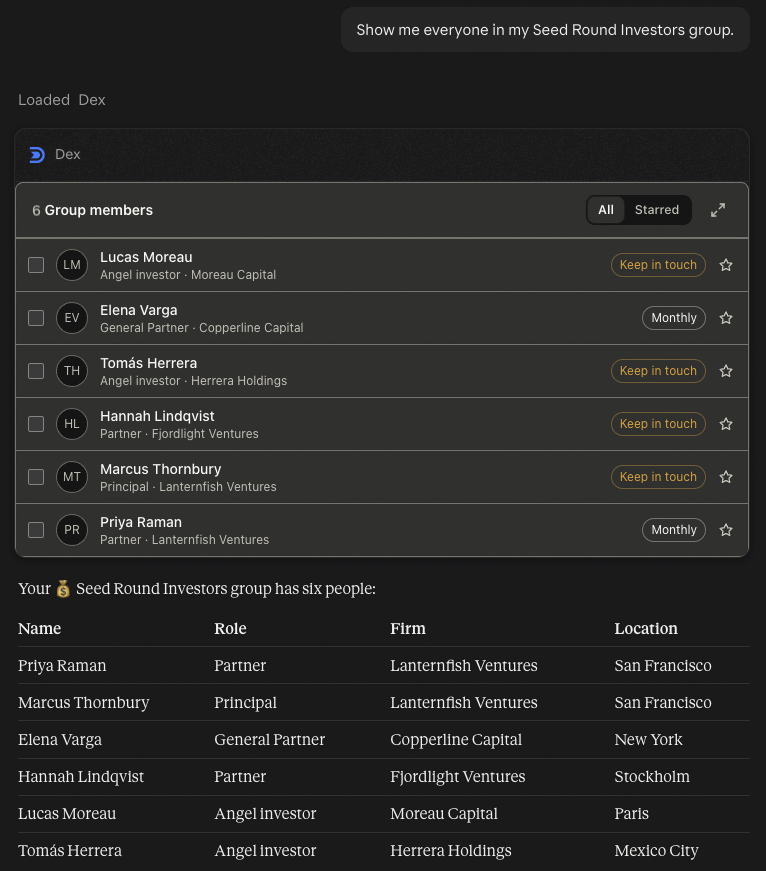
Show me everyone in my Seed Round Investors group.
Tidy up duplicates and stale contacts
I think I have duplicate entries for Michael Johnson. Can you check? Then archive the contacts in my Old Leads group.
What you'll see
Groups and search results appear as contact lists you can star, expand or act on. Priority shows as a picker with your own tier names. Every change returns a confirmation card.
Good to know
- Custom fields come in three types: text, dropdown and date.
- Priority tiers use the names from your own Dex settings. Setting a tier replaces the contact's current one, and priority works on Personal Dex only.
- Archiving is reversible. Deleting and merging are not, so read the assistant's summary before you confirm.
- Your assistant can create tags through MCP. Dex Copilot inside the app cannot.
- More on organizing inside the app: Organize your Contacts and Manage your Contacts.
Tools used: dex_list_tags, dex_list_groups, dex_create_tag, dex_add_tags_to_contacts, dex_create_group, dex_add_contacts_to_group, dex_create_custom_field, dex_set_custom_field_values, dex_get_priority_tiers, dex_set_contact_priority, dex_list_group_contacts, dex_merge_contacts, dex_archive_contacts