Dex for Creators
How to keep track of collaborators, brand contacts, editors and peers in Dex, so your network doesn't fade between projects.

Creative work runs on relationships, and most of them live in DMs. A brand manager reaches out on Instagram. An editor you loved working with is in a WhatsApp thread from last spring. The podcast host who offered to have you on is buried in your inbox. Then a launch takes over your month and all of it goes quiet.
Dex pulls those people into one place and reminds you to come back to them. This guide shows how to set it up around the way creators work, whether you make videos, write a newsletter, publish books or run a podcast.
Connect the places you talk to people
Start with the channels you use most, under Settings → Workflow → Sync & Import/Export.
Connect Instagram if DMs are where collaborations begin. Do this in Chrome, with the Dex extension installed and Instagram logged in. Dex adds the people you DM one-on-one and updates their last interaction.
Connect WhatsApp for 1:1 chats and small groups of up to five people.
Connect Google so Gmail and Calendar show every email and meeting.
Connect LinkedIn sync from the mobile or desktop app, so you hear when a brand contact changes jobs.
On a Mac, use the desktop app to sync iMessage and phone calls.
Then add the Chrome extension. It works on Instagram, X, LinkedIn, Facebook and Gmail. When someone interesting comments or pitches you, click the Dex icon on their profile to save them, add a note and set a reminder from the same page.
With a messaging app connected, Conversation Memory adds a short note to each contact's timeline every night about what you talked about. If most of your work happens in DMs, this saves you from scrolling back through months of messages to find what you agreed.
Sort people by how they fit your work
Groups keep the list manageable. A setup for most creators:
Collaborators: other creators you've made something with or want to
Brand partners: sponsors, agencies and affiliate contacts
Crew: editors, designers, producers, photographers
Press and platforms: journalists, podcast hosts, platform partner managers
Inner circle: peers you trust for feedback
Superfans: the readers and viewers who keep showing up
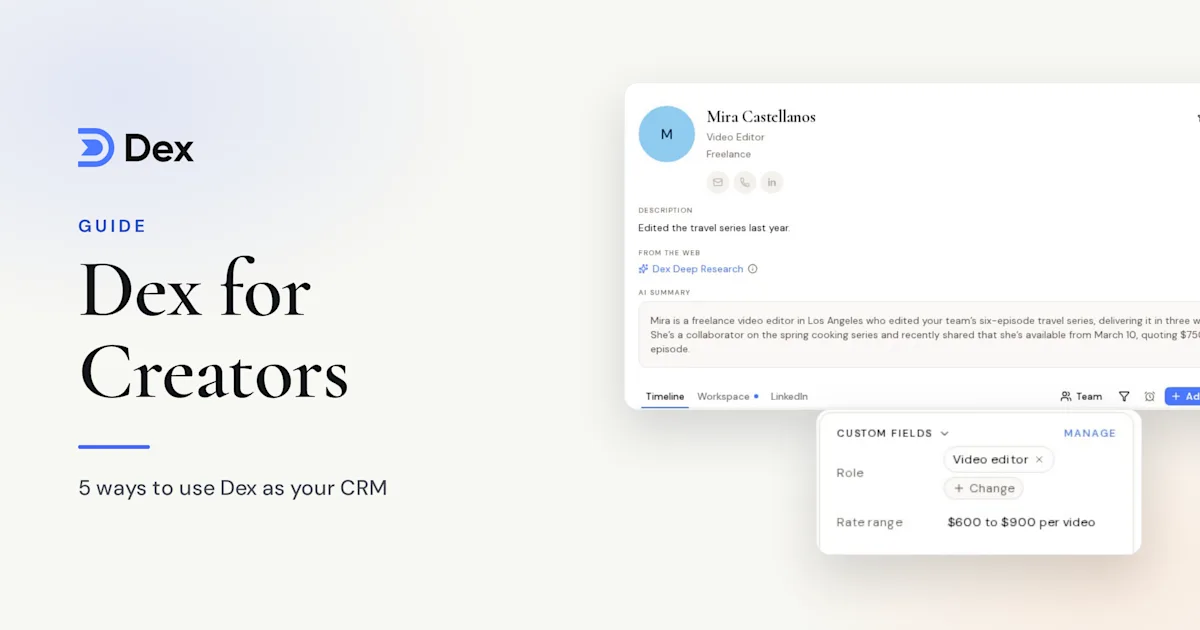
Add tags for topic or medium, like "YouTube", "newsletter" or "fitness". When you plan a project, a saved view filtered by a tag shows who to ask. Custom fields suit the details you'd otherwise hunt for: audience size, rate, last sponsorship.
Duplicates are common for creators, since the same person might appear from Instagram, Gmail and WhatsApp. Merging their cards puts all the history on a single contact, so take a few minutes to do it for your closest people.
Put your important people on a cadence
Keep-in-touch is the feature most creators will use every week. Drag people onto a frequency, or set one for a whole group:
Inner circle: every month
Active brand partners: every month
Past sponsors: every 3 months
Crew and collaborators: every 3 months
Press and podcast hosts: every 6 months
Dex calculates the next date from your last interaction. If you're already chatting with a collaborator, the reminder moves itself. Those due today appear on Home and in your morning digest. Setting a frequency for a whole group doesn't change anyone in it who already has one.
Past sponsors are worth the extra attention. A short message three months after a campaign, with how it performed, puts you back on their list before the next budget gets spent.
Remember the details
Good creative relationships depend on remembering small things: the film they were finishing, the kid who just started school, the idea you said you'd try together one day.
Add those to the contact as notes. Birthdays go in the contact card, and Dex lists them in your digest on the day. For dated follow-ups, like a campaign wrap date or a launch you promised to share, use a reminder. On bigger projects, a group per project with rates and availability in notes keeps everyone's details in one list.
Meeting people at a conference or a creator event? The business card scanner in the mobile app reads a card and creates the contact, and it works offline. You can scan several in a row. For cards you don't get, add a quick note with the app before you leave the room. Our guide to networking at conventions covers what to do before and after the event.
Let Copilot do the searching and first drafts
Copilot helps when you're planning something and need to know who to ask:
"Who do I know who edits long-form video?"
"Which brand partners haven't I talked to in six months?"
"Summarize my history with Jordan."
"Draft a note to Maya about my new book."
Copilot writes the first version. You rewrite it in your own voice and send it, since it can't send messages for you.
For a launch, Mail Merge on the Professional plan sends a personal email to up to 200 contacts from your own account. That's a different job from your newsletter tool. Use it for the people you'd want to write to one by one, such as past guests, press or peers who might share your launch.
A launch-week checklist
Build a view of everyone who has helped with a past launch.
Ask Copilot to draft a short, personal ask for each group.
Send through Mail Merge, or one at a time for your closest peers.
Set a reminder to thank everyone who shared, one week after launch.
Note who helped on their contact, so you can return the favor.
A short weekly routine
Twenty minutes on a slow day is enough. Clear the keep-in-touch contacts due on Home, check for title changes among brand contacts, reply to the one or two people you've been meaning to, and add notes from the week's calls.
Frequently asked questions
Is Dex a replacement for my newsletter or audience tool?
No. Your email platform handles your audience at scale. Dex is for the smaller set of people you know as individuals, like collaborators, sponsors and peers.
Can Dex manage brand deals?
Dex tracks the people behind them. Use a group for brand partners, custom fields for rate and status, and reminders for deliverable dates. If you need contracts and invoicing, keep a dedicated tool for those.
Does Dex read my Instagram DMs?
If you connect Instagram sync, Dex adds the people you DM one-on-one, saves a snippet of your last message and updates the last interaction. Conversation Memory can also write a short note from those chats. You can turn Conversation Memory off under Settings → Automation. The security page has more on how data is handled.
Which plan do creators need?
Premium, at $12 a month billed annually, covers messaging sync, keep-in-touch and custom fields. Professional, at $20 a month billed annually, adds Mail Merge, voice mode and more LinkedIn connections.
Get started
Your network is part of your creative work. To keep it healthy, connect your DMs and email, group people by how they fit your work, set a cadence for the ones who matter, and note the details after each conversation. Start with your inner circle and your last five sponsors.
Start your free 6-day trial of Dex, or see more on the Dex for creators page. A card is required to start the trial, and you won't be charged until it ends.
Related guides