Dex vs Contacts+: Which Personal CRM Is Best for Managing Relationships?
Looking for a contact management app? Compare Dex vs Contacts+ for staying in touch and maintaining professional relationships.


If you're looking for a contact management app that actually helps you maintain professional and personal relationships, you've probably come across both Dex and Contacts+. On the surface, they might seem similar. Both are personal CRMs with mobile apps, both connect to your address book, and both promise to help you stay organized.

But dig a little deeper and you'll find two very different tools built for very different goals. Contacts+ is designed around clean, synced contact data. Dex is designed around the harder problem: remembering to follow up, staying in touch, and building relationships that actually last.
This comparison breaks down the key differences so you can choose the right tool for how you work.
Dex and Contacts+ at a Glance
Dex - Free to start; $12/month, billed annually
Dex is a personal CRM built for people who want to be intentional about how they maintain relationships. It pulls interaction history from your email, calendar, LinkedIn, and now Outlook, then surfaces reminders and context when it's time to reach out.
In 2026, Dex's AI features have become noticeably smarter, offering pre-meeting briefings, message suggestions personalized to your history with a contact, and auto-grouping of contacts based on shared context. You can even add notes or get reminders via SMS and WhatsApp, making it easy to capture moments on the go.
Contacts+ - Free tier available; $13.99/month, billed monthly
Contacts+ is a contact management app focused on keeping your address book clean, current, and unified. It syncs contacts across Google, iCloud, and your phone, merges duplicates, and enriches profiles with social data. If your contact list is a mess of duplicates, outdated numbers, and missing details, Contacts+ is built to fix that.
It's useful for people who want their contacts well-organized, but it stops short of helping you decide who to call, when to reach out, or what to say.
Dex vs Contacts+: Key Differences
Here is a quick side-by-side overview:
Feature | Dex | Contacts+ |
Primary Focus | Relationship management & follow-ups | Contact syncing & data cleanup |
Best For | Staying in touch consistently | Organizing & deduplicating contacts |
Reminders | Smart follow-up reminders built in | Basic reminders only |
Integrations | Gmail, LinkedIn, Calendar, Outlook, WhatsApp | iOS/Android Contacts, Google, iCloud |
Mobile App | Full-featured iOS & Android | Available; syncing-focused |
AI Features | AI summaries, message suggestions, auto-grouping | Limited AI features |
Pricing | $12/month (billed annually) | Free + paid tiers |
Ideal User | Professionals building long-term relationships | Users managing large contact lists |
Contact Management App: What Each Tool Actually Does
How Contacts+ approaches contact management
Contacts+ excels at solving a specific, concrete problem: your contacts are scattered, duplicated, and out of date. The app pulls everything together from multiple sources, merges duplicate entries, and helps you fill in missing information.
For people who've accumulated contacts across years of job changes, phone upgrades, and platform switches, Contacts+ does the cleanup work that nobody wants to do manually. It's a reliable tool for staying in touch in the most basic sense, having accurate, up-to-date information for the people you already know.
What it doesn't do is tell you who you should be reaching out to, when you last spoke, or what you talked about.
How Dex approaches contact management
Dex takes a different angle. Rather than organizing your contacts, it helps you act on your relationships. It logs interactions automatically from multiple synced accounts like Gmail, Google Calendar, LinkedIn, and Outlook, building a timeline for each contact so you always have context before a call or meeting.
Follow-up reminders are the core of the experience. Dex prompts you to check in when it's been too long since you connected, suggests who to reach out to, and even drafts personalized messages based on your history. It's the difference between a well-organized address book and a system that actively helps you maintain professional relationships.
Tools for Staying in Touch: Which One Actually Helps?
Both apps can technically be described as tools for staying in touch, but the experience is completely different.
With Contacts+, staying in touch means having the right phone number or email address when you need it. The app makes sure your contact data is clean and accessible, but the follow-through is entirely up to you.
With Dex, staying in touch is the product. Reminders surface automatically. Interaction history is logged without manual effort. And when you do reach out, you have context, recent notes, past meeting details, and a message suggestion that reflects the actual relationship.
For casual personal use, Contacts+ might be enough. For anyone serious about how to maintain professional relationships, whether you're a founder, a sales leader, a recruiter, or someone who simply values their network, Dex is built for the job.
How to Maintain Professional Relationships: Dex's Workflow Advantage

One of the most common challenges in professional networking is maintaining connections. People get busy, months pass, and before long a warm introduction or a close colleague has drifted into someone you vaguely remember from a LinkedIn connection.
Dex is designed specifically to prevent this. Here's how a typical workflow looks:
After meeting someone new
Add the contact and write a short note about the conversation
Set a follow-up reminder for 2-4 weeks out
Dex logs future emails and calendar interactions automatically
When the reminder surfaces, you have full context, notes, emails, and any recent interactions
Maintaining long-term relationships
Dex prompts periodic check-ins based on your cadence preferences
Pre-meeting briefings summarize recent notes and past interactions before every call, making each meeting productive before it even starts
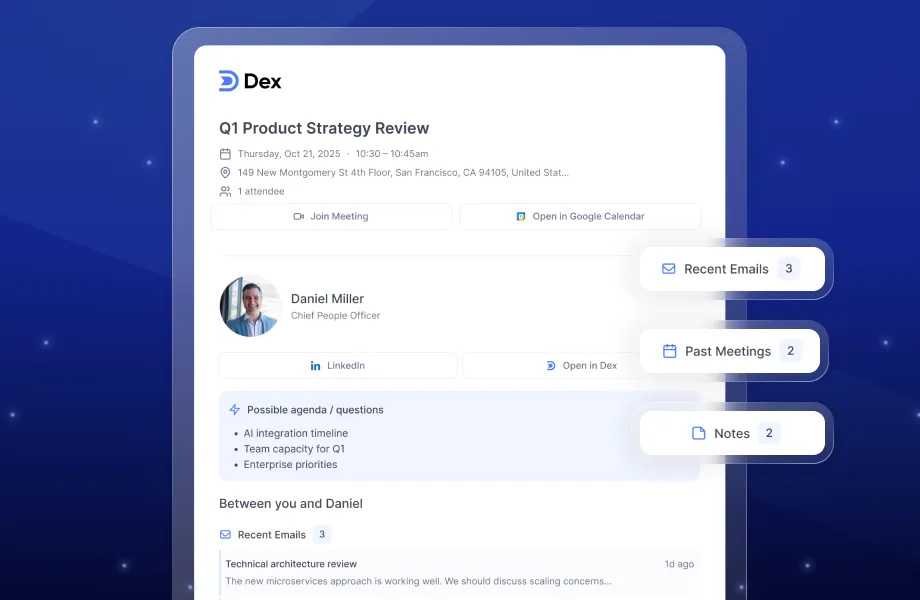
Pre-Meeting Briefs: Know the person you're meeting before you even meet them.
AI-generated message suggestions factor in your history for more personal outreach
Text Dex via SMS or WhatsApp to add notes on the go, right after a conversation
What's New in 2026
Dex updates in 2026
Outlook Support - Full integration with Outlook email and calendar, Dex's most requested feature
Pre-Meeting Brief Emails - Automatic summaries before meetings with attendee info, join links, and recent notes.
Mail Merge - Send personalized emails to multiple contacts at once using templates and dynamic fields from your Dex contact data.
Improved Note Creation - Faster note capture with default note types, reminders while writing, and a full-screen editor for longer notes.
Text Dex via SMS & WhatsApp - Add notes or get reminders directly through text
AI-Powered Organization - Auto-grouping of contacts based on shared context or history
AI Assist - Message suggestions now personalized using your notes, calendar, and email history
Premium Plan- Dex’s Premium plan unlocks core personal CRM features like reminders, integrations, and AI-powered tools to help you stay organized and maintain relationships consistently. It’s designed for individuals who want a simple, intuitive way to manage their network and follow up thoughtfully.
Contacts+ updates in 2026
Improved contact deduplication and merge suggestions
Better syncing across iOS Contacts, Google, and iCloud including birthday and nickname fields
Enriched social profile data for contacts
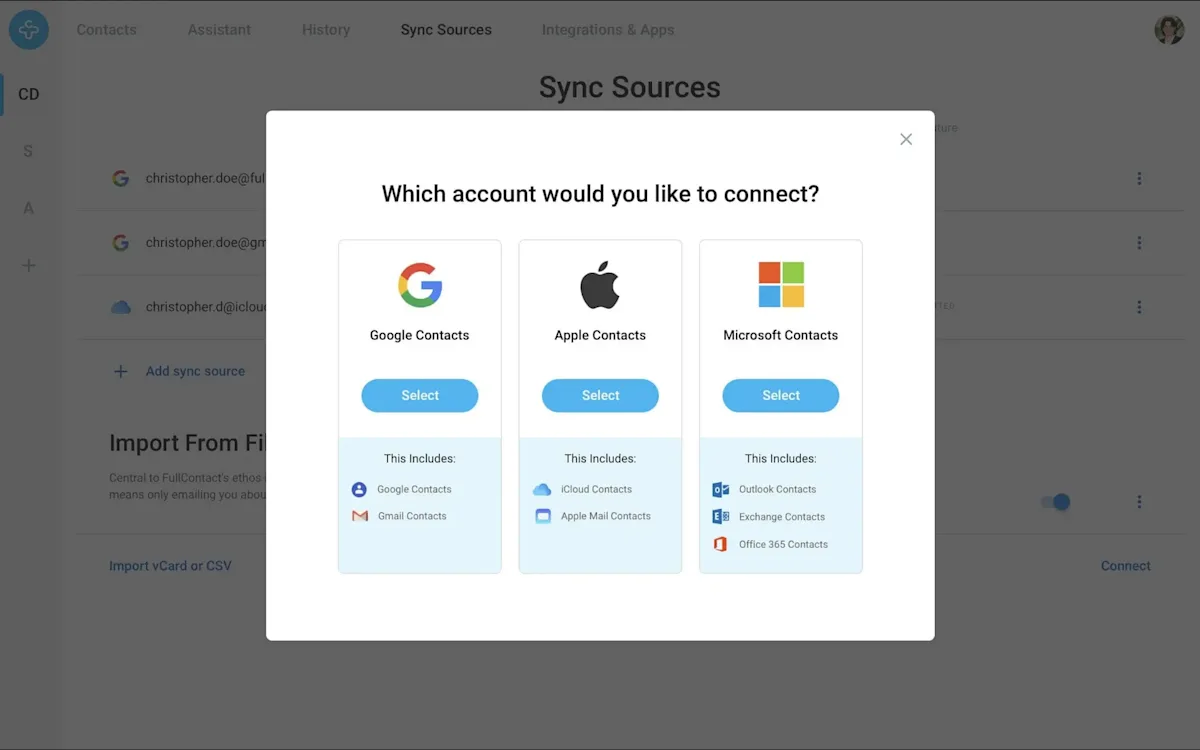
Easily sync contacts across Gmail, Outlook, and your phone.
Both tools are improving, but the trajectory tells the story: Dex is investing heavily in AI-driven relationship intelligence, while Contacts+ continues to refine its core promise of clean, organized contact data.
Pricing Comparison
Dex costs $12 per month billed annually and includes unlimited contacts, notes, reminders, email and calendar integrations, custom fields, contact sync, and priority support.
Contacts+ offers a free tier with basic syncing and a paid plan for advanced features. Pricing varies by tier, but even the paid version focuses on contact organization rather than active relationship management.
Which Should You Choose?
Choose Contacts+ if you:
Primarily need to clean up and unify a messy contact list
Want basic syncing across Google, iCloud, and your phone
Don't need reminders or interaction history, just accurate contact data
Choose Dex if you:
Want a system that helps you follow up and stay in touch consistently
Need interaction history and context before every call or meeting
Use email, LinkedIn, and calendar as part of your daily workflow
Care about building and maintaining professional relationships over the long term
If your goal is a clean address book, Contacts+ gets the job done. If your goal is a stronger network and more meaningful relationships, Dex is the tool built for that.
Frequently Asked Questions About Contact Management Apps
What is a contact management app?
A contact management app is a tool that helps you store, organize, and access information about the people in your network. The best apps go beyond a basic address book to include interaction history, follow-up reminders, and integrations with email and calendar tools — making it easier to maintain relationships over time rather than just storing contact details.
What is the difference between a contact management app and a personal CRM?
A contact management app focuses on organizing and maintaining accurate contact data. A personal CRM goes further by tracking interactions, prompting follow-ups, and helping you manage relationships over time. Dex is a personal CRM; Contacts+ is primarily a contact management app.
What are the best tools for staying in touch professionally?
The best tools for staying in touch depend on how proactive you want to be. For passive organization, Contacts+ works well. For active relationship management — with reminders, interaction history, and AI-assisted outreach — Dex is built specifically for that purpose.
For a quick rundown of the best personal crm tools, check out our video.
How do you maintain professional relationships over time?
Maintaining professional relationships consistently requires a system. Without one, it's easy to let months pass without connecting. The most effective approach is to use a tool like Dex that surfaces reminders based on your cadence preferences, logs interactions automatically, and gives you context before every conversation — so every outreach feels thoughtful rather than transactional.