Dex vs Clay (Mesh): Choosing the Right Personal CRM in 2026
Update from the author: We’ve refreshed this comparison to reflect the latest updates to Dex and Clay (Mesh) in 2026, ensuring you have the most up-to-date information when choosing the right personal CRM.


Update from the author: We’ve refreshed this comparison to reflect the latest updates to Dex and Clay (now Mesh) in 2026, ensuring you have the most up-to-date information when choosing the right personal CRM.
With so many personal CRM options emerging, it’s easy to get overwhelmed by the choice. If you’re weighing your options between Dex and Clay, you’re in the right place.
Dex and Clay are both personal CRM tools, but they solve different problems. At their core, Dex is built around reminders, follow-ups, and keeping track of past interactions, while Clay focuses on enriched contact data, browsing your network, and surfacing context automatically.
This quick comparison is for people managing their personal relationships, not sales teams running pipelines. If you’re deciding between Dex and Clay, the right choice depends on how you want to interact with your network day to day.
Let’s dive in.
A Note on Clay's Rebrand
Clay recently rebranded to Mesh. You may still see it referred to as Clay across the web, in app stores, and in older reviews, including parts of this article. For clarity, we use both names interchangeably throughout this comparison.
Dex And Clay As A Personal CRM
Dex - $12 per month, paid annually
Dex is designed for people who want to stay in touch consistently.Its core value lies in remembering when and how to follow up, with interaction history pulled from connected tools like email, calendars, and social media accounts.
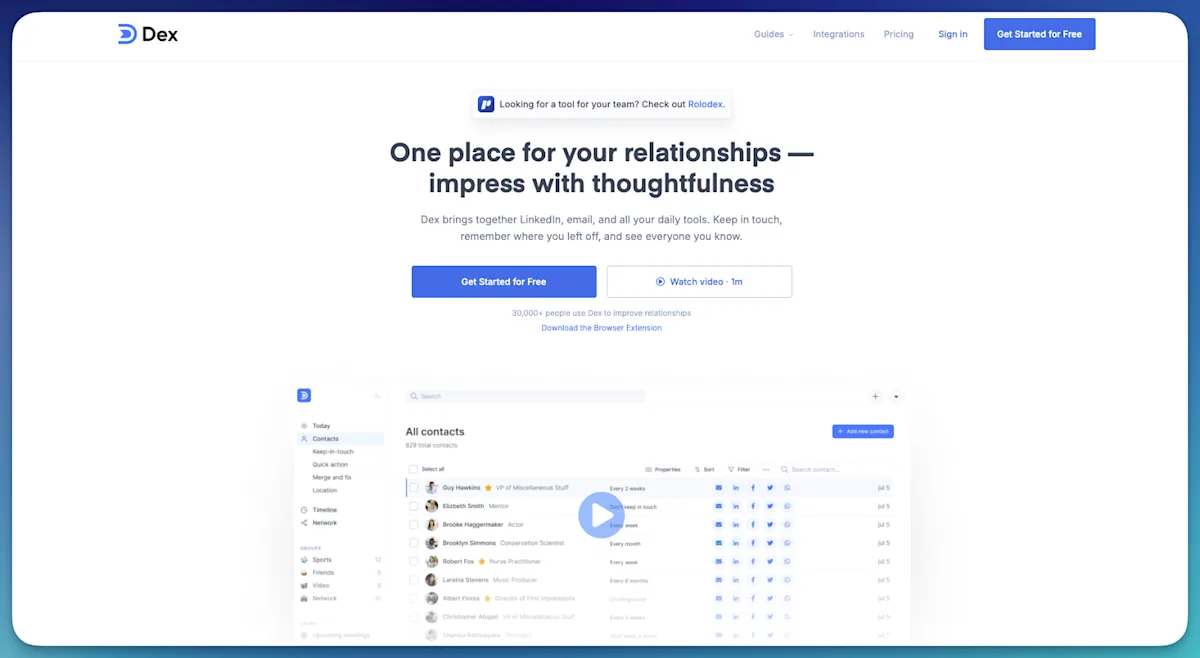
from getdex.com
In 2026, Dex’s AI became smarter at understanding your relationships, automatically surfacing context from emails, calendars, and notes, summarizing past interactions, and suggesting the best ways to reach out.
Clay (Mesh) - $40 per seat/month, paid annually
Clay is designed for people who want deeper context on their network. It emphasizes profile enrichment, relationship mapping, and browsing connections to uncover patterns or insights.
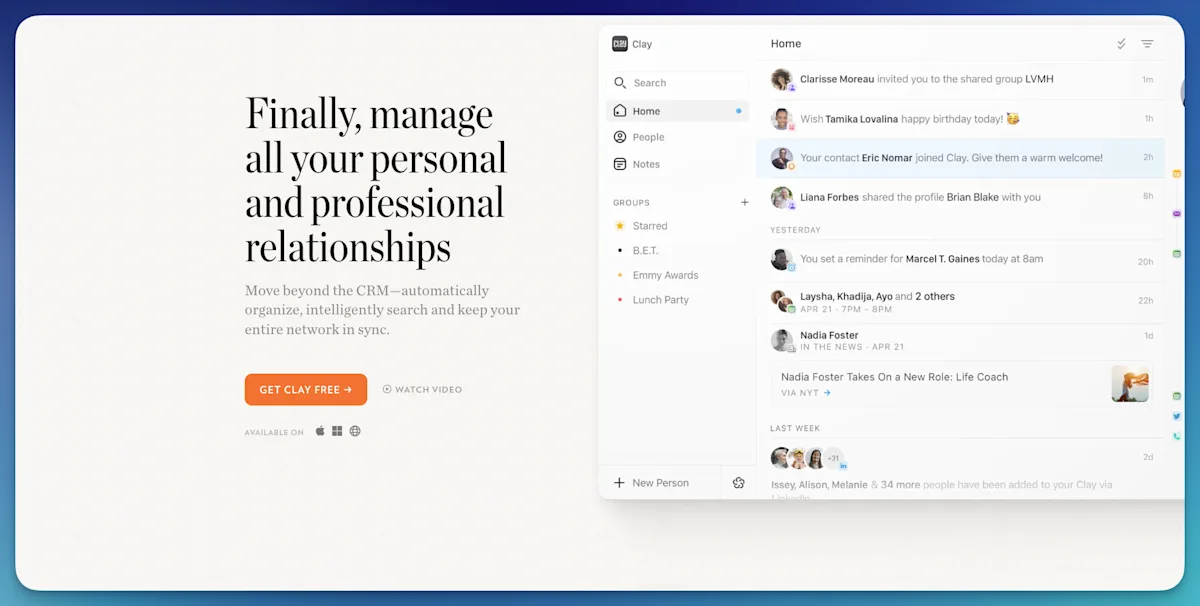
from clay.earth
Clay works best when you want to explore your network, research people, or understand how contacts relate to each other.
Dex vs Clay: Key Differences and Best Use Cases
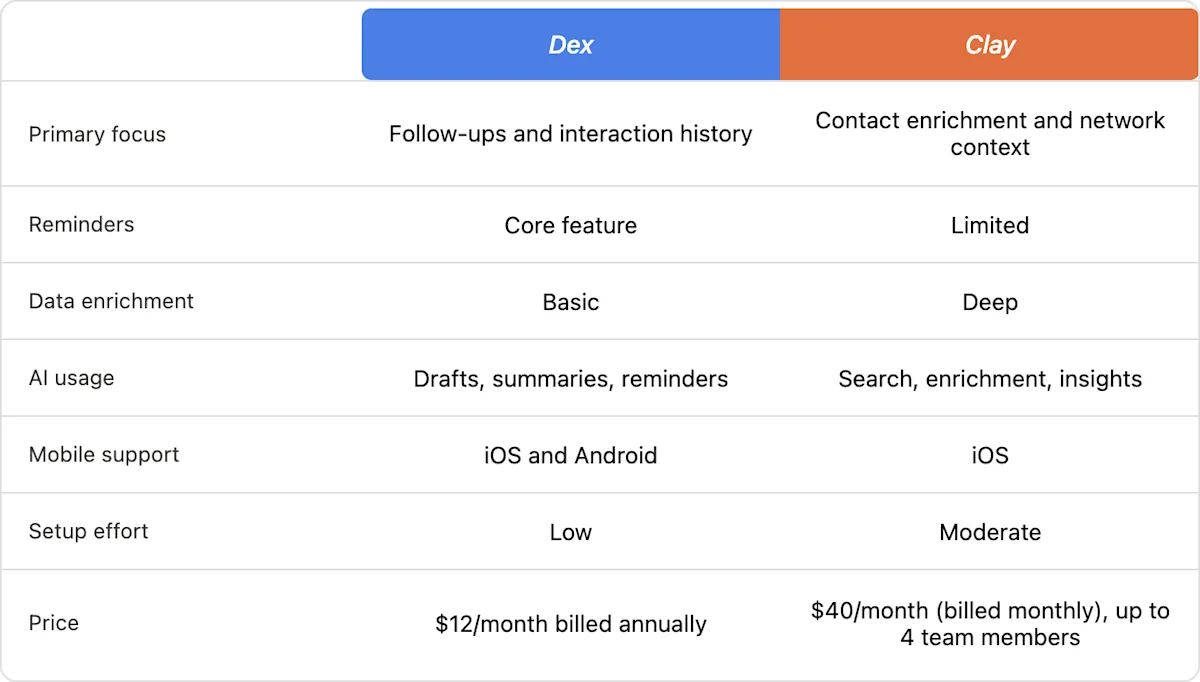
Dex is a better fit if you:
Want reminders to follow up with specific people
Track conversations across meetings, emails, and notes
Prefer a lightweight system you check briefly each day
Use both mobile and desktop features regularly
Clay/Mesh is a better fit if you:
Care about enriched profiles and background data
Spend time reviewing and organizing contacts
Prefer working on desktop
Want to analyze your network rather than just maintain it
Which Offers More Value?
Pricing can be a deciding factor, especially if you’re choosing a tool for personal use.
Dex is available at a price of $12 per month, billed annually. This plan includes unlimited contacts, notes, and reminders, as well as unlimited contact views. Additionally, Dex provides email and calendar integrations, custom fields, contact sync, and priority support to enhance the user experience.
Clay's paid pro plan costs $10 per month billed annually, or $40 per month for the team plan. While it includes unlimited contacts and priority support, Clay focuses more on aggregating contacts and social information, relying on users to manually manage their interactions.
Choosing Between Dex and Clay (Mesh)
Choose Dex if your main problem is forgetting to follow up or losing track of past conversations. Choose Clay (Mesh) if your main problem is lacking context about people in your network or wanting deeper insight into relationships.
Both tools work, but they support different habits. The better choice is the one that matches how you already work, not the one with more features.
While both Dex and Clay (Mesh) offer personal CRM tools to help you manage relationships, Dex stands out for its focus on follow-through. If you’re serious about building meaningful connections and need a system that will remind you to stay on track, Dex offers the best value.
With Dex, you experience a streamlined, user-friendly interface backed by practical features like follow-up reminders and deep integrations. These powerful reminders make Dex the best tool for relationship maintenance, as it's specifically designed to drive engagement and consistency in your connections.
How Dex and Clay Handle Personal CRM Workflows
Here’s how Dex and Clay compare across everyday personal CRM workflows, so you can see which tool fits your relationship-management style.
After setting up
Dex
Setup is quick
Most value comes from adding notes and setting reminders
Requires minimal cleanup once running
Clay
Setup takes longer due to enrichment and organization
Benefits increase as more data is reviewed and refined
Requires more ongoing attention to stay organized
After meeting someone new
Dex
Add the contact.
Write a short note about the meeting.
Set a follow-up reminder.
Review the reminder when it surfaces.
Manage all contacts across multiple platforms in one place.
Clay
Add the contact.
Review enriched data pulled into the profile.
Tag or categorize the person.
Decide manually when to reach out.
Checking in after past conversations
Dex
Shows past notes, meetings, and messages in one timeline
Reminders surface based on your schedule
Clay
Shows profile context and related people
Requires manual planning for follow-ups
Tracking long-term relationships
Dex
Designed to prompt periodic check-ins
Works well for staying in touch with multiple relationships over months or years
Clay
Better at showing how people relate to each other.Less focused on long-term cadence.
What’s New in Dex (2026)
Outlook Support
The most-requested integration: Dex now supports Outlook integration, a quick summary before meetings, including attendees, join links, and recent notes or interactions.
Pre-Meeting Brief Emails
Dex now emails a quick summary before meetings, including attendees, join links, and recent notes or interactions.
Integrations Hub
All connections like Gmail, LinkedIn, and Google Calendar now live in one page, with setup steps and sync details.
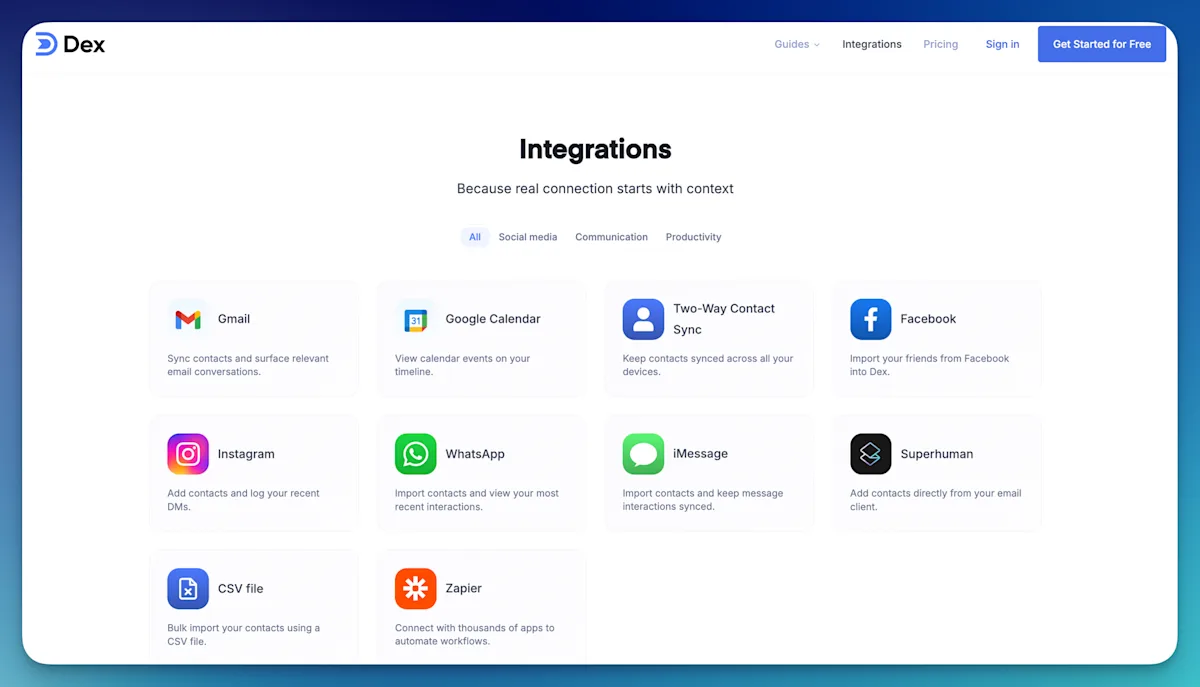
getdex.com/integrations/
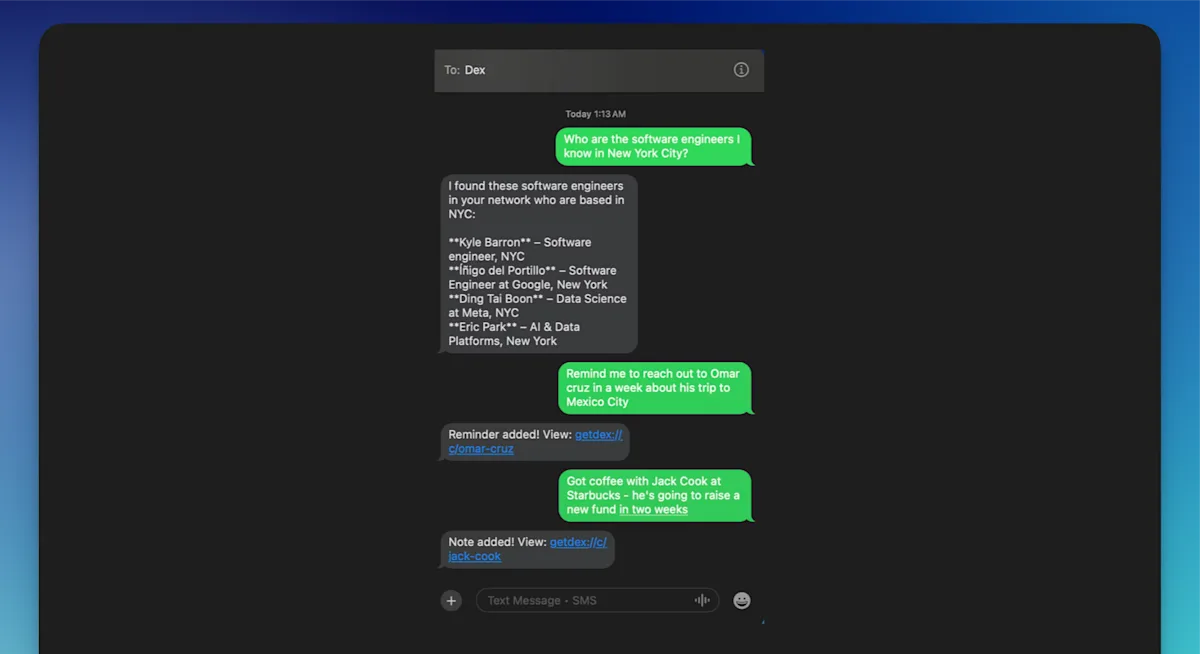
Text Dex via SMS & WhatsApp
Add notes, get reminders, or ask Dex questions directly through text or WhatsApp.
getdex.com/docs/ai/messaging-dex
AI-Powered Contact Organization
Dex can auto-group contacts and suggest names based on shared context or history.
AI Assist Updates
Message suggestions now factor in your notes, calendar, and email history for better personalization.
What's New in Clay (2026)
Nexus AI Enhancements
Nexus AI is smarter and faster, now offering deeper reasoning, creating/updating contacts, managing groups, and surfacing context from recent interactions and calendar events.
Redesigned Add Person Experience
Add contacts more intuitively with multiple details at once. All social profiles, notes, and other fields in a single streamlined view.
Upcoming View in Home
See birthdays, reminders, and events for the next 30 days directly in your Home feed, helping you stay on top of important dates.
Activity View
Track recent imports, duplicate suggestions, and integration alerts in one dedicated panel.
Note: The information above is based on the latest updates available as of February 2026. For the most current features and integrations, please refer to Dex's and Clay's official documentation.
Why Dex Stands Out as the Better Personal CRM for Most People
While both Dex and Clay offer personal CRM tools to help you manage relationships, Dex stands out for its focus on follow-through. If you’re serious about building meaningful connections and need a system that will remind you to stay on track, Dex offers the best value.
With Dex, you experience a streamlined, user-friendly interface backed by practical features like follow-up reminders and deep integrations. These powerful reminders make Dex the best tool for relationship maintenance, as it's specifically designed to drive engagement and consistency in your connections.
At the end of the day, the best CRM is the one that has all your desired features and easily integrates into your workflow. Try Dex and see how it fits into your routine, you might just find it’s the tool you’ve been looking for.
Frequently Asked Questions About Personal CRMs
What Is a Personal CRM?
A personal CRM is a tool designed to help you manage both personal and professional connections. It allows you to organize your network with notes, reminders, and smart management features. Many modern personal CRMs now include an AI assistant for personal relationships, which can help you prioritize contacts, suggest follow-ups, and highlight key details from your past interactions. These platforms often combine the functionality of an address book, calendar, map, and database, making it easier to use AI for networking and to nurture meaningful connections over time.
What Is a Personal CRM Used For?
A personal CRM helps you keep all contact information in one central place, giving you a complete view of each relationship. It can analyze this information to suggest the best times to reach out, recommend personalized messages, or identify connections that may help you achieve your goals. Integrations with email, calendars, and social media make managing your interactions more efficient. Setting reminders for birthdays, anniversaries, and follow-ups ensures you never miss important dates, helping you stay proactive and show genuine care in your relationships.
Is a Personal CRM Easy to Learn and Use?
The learning curve depends on the platform, but most personal CRMs are designed to be intuitive and user-friendly. Modern CRMs with AI assistants make adoption even smoother by offering smart suggestions, automated reminders, and helpful prompts. With the right guidance and resources, most users can get comfortable quickly, leveraging AI to manage and grow their relationships without a steep learning curve.