Dex for Recruiters: Stay Close to Candidates and Hiring Managers Between Searches
How to use Dex alongside your ATS to stay close to placed candidates and hiring managers, so you're the first call when the next search opens.

Your ATS is built to run a search. Once the search closes, the relationship has nowhere to go. The candidate you placed three years ago is a hiring manager now, and the VP who trusted you with one role has a new budget. If you haven't spoken since the start date, the next search may go to someone else.
Dex holds the years between searches. This guide shows recruiters, both agency and independent, how to set it up next to Bullhorn, Loxo, Ezekia or any other ATS, and how to run a routine that keeps you in touch.
Decide what goes in Dex
Use a simple rule. Open roles, pipelines and submittals stay in the ATS. People you want to know for the long term go into Dex: placed candidates, hiring managers, silver medalists you'd call again, and your wider network.
This split has a second benefit. Your ATS data usually belongs to the firm, so it's worth checking who owns the seat. Dex is your own account, and you can export your contacts any time. Don't copy firm-owned candidate data across without checking your employment agreement.
Bring your people in
Connect Gmail and Google Calendar under Settings → Workflow → Sync & Import/Export. Outlook requires Professional.
Connect LinkedIn sync from the mobile or desktop app. Recruiters' networks run large, so check the limits: 2,500 connections on Premium and 9,000 on Professional.
Install the Mac desktop app to sync iMessage and phone call history. On a Mac this gives you a record of the calls that make up most of your week.
Connect WhatsApp for candidates who prefer it.
Import a CSV of the people you want to track. The web app handles this, and any column you don't map is ignored.
Install the Chrome extension too. On a LinkedIn profile, it adds someone to Dex, or opens their contact if they're already there, so you can add a note and a reminder without leaving the page.
Organize around placements and hiring
Groups for a typical desk:
Hiring managers
Placed candidates
Silver medalists
Talent leaders
Referral sources
Industry peers
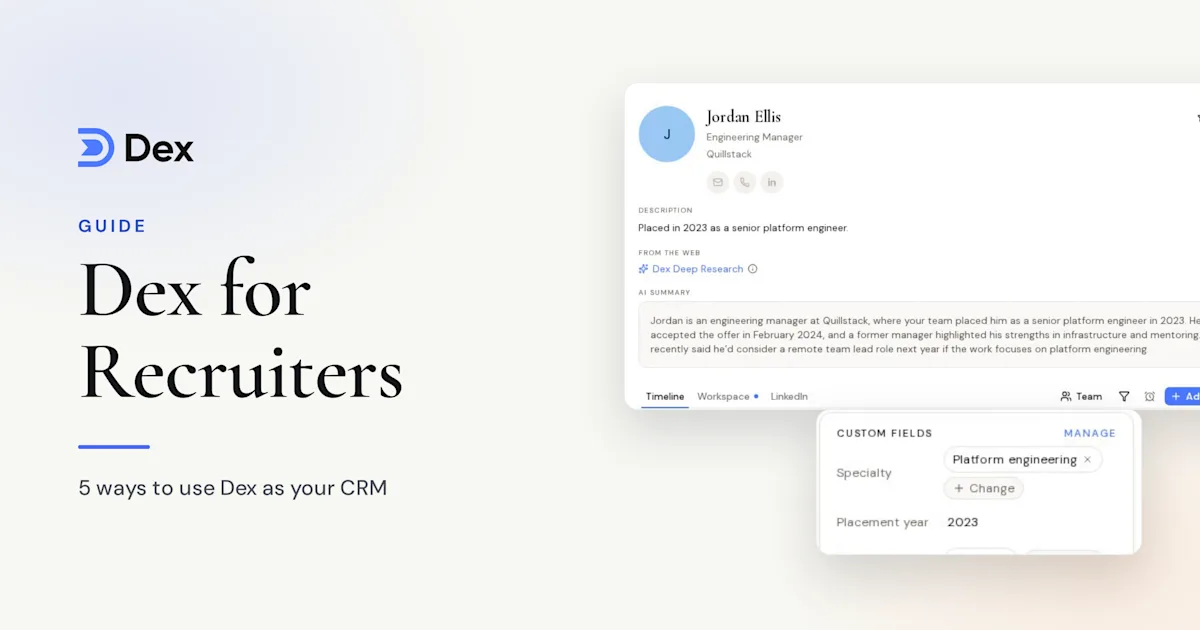
Tag by function, seniority and sector: "engineering", "VP", "Series B". Add custom fields for placement date, placed company and salary band, and you can filter on them.
Saved views then give you ready-made lists. "Placed candidates with a placement date older than 18 months" finds people who may be open to the next move, or who've become hiring managers themselves. Favorite it and it sits in your sidebar.
Stay close after the start date
Give hiring managers a monthly keep-in-touch frequency, placed candidates every 3 months and your wider network once a year. Adjust those as needed:
Hiring managers: every month
Talent leaders: every 3 months
Placed candidates: every 3 months
Silver medalists: every 6 months
Wider network: every year
Set them per contact, or for a whole group: open the group, click Select all, then Frequency, and pick a rhythm. People who already have a frequency keep it. Your Keep-in-Touch list shows who's due, and logged calls and emails move the date on their own.
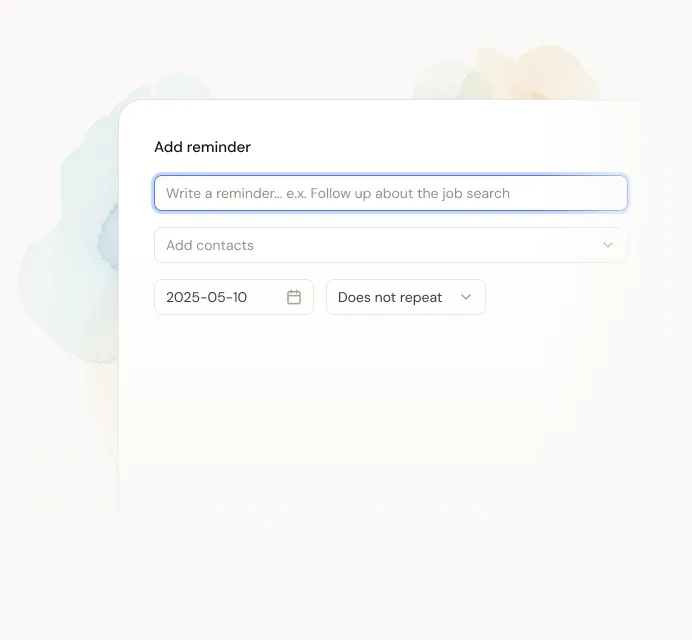
Placements also have dates worth marking. Set recurring reminders for the 30-day and 90-day check-ins, and for the first work anniversary. A note on someone's one-year mark is a small thing, and few people will expect it.
Watch for job changes
With LinkedIn connected, Dex flags important title changes: a new employer, a promotion, a new role, or someone starting or leaving a company. They show on Home and in your network update email.
For a recruiter, each of those is a signal. A new VP may be building a team. A promotion can leave an open seat behind it. Someone leaving may be a candidate. Reach out with a congratulations first, and leave the pitch for later.
Prepare for every call
Before a calendar meeting, Dex emails a pre-meeting brief with context on the person. It needs Google connected, and it covers meetings with up to four attendees. It's in beta and arrives about 10 minutes before the meeting.
Dex Research builds a deeper briefing on a hiring manager or candidate, covering their background, current role and what's changed since you last talked. Premium includes 10 credits a month and Professional includes 20.
After each call, add a note on what they want next and what they said about the team. Conversation Memory also writes a short nightly note from synced WhatsApp, iMessage, LinkedIn and Instagram chats.
Let Copilot find the check-ins
Ask Copilot, "Who do I know who's a VP of Engineering in Austin?" It answers from your contacts and notes, then drafts the check-in. You edit and send.
Other useful prompts:
"Summarize my history with Sarah."
"Draft a note to Jordan on their promotion."
For market updates to a group of hiring managers, Mail Merge on Professional sends a personalized email to up to 200 contacts from your own account. Dex is meant for relationships you already have, so don't use it to send cold outreach.
A weekly routine for your desk
Clear the people due on your Keep-in-Touch list, starting with hiring managers.
Check title changes on Home and send two or three notes.
Review the placement check-ins due this week.
Open your older-placements view and choose one person to call.
Add notes from the week's calls.
Going independent
If you're leaving a firm to go out alone, Dex can be your starting system. Import a CSV of the people you have the right to keep, set your cadences, and use your own email from the first day. See the Dex for recruiters page for a comparison with an ATS and a spreadsheet.
Frequently asked questions
Does Dex replace my ATS?
No. Keep open roles and pipelines in your ATS. Dex is for placed candidates, hiring managers and your network between searches.
Who owns my data if I change firms?
Dex is your own account, and you can export your contacts at any time. Candidates in your employer's ATS are a separate matter, so check your agreement before you move anything.
What does Dex cost compared with an ATS?
Dex starts at $12 a month billed annually. Most recruiters with a large network will want Professional, at $20 a month billed annually, for 9,000 LinkedIn connections and Mail Merge.
Can my whole desk use Dex together?
Dex for Teams, in early testing, adds a shared workspace next to each person's private Dex. Searching a person or company shows which teammates know them and when they last talked.
Get started
Good recruiting relationships outlast any single search. Keep pipelines in your ATS, move placed candidates and hiring managers into Dex, set a cadence for each group, and watch for job changes. Start with your last 20 placements.
Start your free 6-day trial of Dex, or read more on the Dex for recruiters page. A card is required to start the trial, and you won't be charged until it ends.