Dex for Job Seekers: Get Warm Intros at Your Target Companies
How to use Dex to find connections at target companies, track every conversation in your search, and follow up without dropping anyone.

A job search turns into a relationship problem quickly. You're talking to former colleagues, recruiters, hiring managers and friends of friends, all at different stages, while applications run in the background. The follow-up you forgot on Tuesday can be the one that mattered.
Dex gives that search a home. This guide covers how to find people you already know at your target companies, how to track each conversation, and how to keep the network going after you land the job. For the wider strategy, our guide on organizing your job search goes deeper. This one is about doing the work in Dex.
Step 1: Bring in the network you already have
People you've worked with are usually a better starting point than a cold list, so load them first.
Connect LinkedIn sync from the Dex mobile or desktop app. It adds your connections and keeps their titles current. Premium covers up to 2,500 connections.
Connect Google under Settings → Workflow → Sync & Import/Export so past emails and meetings appear on each person's timeline.
Connect WhatsApp if you stay in touch with old colleagues there.
Install the Chrome extension. On a LinkedIn profile you can add someone to Dex, write a note and set a reminder without leaving the page.
Step 2: Search your network by company and role
This is where most people get their first useful result. Ask Copilot at the top of Home:
"Who do I know at Figma?"
"Which product managers do I know in Berlin?"
"Who have I worked with that now works in fintech?"
Copilot searches by name, job title, company, location, education and keywords. You'll often find a former teammate at a company you'd only planned to apply to cold. That person can give you an honest read on the team or refer you.
Write down your 10 to 20 target companies, run the search for each, and add what you find to a group.
Step 3: Set up groups for the search
Keep this light. You're running a search, so the system shouldn't become a second job.
Target companies: people who work at places you want to join
Recruiters: internal and agency
Hiring managers
Advisors: mentors and friends who review your materials
Referrers: anyone who has offered to put your name in
Use tags for company names, such as "Figma" or "Linear". Then a saved view filtered to one tag shows everyone you know at that company.
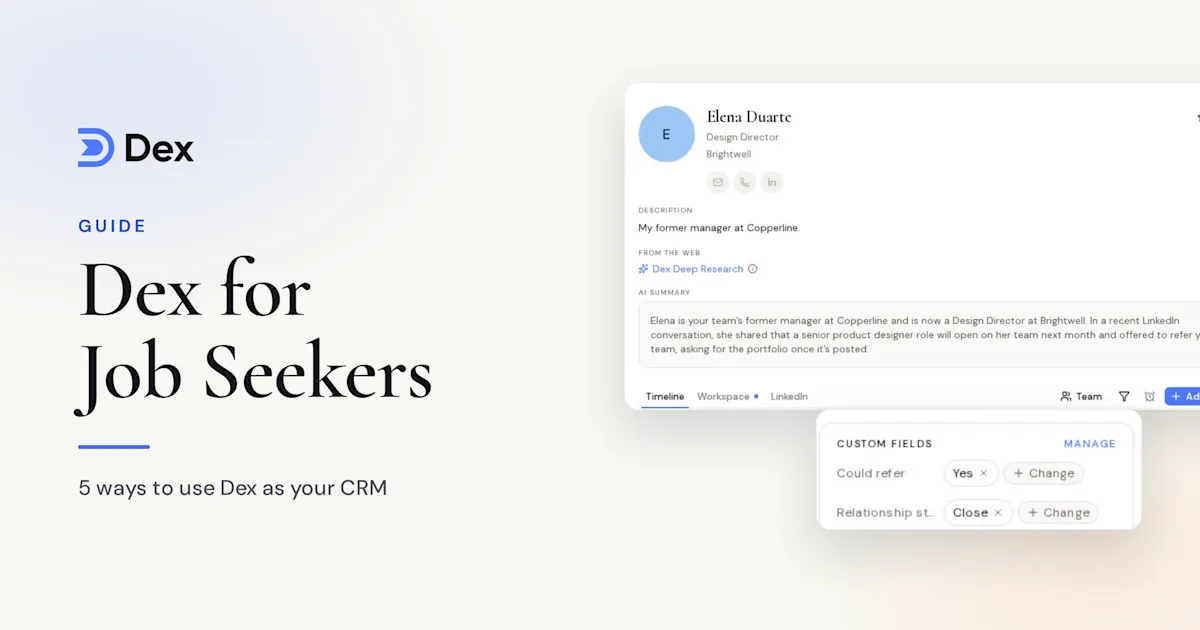
Add custom fields for the details you'd otherwise keep in a spreadsheet, like application status, role and last stage. You can filter on them too, so "stage is onsite" gives you an instant list.
Step 4: Keep a note for every conversation
After each call, open the contact and write down three things: what they said about the role, what they suggested you do next, and what you promised them. On mobile, Add with voice dictates the note and tidies it up, which helps if you're walking out of an interview.
Notes are searchable, so a month later you can find who mentioned that the design team was hiring. Copilot also reads your notes, so you can ask "summarize my conversations with Sarah" before a second-round call.
If you connect WhatsApp, iMessage, LinkedIn or Instagram, Conversation Memory writes a short nightly note about what you discussed. It starts from the day it's turned on.
Step 5: Set follow-ups so nothing slips
Use two kinds of reminder, and keep them separate.
A reminder has a fixed date. Set one after every conversation: "Follow up with Priya on Thursday about the intro." It lands on the contact's timeline and in your daily digest.
A keep-in-touch frequency is a rhythm. During a search, these work well:
Recruiters: every 2 weeks while a process is live
Advisors: every month
Former colleagues: every 3 months
To set a whole group, open it, click Select all, then Frequency, and pick a rhythm. People who already have a frequency keep it. Log a conversation and the next due date moves on its own.
Your daily digest arrives at 8:30am with what's due, so you can start each morning with your follow-ups before opening a job board.
Step 6: Prepare for interviews
If your calendar is connected through Google, Dex sends a pre-meeting brief about 10 minutes before meetings with up to four attendees. It covers recent emails, past meetings and your notes, and it's in beta.
For more depth, run Dex Research on a hiring manager. It builds a briefing on their background and current role. Premium includes 10 research credits a month.
Ask Copilot to draft your thank-you note afterward, for example "Draft a thank-you note to Sarah for my onsite, using my notes on her." It'll use those notes and your history as context, and you edit it and send it yourself.
A daily routine for your search
Read the morning digest and send anything due.
Check Home for title changes. Someone who just joined a target company may be open to a chat.
Reach out to two people from your target-company view.
Write up the day's conversations and set the next follow-up.
Thirty minutes a day is enough. Two good messages each weekday adds up to about 40 outreach messages in a month.
After you land the job
Don't cancel your network along with your search. Before you start the new role, send a thank-you to everyone who helped, and tell them where you landed. Stretch your keep-in-touch frequencies to every 6 months for the wider group, and keep your closest advisors on a shorter one. Your next search will start from a warm network.
Frequently asked questions
Can Dex track my job applications?
Yes. Dex tracks the people first, but custom fields for company, role and stage cover applications well. Save a view for each stage and you've got a simple tracker that's tied to the actual humans involved.
Will my current employer see my job search in Dex?
Your Dex account is yours and it's separate from your employer's tools. Use a personal email to sign up, and connect a personal Gmail rather than a work one.
Do I need the Professional plan?
Most job seekers don't. Premium, at $12 a month billed annually, has LinkedIn sync, reminders, custom fields and 10 research credits. Professional adds Mail Merge and a larger LinkedIn limit, which matter less unless your network is over 2,500 connections.
How do I restart a relationship I've let go quiet?
Start with something specific to them, like a job change Dex flagged or a detail from your notes. Be plain about why you're writing. People who liked working with you are usually glad to hear from you.
Get started
A strong job search comes from your existing network: find who you know at target companies, keep a note for each conversation, and set a follow-up every time. Start today with your first five target companies and see who's already in your contacts.
Start your free 6-day trial of Dex, or learn more on the Dex for job seekers page. A card is required to start the trial, and you won't be charged until it ends.