Dex for Foundations
How a foundation's program team can share grantee and co-funder relationships in Dex, find warm introductions through colleagues and stay in touch between grant cycles.

A foundation runs on relationships. There are the grantee partners, the co-funders, the trustees and the people who know a field better than anyone on staff. The grant itself gets tracked carefully, but the relationship around it usually sits in one program officer's inbox and calendar, plus notes from a site visit that never got typed up.
Dex for Teams gives a program team one shared place for that history. This guide covers how to set it up for a foundation, which groups and fields to use, and how to keep grantees hearing from you between the report and the renewal.
[VIDEO PLACEHOLDER: Dex for Foundations tutorial, about 2 minutes. Replace with the YouTube embed once uploaded.]
Where Dex fits next to your grants system
Keep Foundant, Fluxx, GivingData or Submittable for what they do well: applications, awards, payments and reporting. Dex doesn't track grants, gifts or pledges. It holds the relationship side, meaning who on the team knows whom, what was said, and who follows up next.
The difference is how the record gets built. A grants system only knows about the interactions someone took the time to log. Dex brings in the email and calendar history each person chooses to share, so the record doesn't depend on anyone typing it in.
Set up a workspace for the program team
Everyone on the team keeps their own private Dex. The workspace is a separate space added to it.
Start a 14-day free trial of Dex for Teams. No card is needed.
Go to Settings → Team and create a workspace for the foundation.
Choose which of your accounts the workspace sees, and at what level.
Invite colleagues by email. Each of them makes the same choices for their own accounts.
Start with one program, not the whole foundation. Pick the colleagues who work with the same grantees and add that program's contacts. If a colleague's history changes how you prepare for the next grantee call, invite the next program.
Workspaces have four roles: owner, admin, member and viewer. Viewers get read-only access, which suits leadership or a grants manager who needs to see the history but won't add to it. Viewers see everything the team has shared, so review the workspace before you invite trustees or occasional participants.
Organize people the way your team already thinks
Bring contacts in from connected Gmail or Outlook accounts, or import a CSV from your grants system or a convening attendee list. Then sort them into groups:
Grantee partners
Prospective grantees
Co-funders and funder collaboratives
Trustees and board
Field experts and advisors
Government and community partners
Custom fields hold the details your team already uses to sort its work, like program area or grant cycle. You can filter on them, and a saved view such as "Housing program, grant cycle FY27" keeps the right list one click away.
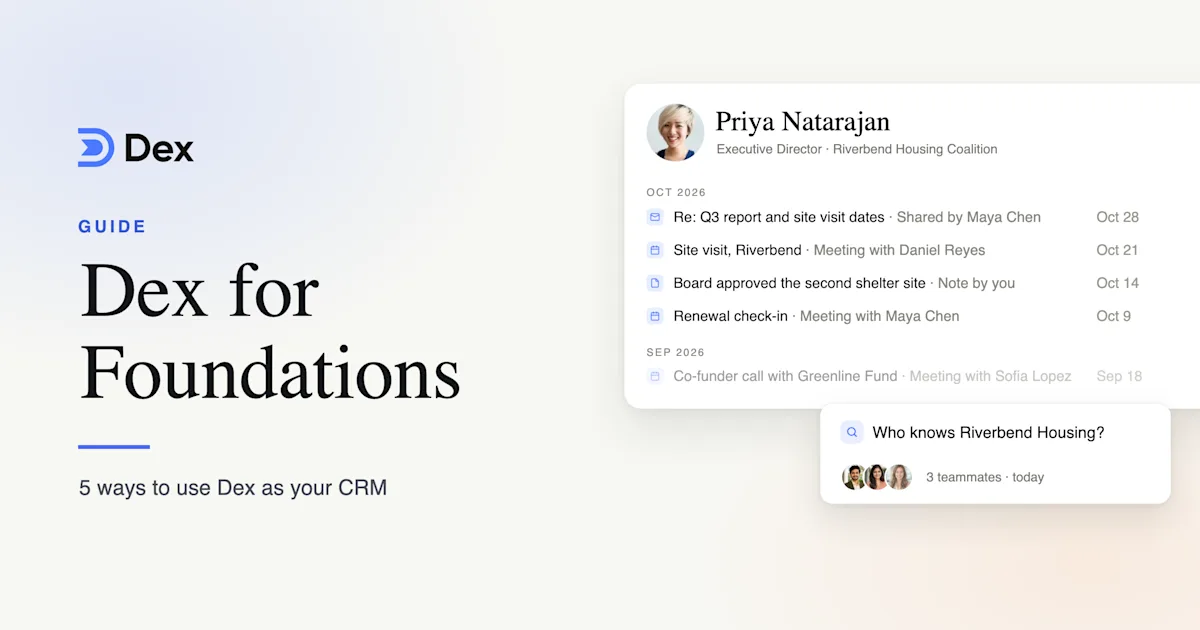
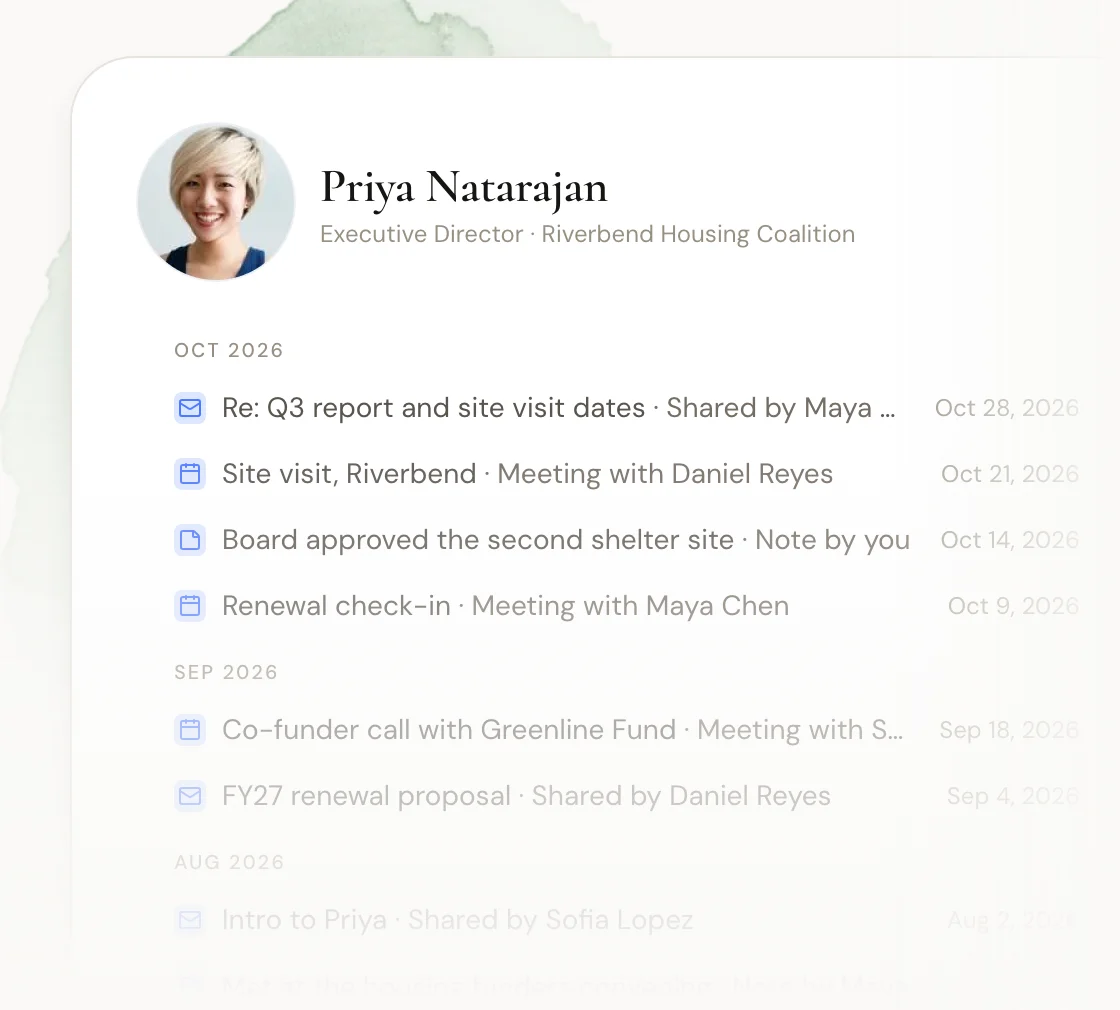
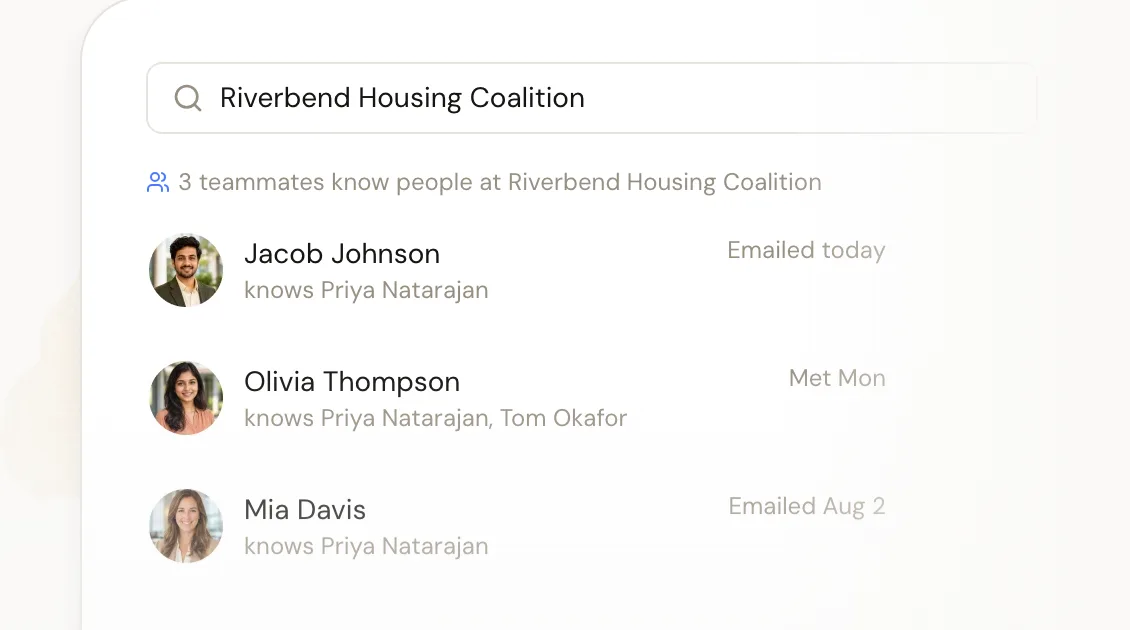
History in Dex is organized by person, not by organization. Each shared contact has a timeline. To see a whole grantee organization, search its name and Dex shows which colleagues know people there.
Walk into the grantee call already caught up
Before a call, open the contact. The timeline brings together the email and calendar history colleagues have shared and the notes they added after a site visit or a phone call. You pick up where your colleague left off, instead of asking a grantee to repeat what they told the foundation last month.
After the call, add a note while it's fresh: what changed, what they asked for and what you promised. Each note can be shared with the team or kept private. Shared site-visit notes tend to be the most useful part of the record, since no inbox would have captured them.
Find warm introductions through colleagues
When a grantee hires a new executive director, or you want to meet a potential co-funder, search the person or the organization first. Dex shows which colleagues are connected and when they last talked. Read the context they've shared, then ask them for the introduction.
You can also connect the workspace to Claude, ChatGPT or another AI assistant through the Dex MCP server. Then you can ask "who on our team knows anyone at Greenline Fund?" from the tools you already use.
Keep in touch between grant cycles
Most grantees hear from their funder at two moments: when a report is due and when a renewal comes up. A keep-in-touch frequency adds the conversations in between. Set one per contact or per group, for the whole team or just for yourself:
Grantee partners: every 3 months
Trustees and board: every month
Co-funders: every 6 months
Prospective grantees: every 6 months
Field experts and advisors: every year
The keep-in-touch list shows who's due and who on the team owns the follow-up. Dex works out the next date from the last interaction, so a call or an email resets the clock by itself. Use reminders for anything with a date attached, like "send the convening invite to Priya in March".
Keep the history when a program officer moves on
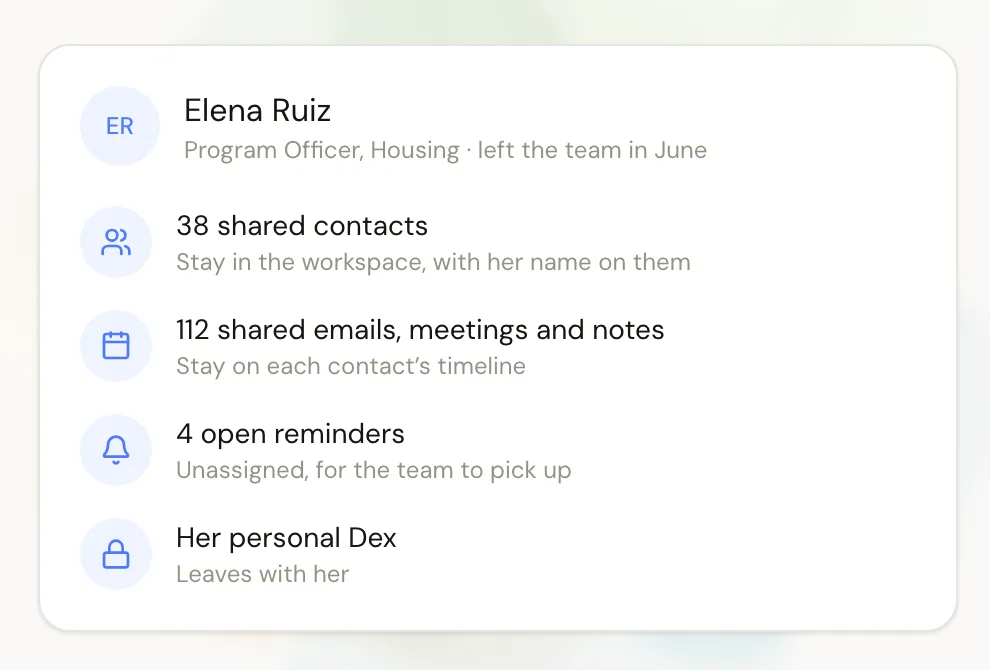
Turnover is where a lot of relationship history gets lost. In Dex, when someone leaves the team, everything they shared with the workspace stays, with their name on it. That includes the contacts, the timeline and the shared notes. Their connected accounts stop feeding the workspace, their open reminders are unassigned for the team to pick up, and their personal Dex leaves with them. An owner or admin removes their access, and their successor starts from the record instead of an empty inbox.
Decide what to share before you connect
Some conversations shouldn't leave the person who had them. For each connected account, you choose whether the workspace sees nothing, only subjects, participants and dates, or full content. If even a subject line would be sensitive, leave that account out. Each note can be shared or kept private, and you can change any of this later.
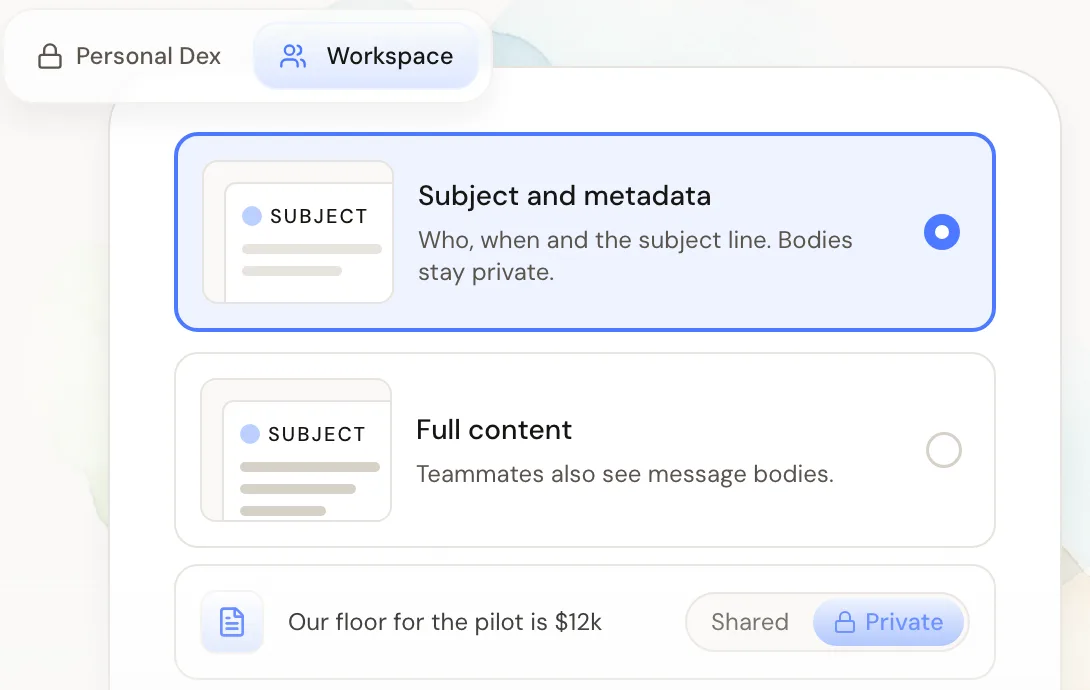
A good default for a program team is subject and metadata for email, plus shared notes for site visits and calls. People can still take part without connecting an inbox at all, using only the contacts and notes they add by hand. The security page covers how data is stored and encrypted.
A weekly routine for program teams
Clear the grantees and co-funders due on the keep-in-touch list.
Read the timeline before each grantee call this week.
Add a shared note after every site visit and call.
Search any new name that comes up and ask whoever knows them for context.
Frequently asked questions
Does Dex replace our grants management system?
No. Keep Foundant, Fluxx, GivingData or Submittable for applications, awards, payments and reporting. Dex holds the relationship side: who knows whom, the shared conversation history and the follow-up.
Who on the team should be in the workspace?
Anyone who holds relationships the team depends on, such as program staff, leadership and grants management. The viewer role gives read-only access. Viewers see everything the team has shared, so review the workspace before inviting trustees or occasional participants.
Does it work for a nonprofit's development team?
Yes. A development team can use the workspace for the funders and donors it shares: who knows the program officer, who talked to the donor last and who follows up next. Keep your donor database for gifts and pledges.
Is there nonprofit pricing?
Registered 501(c)(3) organizations can ask support for 50% off an individual Dex plan for the first 12 months. Dex for Teams is $40 per person per month, billed monthly, so a six-person program team is $240 a month.
Get started
Start with one program team. Choose what each person shares, put grantees and co-funders on a cadence, and read the timeline before the next call.
Start a 14-day free trial of Dex for Teams, with no card needed, or book a demo. There's more on the Dex for foundations page.
Related guides