Should You Use Your Brokerage's CRM? What Happens When You Leave
Use your brokerage's CRM for what belongs to the brokerage: transactions, compliance and company-generated buyer inquiries. Keep your sphere (past clients, friends, referral partners) somewhere you control and can take with you, and export a copy of your data every quarter whether or not you plan to leave.



The CRM your brokerage gives you is free, it's already set up, and it talks to the transaction system. It's an easy yes.
The question nobody asks on day one is what happens to everything in it on the day you leave. For a lot of agents the honest answer is "I don't know," and they find out with a week's notice, when their login stops working.
That question got more urgent in 2026. Compass completed its acquisition of Anywhere Real Estate (Coldwell Banker, Century 21, Sotheby's International Realty and others) on January 9, 2026, and Compass CEO Robert Reffkin talked about putting the combined brands on "a single, modern technology platform." On August 24, 2026, Real completed its acquisition of RE/MAX, forming Real REMAX Group with more than 180,000 agents. When brands combine, their technology usually does too, and some agents decide to move on. Either way, your database is going somewhere.
This guide covers what's yours, what isn't, what to check in your contract, and how to set things up so a move doesn't cost you your sphere. If you're doing the cleanup itself, our guide to organizing your real estate contacts walks through the export and merge.
Fast facts:
Listings and transaction files belong to the brokerage. The listing agreement is between the seller and the broker, not you.
Your personal sphere is usually yours, but "usually" depends on your independent contractor agreement.
Brokers have record-keeping duties. In California, B&P Code 10148 requires brokers to keep transaction documents for three years.
When you leave, you typically lose access to the brokerage CRM, email address, website and drip campaigns right away.
Exporting your contacts once a quarter costs ten minutes and removes most of the risk.
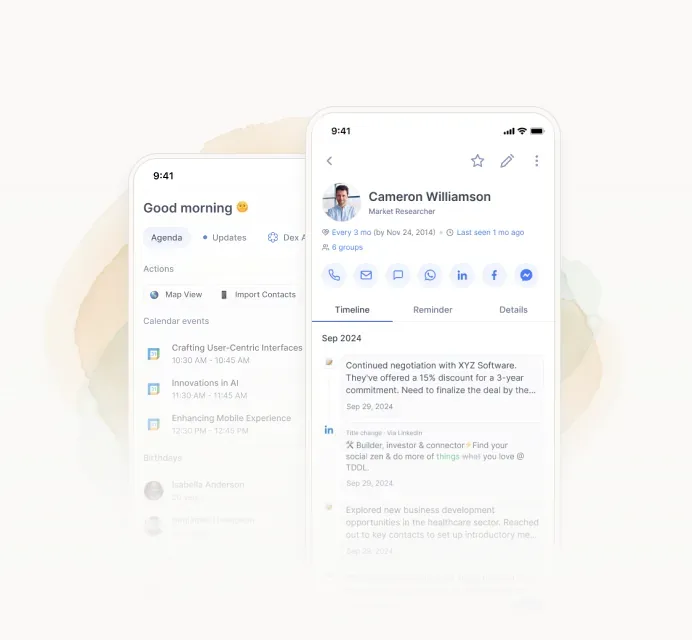
Image: A personal CRM on your phone travels with you from one brokerage to the next
What a brokerage CRM is good at
The brokerage tool is often the right choice for part of your business.
It's included in your fees, so it costs nothing extra. It usually connects to the brokerage's transaction management and compliance system, so contracts and closing dates flow in without typing. If your brokerage or team hands out buyer inquiries from its website or portal accounts, they arrive there, routed and timestamped. Your broker or team lead can see your activity and help. And there's usually training.
For a new agent who's still learning the business, that's a lot of value. The trade-off is that the system belongs to someone else.
What you keep and what you lose when you leave
Here's how it usually breaks down. Your contract can change any row, which is why the next section matters.
Item | Usually belongs to | What happens when you leave |
|---|---|---|
Active listings | The brokerage (the listing agreement is with the broker) | Stay with the brokerage unless the seller and broker agree to release or transfer them |
Pending deals | The brokerage, with your commission set by your agreement | Usually close at the old brokerage, and you're paid per your agreement |
Transaction files | The brokerage, which has to keep them (three years in California) | Stay with the broker. Keep your own copies only if your agreement allows it. |
Buyer inquiries the brokerage generated and paid for | Often the brokerage | May be reassigned to other agents |
Your personal sphere (friends, family, people you knew before) | Usually you | Yours to take, if you have a copy |
Past clients you served at that brokerage | Depends on your agreement | Read the contract. Some restrict soliciting them for a period. |
Notes, call logs and history inside the CRM | Whoever owns the system | Often gone when your login is turned off, unless you exported them |
Brokerage email address and phone number | The brokerage | Turned off, sometimes forwarded for a while |
Website, IDX search and saved searches | The brokerage | Gone. Clients' saved searches may move to another agent. |
Drip campaigns and automations | The brokerage | Stop, or keep running under someone else's name |
The rows that hurt are the quiet ones at the bottom. The notes about which client's daughter is starting college, the history of who referred whom, the email address 300 past clients have saved in their phones. None of that is a listing, and all of it is your business.
The five clauses to read in your agreement
Pull out your independent contractor agreement (or ask your broker for a copy) and look for these. They're often in sections called "Ownership," "Confidential information," "Termination" or "Non-solicitation."
Clause | What it decides | What to look for |
|---|---|---|
Ownership of client information | Whether your past clients and contacts are "company property" | Language that distinguishes your pre-existing sphere from contacts the brokerage provided |
Data export | Whether you can take a copy of your contacts and notes | A right to export, and when (before or after you give notice) |
Non-solicitation | Whether you can contact past clients after you leave | How long it lasts and whether it covers your own sphere or only company-generated clients |
Post-termination access | How long your logins work after notice | "Immediately upon termination" means export before you give notice |
Pending transactions and referrals | Who gets paid on deals that close after you go | Your split on pending deals and on referrals that came in before you left |
If the language is vague, ask your broker to put the answer in writing now, while everyone's on good terms. That conversation is much harder the week you resign. For anything with real money attached, have a real estate attorney read it.
The hybrid setup most agents land on
You don't have to pick one system for everything. Plenty of agents split it this way:
Put it in the brokerage CRM | Keep it somewhere you control |
|---|---|
Active transactions and compliance documents | Your sphere: friends, family, past clients, referral partners |
Buyer inquiries the brokerage sends you | Notes and personal details about each person |
Anything your broker needs to see or approve | Close dates, anniversaries and birthdays |
Brokerage drip campaigns, if you use them | Who referred whom |
The rule of thumb: if the brokerage generated it, paid for it or is legally responsible for it, it lives in their system. If it's a relationship you'd still have if you left tomorrow, keep the master copy somewhere you own.
Two more habits help. Use your own cell number for clients, not a brokerage line, so your number doesn't change when your logo does. And give clients a personal email address alongside your brokerage one, so the people who want to reach you still can.
How to leave cleanly
If you're planning a move, timing matters more than anything else.
A month or more before you give notice: read your agreement for the five clauses above. Export your contacts, notes and close dates from the brokerage CRM into a file you control. Write down every past client's close date, because the anniversary text is the first touch you'll want to send from your new home.
The week you give notice: export again to catch anything new. Save copies of any marketing you created yourself, if your agreement allows it. Update your voicemail and email signature with how to reach you.
After you leave: let your sphere know where you are with a personal message, not a mass announcement. Respect any non-solicitation terms you agreed to. Don't take transaction files or buyer inquiries that belong to the brokerage. That's the fastest way to turn a friendly exit into a dispute.
Even if you're staying: export every quarter. Brokerages change owners, CRMs get replaced, and logins get switched off during migrations. A recent copy of your database costs nothing to keep.
Keeping your sphere in Dex
Full disclosure: Dex is our product. It's a personal CRM, which means the account is yours, not your brokerage's. Here's how it fits the hybrid setup.
Your sphere comes in from your phone, Google or Outlook, LinkedIn, and a CSV export from your brokerage CRM. Close dates and referral sources go in custom fields, personal details go in notes, and keep-in-touch reminders tell you who's due for a call. Because it syncs with your own phone and email, it keeps working the day your brokerage login doesn't.
You can export everything whenever you want, so you're not trading one lock-in for another.

Image: A past-client record in Dex with the close date, notes and history in one place
What Dex won't do: manage transactions, store compliance documents, or route buyer inquiries. Keep those in your brokerage's system, where they belong. See how Dex works next to your brokerage's tools.
Who this isn't for
If you're on a team where the team lead generates nearly all your business, the team's CRM is the business, and the clients you serve may belong to the team by agreement. Read that agreement first. A personal CRM still makes sense for your own friends and family.
And if you're a brokerage owner, this guide argues against your interests a little. Still, a brokerage that makes export easy gives recruits one less thing to worry about when they join.
FAQ
Should I use my brokerage's CRM?
Use it for what belongs to the brokerage: transactions, compliance and buyer inquiries it sends you. Keep your sphere and your notes on past clients in a tool you control, so they come with you if you ever change brokerages.
What happens to my contacts when I leave my brokerage?
It depends on your independent contractor agreement. Your personal sphere is usually yours, but your access to the brokerage CRM, email and website typically ends right away. Export a copy before you give notice.
Can I take my past clients with me when I switch brokerages?
Usually you can keep in touch with people you have a relationship with, but listings and pending deals stay with the brokerage, and some agreements restrict soliciting clients you served there for a period. Read the non-solicitation clause.
Who owns a real estate listing, the agent or the broker?
The broker. The listing agreement is a contract between the seller and the brokerage. When an agent leaves, the listing stays unless the seller and broker agree otherwise.
How do I export my contacts from my brokerage CRM?
Look for an export or download option in settings, usually as a CSV. If you can't find it, ask your broker or the CRM's support team. Do it before you give notice, because access often ends when you do.
What happened with Compass and Anywhere, and Real and RE/MAX?
Compass completed its acquisition of Anywhere Real Estate on January 9, 2026, and Real completed its acquisition of RE/MAX on August 24, 2026. If your brokerage is one of these brands, expect changes to the technology you use, and keep your own copy of your database.
The bottom line
Your brokerage's CRM is a fine place for the brokerage's business. Your sphere is your business, and it should live somewhere that doesn't depend on whose logo is on your sign. Read your agreement, export every quarter, and keep the relationships you'd still have tomorrow in a place you own.
If you want that place to be easy, start a 6-day Dex trial.
Related guides