Nimble CRM Pricing and Review 2026: Dex vs Nimble
Nimble CRM pricing starts at $24.90 per user per month on annual billing, for a single Business plan with a 14-day trial. Dex is $12 a month. Both remind you to stay in touch on a set interval. The difference is what resets that clock: Nimble listens to email and logged activity, while Dex also hears LinkedIn, WhatsApp, and iMessage.



Most comparisons we write end up arguing that the other tool was built for something else. Salesforce was built for opportunities. Pipedrive was built for deals. The mismatch is the story.
Nimble is harder to write about that way, because Nimble built the thing Dex is built around. It has had per-contact stay-in-touch reminders for years. Its founder, Jon Ferrara, co-founded GoldMine, one of the earliest contact managers, and started Nimble in 2009 on the idea that a CRM should keep relationships first and deals second.
So the problem with Nimble is narrower and more interesting than a mismatch. It is a relationship tool that can only hear part of the conversation. Below is where that gap sits, and what Nimble CRM pricing actually buys you once you add up the plan and the extras.
Fast facts:
Nimble sells one plan, Business, at $24.90 per user per month billed annually or $29.90 monthly. There is a 14-day free trial with no credit card and no free tier.
The Business plan includes 25,000 contact records and 2 GB of storage per user. Email marketing, web forms, extra contacts, extra storage, and extra enrichment credits cost more.
Nimble's stay-in-touch reminders run weekly, monthly, quarterly, or yearly per contact, and reset on email, logged calls, logged events, and custom activities.
Nimble's own help center says LinkedIn messages do not sync and WhatsApp does not sync.
Dex is $12/month for Premium and $20/month for Professional on annual billing, with a 7-day free trial.
Nimble had the idea first
Give Nimble its due. Before most of today's personal CRMs existed, Ferrara was arguing that the job of contact software is to keep relationships warm, and Nimble shipped the feature to match.

It works like this. Open a contact, pick an interval from the "Stay in touch reminder" dropdown, and Nimble tracks how long it has been since you last interacted. The icon goes green, yellow, or red depending on how close you are to the interval. Anyone who falls out of touch rises to the top of a Stay in Touch filter in the Contacts tab, and there is a widget for it on the Today page.
That is a close cousin of how Dex works. You set a cadence per person, and the software counts elapsed time and brings people back when they are due. It does not care whether anything is closing, and it does not treat a quiet quarter as a problem unless you told it to expect more.
That changes the comparison. In our Dex vs Pipedrive comparison, the argument was that a sales CRM measures silence against a sales cycle and reports decay where there is none. That argument does not apply here, because Nimble is measuring the right thing. What matters is which conversations it can see.
What happened to the social part
Nimble launched as a social CRM. The original promise was that it would pull your contacts together from LinkedIn, Facebook, Twitter, and your inbox, match their profiles, and show you everything in one place. For a few years it did.
Then LinkedIn and Facebook closed their APIs to tools like Nimble, and a lot of that promise went with them. Nimble's founder has described the pivot openly in interviews: the answer was Nimble Prospector, a browser extension that works on the page you are looking at instead of syncing in the background.
Prospector is good at what it does. You open it on a LinkedIn profile or a website, it finds an email, job title, phone number, and social profiles, and it adds or updates the record. Nimble's help center says the Business plan includes 100 enrichment credits per user per month, and a credit is spent when a verified email is found.
It is also manual, one profile at a time. Prospector is a way to capture a person, and once they are captured it has no view of what the two of you say to each other afterwards.
What resets the stay-in-touch clock
Of everything in this Nimble CRM review, this is the part that decides the purchase, and it rarely comes up in other reviews.
Per Nimble's documentation, the stay-in-touch clock updates automatically on four kinds of interaction: email, logged calls, logged events, and custom activity types. Send an email and the reminder resets to the interval you set.
LinkedIn messages are not on that list. Nimble's support answer is direct: "LinkedIn does not allow Nimble to sync messages over their API." The suggested workaround is to open Prospector while you are messaging.
WhatsApp is not on it either. A Nimble help article dated 2020 says "Nimble does not sync with Whatsapp at this time," and third-party connectors like TimelinesAI exist to bridge the gap at extra cost. We also found no native iMessage or SMS sync anywhere in Nimble's documentation.
Think about who you actually talk to on those channels. The former colleague you swap LinkedIn messages with every few weeks. The founder friend who only answers WhatsApp. The mentor you text. For a lot of people, those are the relationships they work hardest to keep, and they barely touch email.
In Nimble, every one of them turns red, even though you spoke last week, because the conversation happened somewhere Nimble cannot see. You can log each exchange by hand as an activity, and some people do for a while. Most stop within a month, and then the reminder list fills with people you spoke to last Tuesday.
It is the rotting-deal problem again, arrived at from the opposite direction. Pipedrive's clock measures the wrong thing for people; Nimble's measures the right thing but misses half the input. Either way you end up with a list you do not believe, and a reminder you have learned to ignore is worse than having none.
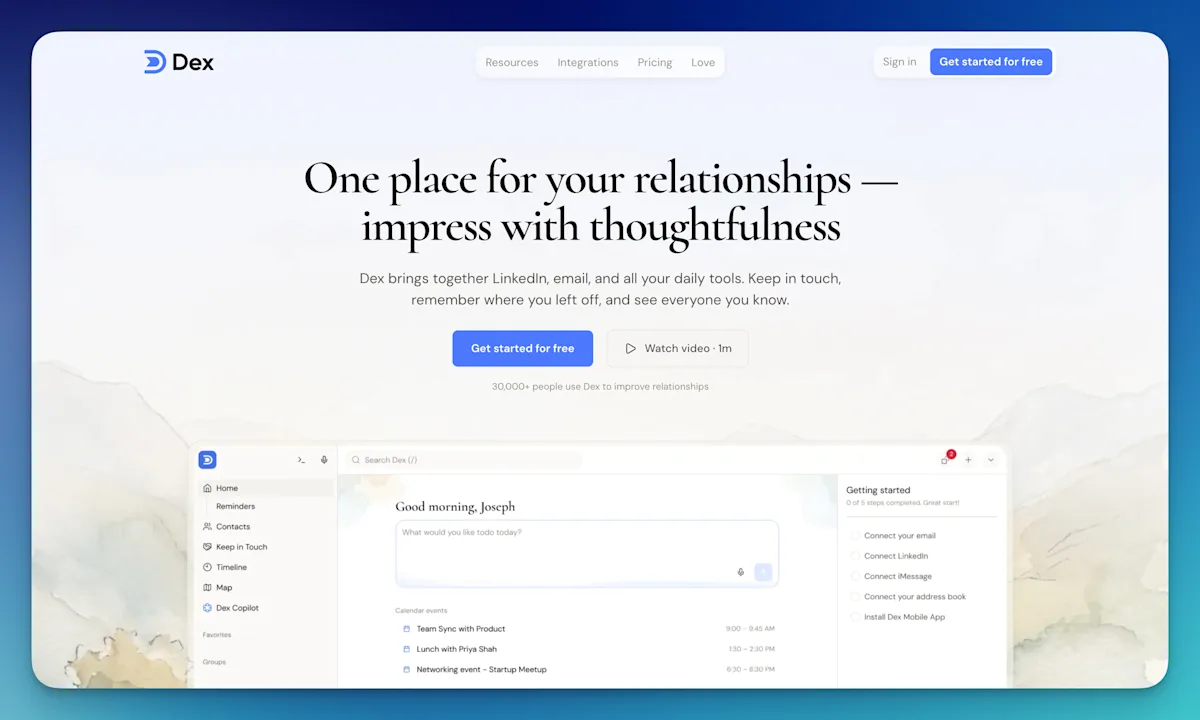
Dex started in 2019, years after those APIs closed, so it was designed around the restriction from day one. Its extension and integrations sync LinkedIn messages, WhatsApp, iMessage, email, and calendar into one timeline, and any of them updates the last-interaction date that drives your keep-in-touch reminders. It also watches your LinkedIn connections for job changes, which is the single best excuse to reach out that most people never get told about.
| Nimble | Dex |
|---|---|---|
Built around | Small-team contacts, pipeline, and email marketing | One person's network |
Stay-in-touch intervals | Yes: weekly, monthly, quarterly, yearly | Yes, per contact |
Email resets the clock | Yes | Yes |
LinkedIn messages reset the clock | No, messages do not sync | Yes |
WhatsApp and iMessage | No native sync | Yes |
LinkedIn job change alerts | No | Yes |
Contact enrichment | Prospector, 100 credits/user/month | Research credits, 10 to 50/month by plan |
Sales pipelines | Yes, unlimited | No |
Email marketing and sequences | Yes, marketing is an add-on | Mail merge on Professional |
Web forms | Yes, add-on | No |
Team shared contacts | Yes | Enterprise only |
Entry price | $24.90/user/month annual | $12/month annual |
Free trial | 14 days, no card | 7 days, card required |
Nimble CRM pricing, with the add-ons
Nimble's pricing looks simple because there is one plan. That is true as far as it goes. Everyone gets the same features, and nobody is upsold to a higher tier to unlock automation.
The catch is that the one plan is priced for everything Nimble does for a small sales team, and some of what it does is sold separately on top.
Item | Price | Per year |
|---|---|---|
Nimble Business, annual | $24.90/user/month | $298.80 |
Nimble Business, monthly | $29.90/user/month | $358.80 |
Email marketing add-on | $15/month | $180 |
Web forms add-on | $12/month | $144 |
Extra contacts | $10/month per 10,000 | $120 |
Extra storage | $10/month per 10 GB | $120 |
Extra enrichment | $10 per 100 credits | Varies |
Dex Premium, annual | $12/month | $144 |
Dex Professional, annual | $20/month | $240 |
For one person on annual billing, Nimble is $298.80 a year against Dex Premium at $144. That is roughly double, before any add-on. Dex Professional, which adds mail merge, Outlook, multiple email accounts, the API, and a larger LinkedIn sync, still comes in under Nimble's base plan at $240.
The price gap is real but it is not the main argument. If Nimble's reminders heard your LinkedIn and WhatsApp conversations, $155 a year would be a reasonable premium for its extra features. What you are actually weighing is whether you want to pay double for a pipeline, email marketing, and web forms you may never open, while the reminder you came for stays blind to half your conversations.
Nimble's 14-day trial also needs no credit card, while Dex's 7-day trial does, although you are not charged until it ends. That is a fair point in Nimble's favor if you want to test slowly.
Who Nimble is really built for now
Read how Nimble describes itself today and the drift from the social CRM years is clear. Its help center pitches it as giving "small teams everything they need to grow," listing lead capture web forms, email marketing, and pipeline automation "from first touch to closed deal."
The recent releases point the same way. In May 2026 Nimble expanded its email sequences so they can schedule calls, tasks, and calendar events alongside the emails. Those are good features for a five-person agency working leads. They are not features for keeping up with the forty people who shaped your career.
That is a sensible business to be in. It just means the part of Nimble that overlaps with Dex, the stay-in-touch reminder, is now one feature inside a small-business sales product rather than the center of it.
Where Nimble is the better buy
There are real cases where Nimble wins, and they are not edge cases.
If a small team needs to share contacts and see who last spoke to whom, Nimble is built for that. Dex is one person's network, and team features sit on the Enterprise plan.
If you want contacts, a sales pipeline, email marketing, and lead capture forms in one bill, Nimble does all four at a flat per-user price. Buying Dex plus a separate pipeline tool plus a separate newsletter tool could easily cost more.
If your relationships genuinely run through email and Outlook, and LinkedIn and WhatsApp are not where you talk, Nimble's clock hears almost everything that matters to you. The gap this post is about barely touches you.
If you work inside Microsoft 365 all day, Nimble connects to Outlook and Teams on its base plan. Dex puts Outlook on Professional.
And if you want to try something without handing over a card, Nimble's trial is twice as long and card-free.
Who this isn't for
If you run a sales team and need pipelines and forecasting before anything else, neither Nimble nor Dex is the heavy option. Our Dex vs Pipedrive comparison covers where a proper sales CRM belongs.
If you want to start without paying anything, both charge after the trial. The free personal CRM roundup is a better first stop.
If your whole network lives in Gmail and you would rather not open another app, a Gmail-native tool may suit you better. We compared one in our Dex vs Streak comparison.
If you have fewer than fifty people you care about keeping, a recurring calendar reminder and your phone's contacts app will do. Software earns its keep past that point.
If your employer requires every business contact to live in a shared company CRM, adding a personal one just creates a second copy to go stale.
Dex vs Nimble: The Final Take
Nimble is the rare CRM that agrees with Dex about what matters. It has had stay-in-touch reminders for years, and its founder was making the case for relationship-first software before most of today's tools existed.
Nimble CRM pricing starts at $24.90 per user per month on annual billing for a single Business plan built for small sales teams, with email marketing, web forms, and overages on top. Dex is $12 a month.
Price matters less than where you talk to people. Nimble's clock resets on email and on activities you log by hand. If the relationships you care about most live in LinkedIn messages, WhatsApp, or texts, Nimble will keep telling you that you have neglected people you spoke to this week, and eventually you will stop listening to it.
If Cloze is also on your shortlist, see our Dex vs Cloze comparison.
If your network talks to you in more places than your inbox, start your 7-day Dex trial. You won't be charged until it ends, and your contacts and message history sync in a few minutes.
Frequently Asked Questions
Is Nimble a personal CRM?
Partly. Nimble has the core personal CRM feature, per-contact stay-in-touch reminders, and plenty of solo professionals use it that way. But it is sold and built as a small-business CRM, with sales pipelines, email marketing, sequences, and web forms in the same plan. Its reminders also only reset on email and manually logged activity, so conversations on LinkedIn or WhatsApp do not count.
How much does Nimble CRM cost?
Nimble has one plan, Business, at $24.90 per user per month billed annually or $29.90 billed monthly. It includes 25,000 contacts and 2 GB of storage per user. Email marketing is a $15 monthly add-on and web forms are $12, with extra contacts, storage, and enrichment credits sold separately. There is a 14-day free trial and no free tier.
Does Nimble sync with LinkedIn?
Not in the background. Nimble's help center says LinkedIn does not allow it to sync messages through the API. Instead, the Nimble Prospector browser extension lets you look up or add a contact while you are on their LinkedIn profile, one person at a time.
Does Nimble have stay-in-touch reminders?
Yes. You can set a weekly, monthly, quarterly, or yearly interval on any contact, and Nimble flags them green, yellow, or red based on your last interaction. The clock resets automatically on emails, logged calls, logged events, and custom activity types.
Is Dex cheaper than Nimble?
Yes, by about half at the entry level. Dex Premium is $144 a year on annual billing, against $298.80 for one Nimble Business seat. Dex Professional, at $240 a year, is also below Nimble's base plan. Nimble includes sales pipelines and team features that Dex does not.
Can I move my contacts from Nimble to Dex?
Yes. Nimble lets you export contacts to CSV, and Dex imports CSV files alongside its direct syncs with Google, Outlook, LinkedIn, and your phone. Notes and custom fields may need remapping during import, so check a few records after the first run.
Related guides