7 Best Free Personal CRM Apps to Try in 2026
Looking for a free personal CRM? We compare 7 free and freemium options for managing contacts and relationships, with honest trade-offs for each.



There's no single best free personal CRM that does everything well. Every free option trades something away, usually integrations, automation, or the manual effort it takes to keep the system useful.
A tool that syncs with LinkedIn, pulls in email history, sends smart reminders, and works across mobile and desktop costs money to build and run. Free tools skip those features, cap them behind a paywall, or hand the setup work to you.
"Free" also covers a wide range. Some people need a lightweight way to track fifty contacts; others want a full relationship-management system without paying for one. The right free personal CRM depends on where you fall on that spectrum, and how much time you're willing to spend on setup and upkeep.
This guide compares seven genuinely free or freemium options, what each one actually delivers at the free tier, and where the limits show up. It also covers how to evaluate a free CRM before committing, and when it's time to stop patching a free tool and pay for one.
The real cost of being "free" for personal CRMs
Before the comparison, it's worth understanding the three types of "free" in this space:
Open source and self-hosted: tools like Monica are genuinely free if hosted on a personal server. The software costs nothing. But it requires a server, basic technical knowledge, and the willingness to maintain it. There's no company handling updates, backups, or uptime.
Freemium with feature limits: tools like Covve and HubSpot offer free tiers that work but cap certain features (number of contacts, integrations, or storage). These are real products with real companies behind them. The free tier is a way to get users in the door.
DIY with general-purpose tools: Notion, Airtable, and Google Sheets aren't CRMs. They're flexible platforms people repurpose as CRMs. They're free because contact management isn't their business model. The trade-off is that everything has to be built from scratch.
Each category has a different maintenance burden, and that burden is the real cost of a free personal CRM.
If you want the fuller picture of what a dedicated tool adds on top of any of these three categories, the contact management software comparison walks through the feature gap in more detail.
7 best free personal CRM options compared
Tool | Free Tier | Paid Plan | Contact Limit | LinkedIn Sync | Email Integration | Reminders | Mobile App | Setup Required | Best For |
Monica | Free (self-hosted) | $9/mo (hosted) | Unlimited | No | No | Yes | No | High (server + technical) | Privacy-focused users with technical skills |
Notion | Free (Personal) | $10/mo (Plus) | Unlimited | No | No | Manual setup | Yes | Medium (build from template) | DIY builders who already use Notion |
Google Contacts | Free | N/A | Unlimited | No | Native (Gmail) | No | Yes | None | Minimal contact storage needs |
HubSpot CRM | Free | $20/mo (Starter) | 1,000 | No | Yes (with limits) | Yes | Yes | Low–Medium | Sales-savvy users wanting email tracking |
Covve | Free | $10/mo (Pro) | 20 | Limited | No | Yes | Yes (mobile-first) | Low | Trying out a mobile personal CRM |
Airtable | Free | $20/mo (Team) | 1,000 records | No (Zapier only) | No (Zapier only) | Limited (100 automations/mo) | Yes | Medium–High | Database power users |
Google Sheets | Free | N/A | Unlimited | No | No | No | Limited | None | Absolute simplicity, getting started |
How to choose a free personal CRM
Before picking a tool from the list below, run it through a short checklist. The right fit depends less on features and more on how you actually work.
Contact volume today and in a year: a tool that's fine for 40 contacts can fall apart at 400. Check the free-tier contact cap, not just the current headline feature.
How much manual entry you can tolerate: DIY tools (Notion, Airtable, Sheets) require typing in every contact and update by hand. If that sounds tedious now, it will feel worse in six months.
Where your conversations actually happen: if most relationship-building happens on LinkedIn or over email, a tool with no sync there means duplicating work you're already doing elsewhere. See how this plays out in personal CRM for networking.
Whether reminders are built in or DIY: a keep-in-touch nudge that fires automatically is very different from a spreadsheet column you have to check yourself.
Mobile access: if you're adding contacts right after meeting someone, a tool with no usable mobile app adds friction at the exact moment you need it least.
Exit cost: check how easy it is to export your data (CSV, API, etc.) before you invest hours in a system. As of 2026, export quality still varies a lot between these tools, so verify current capabilities before committing.
1. Monica: best fully free option (self-hosted)
Price: Free (self-hosted) | $9/mo (hosted by Monica team) Pricing and hosting options may have changed since publication, so check current pricing on monicahq.com before deciding.
Monica is an open-source personal CRM with over 24,000 GitHub stars. It's built for documenting relationships in detail: birthdays, family members, food preferences, gift ideas, conversation logs. Think of it as a journal for relationships rather than a networking tool.
The self-hosted version is completely free with no feature limits. Everything is included.
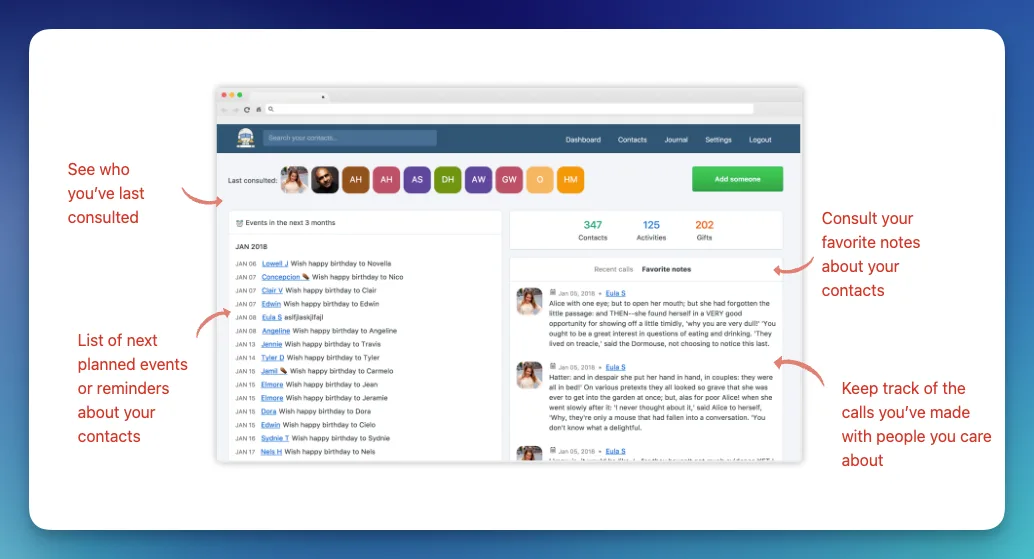
Image from monicahq.com
The trade-offs are real, though. There's no LinkedIn sync, no email integration, no AI features, and no automatic contact import from anywhere. Every contact and every note is manually entered. The interface works but feels dated compared to modern tools. And self-hosting requires a VPS (DigitalOcean, Linode, or similar), basic command-line skills, and occasional maintenance.
Monica is excellent for people who want a private, detailed record of personal relationships: family, close friends, important professional contacts. It's less practical for someone managing hundreds of networking contacts who needs automation.
For a deeper look, see the full Monica vs Dex comparison.
Best for: Privacy-focused users with technical skills who want detailed personal relationship tracking.
2. Notion: best free DIY option
Price: Free (Personal) | $10/mo (Plus) Notion adjusts its free-tier limits periodically, so check current pricing and plan details before relying on this for your CRM.
Notion's free tier offers unlimited pages and blocks for personal use, which is more than enough to build a contact database. The template gallery has dozens of personal CRM setups with properties for company, role, last contact date, notes, and relationship status.
The appeal is flexibility. Users can design exactly the system they want with custom views (table, board, gallery, calendar), filters, formulas, and relations between databases. Some people build genuinely sophisticated CRM systems in Notion with linked databases for contacts, companies, interactions, and tasks.
The problem is that it's all manual. No contact import from LinkedIn or email. No automatic interaction logging. No reminders unless a separate system is built for them. Every new contact, every note, every status update has to be typed in by hand. For 30 contacts, that's manageable. For 200, it becomes a part-time job.
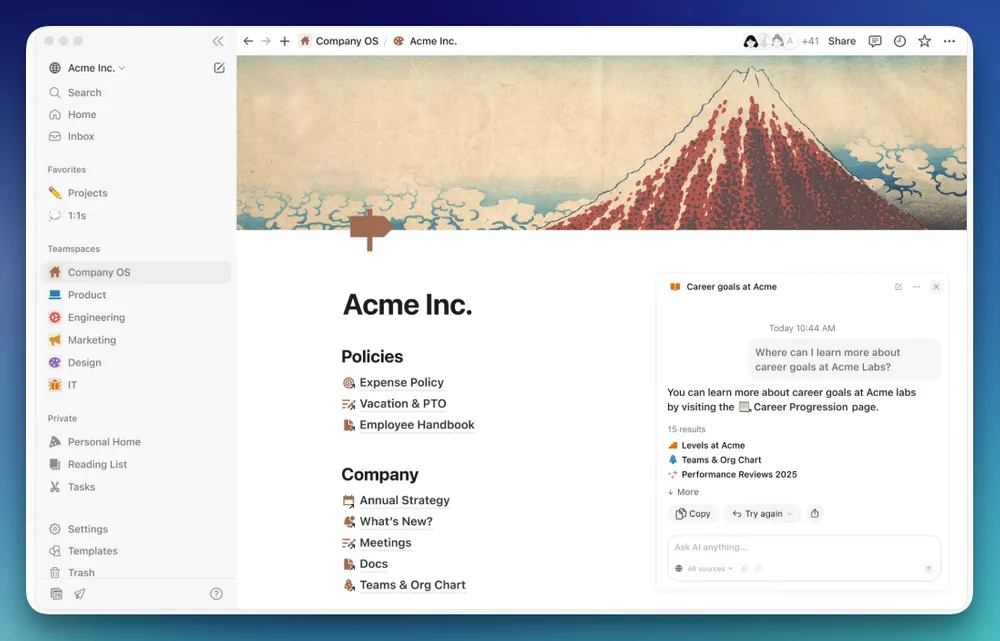
Image from Notion.com
Notion also doesn't sync with communication tools, so there's no way to see email history or message threads with a contact inside Notion. That means maintaining a parallel record of information that already exists elsewhere.
For a side-by-side breakdown, see the Notion vs Dex comparison.
Best for: People who already live in Notion and want a customizable system they fully control.
3. Google Contacts: best for minimal needs
Price: Free
Google Contacts comes with every Google account. It stores names, emails, phone numbers, addresses, birthdays, and short notes. It syncs across devices, integrates with Gmail and Google Calendar natively, and works without installing anything.
As a personal CRM, it's extremely basic. There are no follow-up reminders, no interaction timelines, no tags beyond labels, and no way to see email history with a contact without switching to Gmail. Custom fields are limited to a few predefined categories.
But for someone who just needs a reliable, searchable contact list with basic organization, Google Contacts does the job. The label system works for simple grouping (e.g., "work," "alumni," "investors"). The search is fast. It's available everywhere.
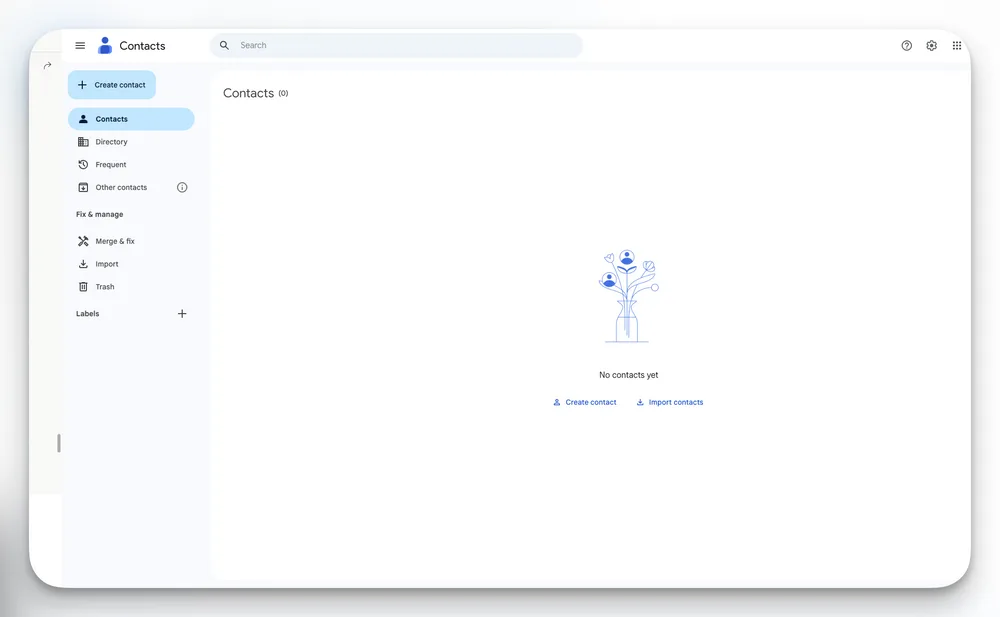
Google Contacts Interface
The ceiling is low. The moment reminders are needed, notes longer than a sentence, or any kind of relationship tracking beyond "this person exists and here's their email," it's been outgrown.
For more on where Google Contacts breaks down for networking, see the Dex vs Google Contacts comparison.
Best for: People with simple contact storage needs who don't need relationship management features.
4. HubSpot CRM: best free option with sales features
Price: Free (limited) | $20/mo (Starter) HubSpot changes free-tier caps fairly often, so confirm current contact limits and pricing before committing.
HubSpot's free CRM is genuinely powerful. It includes contact management, email tracking, deal pipelines, meeting scheduling, and basic reporting. For a free tool, the feature set is impressive.
The issue for personal use is that every feature is designed for sales teams. The default interface revolves around deals, pipelines, lifecycle stages, and lead status. Using HubSpot as a personal CRM means ignoring 80% of the UI and repurposing the remaining 20% for something it wasn't designed to do.

Image from Hubspot.com
It can work. People do use HubSpot personally, especially if they're already familiar with it from work. The email tracking is useful, and the contact records are detailed. But the mental overhead of navigating a sales CRM to manage personal relationships is significant. Users end up fighting the tool's assumptions about what they're trying to accomplish.
The free tier also has limits: 1,000 contacts, limited email templates, HubSpot branding on forms and emails, and no custom reporting. Fine for light use, restrictive for anything serious.
For a full breakdown of where HubSpot fits and where it doesn't, see the HubSpot vs Dex comparison.
Best for: People who already know HubSpot and want a free option with email tracking, even if the interface is overkill.
5. Covve: best free mobile option
Price: Free (20 contacts) | $10/mo (Pro) Confirm the current free-tier contact cap directly with Covve, as free-tier limits on these apps shift over time.
Covve is a mobile-first personal CRM with business card scanning, follow-up reminders, and relationship metrics. The free tier is functional but limited to 20 tracked relationships. That's enough to test the concept but not enough for ongoing use.
The business card scanner supports 30+ languages and captures cards in under two seconds, which is genuinely good. The relationship metrics show which contacts are getting attention and which are going cold. Follow-up reminders work as expected.
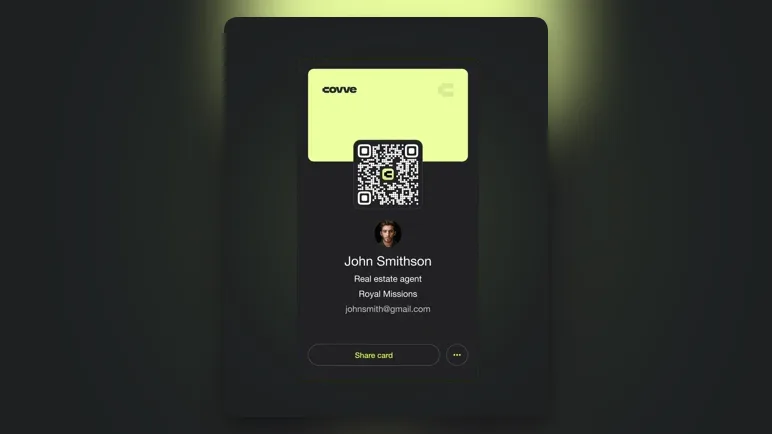
Business Card Scanner from Covve.com
The limitation beyond the 20-contact cap: Covve is primarily a mobile app. There's no full-featured web interface for managing contacts at a desk. LinkedIn sync is limited compared to tools like Dex or folk. And 20 contacts is, frankly, too few for anyone managing a real professional network.
For a broader look at mobile-first personal CRMs, see the best personal CRM apps for 2026.
Best for: Trying out a mobile personal CRM to see if the concept works before committing to a paid tool.
6. Airtable: best free option for power users
Price: Free (1,000 records per base) | $20/mo (Team) Airtable has changed its free-tier record and automation limits before, so check current pricing before building a system around it.
Airtable's free tier offers 1,000 records per base, which accommodates most personal networks. Like Notion, it's not a CRM. It's a flexible database that people build CRMs on top of. The difference is that Airtable's interface types (grid, kanban, gallery, form) and automation features are more structured than Notion's freeform approach.
Airtable has a slight edge for CRM use because it supports automations on the free tier (limited to 100 runs per month). Basic triggers can be set up like "when last contacted date is more than 30 days ago, move to 'overdue' view." That's a primitive version of what dedicated personal CRMs do with keep-in-touch reminders, but it's something.
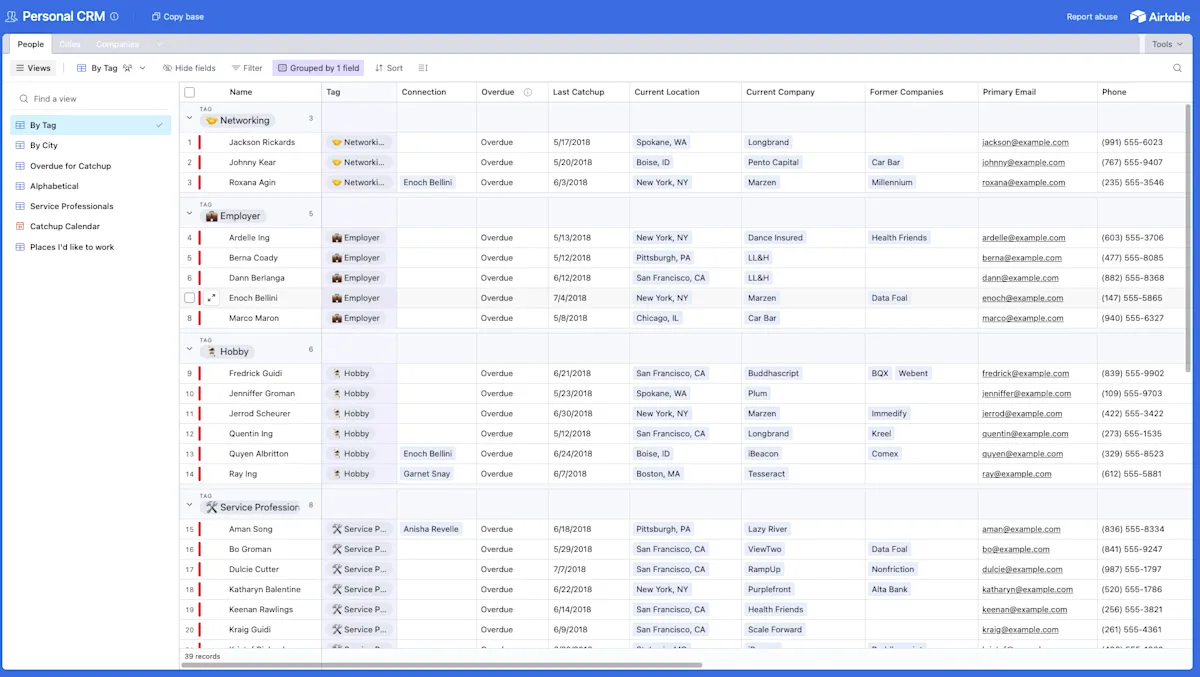
Personal CRM template from Airtable.com
Same core limitation as Notion: no native integrations with email, LinkedIn, or social platforms. Everything is manual or requires connecting through Zapier (which has its own free tier limits). Building an Airtable CRM that actually syncs with communication tools requires stitching together multiple services, each with their own limitations.
For more on database-as-CRM trade-offs, see the contact management software comparison.
Best for: Power users who want database flexibility with basic automation and are comfortable building their own system.
7. Google Sheets: best for absolute simplicity
Price: Free
A spreadsheet. Rows for contacts, columns for name, company, email, phone, last contacted, notes, and status. Shared across devices via Google Drive.
This is where most people start, and it works until it doesn't. The breaking point usually comes around 50-100 contacts, when scrolling through rows becomes slow, filtering gets cumbersome, and it becomes clear there's no way to set a reminder from a spreadsheet cell.
No sync, no reminders, no automation, no interaction history, no mobile app optimized for contact management. But it's free, requires zero setup, and everyone already knows how to use it.
For when a spreadsheet stops cutting it, see the contact management software comparison for what to upgrade to.
Best for: People just starting to organize contacts who want zero friction and zero cost.
Free vs. paid personal CRM: when the upgrade makes sense
Free tools work when a contact list is small, networking is occasional, and manual data entry isn't a problem. They break down when:
Managing 100+ active contacts. Manual entry at that scale takes hours per week. A paid tool with LinkedIn and email sync eliminates most of that work.
Networking across multiple platforms. When conversations happen on LinkedIn, Gmail, WhatsApp, and at in-person events, no free tool pulls all of that together. Tools like Dex sync across all of these.
Follow-ups falling through the cracks. Free tools either don't have reminders or require building them from scratch. Paid personal CRMs with a keep-in-touch board surface overdue contacts automatically.
Needing context before meetings. Free tools can't deliver a summary of relationship history with someone before a call. Pre-meeting briefs from paid tools do this automatically.
There's also a softer signal worth watching: if you dread opening your contact tool, or you've quietly stopped updating it, that's often a sign the tool costs more effort than it returns. That's a maintenance failure as much as a feature gap, and free tools are especially prone to it because there's no automation picking up the slack.
The cost question is usually the wrong frame. A personal CRM at $12/month costs less than a single lunch meeting. If it saves one important relationship from going cold, or surfaces a reminder to follow up with someone who later refers to a client or a job, it's paid for itself many times over.
Dex offers a 7-day free trial with full access to all features, including LinkedIn sync, keep-in-touch reminders, AI Assist, and pre-meeting briefs. It's enough time to import contacts, set up groups, and see whether the automation makes a real difference compared to the free tools.
Picking the best free personal CRM for your needs
Every free option on this list works for someone. The question is whether that someone is the right fit, right now, with a specific network size and habits.
Here's what to remember when choosing the best free personal CRM:
Self-hosted Monica is the most full-featured free option. It's genuinely free with no feature limits, but requires a server and technical maintenance.
Notion and Airtable trade integrations for flexibility. Both are powerful for DIY builders but every contact and update is manual.
Google Contacts and Sheets work for tiny networks. Free, frictionless, and capped at basic storage with no relationship management.
Covve and HubSpot offer real CRM features but with caps. Covve limits free users to 20 contacts; HubSpot's interface is built for sales, not personal use.
Free options break down at 100+ active contacts. Manual data entry, missing integrations, and absent reminders turn a useful system into a chore.
For a small contact list and good memory, Google Contacts or a simple spreadsheet is fine. For privacy-conscious technical users, Monica is impressive for a free tool. For Notion or Airtable power users, building a CRM there makes sense because the tool will actually get opened.
But for anyone managing a real professional network across LinkedIn, email, and messaging apps, free options will eventually frustrate. They all require the one thing busy professionals don't have: time for manual data entry. That's the moment a paid personal CRM earns its keep.
Frequently asked questions about free personal CRMs
Is there a completely free personal CRM?
Monica is the only full-featured personal CRM that's completely free, but it requires self-hosting on a personal server. For hosted (no-setup) options, every free tier has meaningful limitations: Covve caps at 20 contacts, HubSpot is sales-focused with 1,000-contact limits, and DIY tools like Notion and Airtable require manual setup with no integrations. There's no hosted, full-featured, free personal CRM in 2026 without trade-offs.
Can I use Notion as a free personal CRM?
Yes, and many people do. Notion's free tier supports unlimited pages and has dozens of CRM templates available. The limitation is that everything is manual: no contact sync from LinkedIn or email, no automatic reminders, no interaction tracking. It works well for small networks (under 50 contacts) where data entry isn't a burden. For a comparison of Notion against dedicated options, see the Notion vs. Dex breakdown.
What's the best free CRM for personal use?
It depends on technical skills and how many contacts need managing. Monica is the most capable free option for those who can self-host. Notion is the most flexible free option for non-technical users. Google Contacts is the simplest for basic storage needs. For a full comparison of personal CRMs including paid options, there's a detailed roundup here.
Does Google have a personal CRM?
Not exactly. Google Contacts stores contact information and syncs across Google services, but it lacks relationship management features like follow-up reminders, interaction timelines, notes, and groups beyond basic labels. It's a contact book, not a CRM. Some people pair Google Contacts with Google Sheets to build a DIY system, but that's still manual and disconnected.
How is a personal CRM different from a regular CRM?
A regular CRM (HubSpot, Salesforce, Pipedrive) is built for sales teams managing deals through pipeline stages with lead scoring, forecasting, and team collaboration. A personal CRM is built for individuals managing their own relationships — professional and personal. No pipelines. No deal stages. Just contacts, context, notes, and reminders. The interface is simpler, the price is lower, and the features focus on staying in touch rather than closing sales.
Is a free personal CRM enough?
For a small, stable network, often yes. If you have fewer than fifty contacts, rarely add new ones, and don't mind manual data entry, a free tool like Google Contacts or a spreadsheet can genuinely cover your needs. The calculation changes once your network grows past that point or spans multiple platforms (LinkedIn, email, in-person events), because free tools don't connect those sources together, and the manual upkeep starts costing more time than it saves.
What's the catch with free CRMs?
The catch is almost always automation. Free tiers store your data, but they rarely sync it in from LinkedIn or email, rarely remind you to follow up, and rarely give you context before a meeting. You get a container for contacts, not a system that works on your behalf. Open-source options like Monica trade that automation for a technical setup burden (self-hosting) instead of a contact cap.
When should I upgrade to paid?
The most reliable trigger is time spent on upkeep, not a specific contact count. If you're regularly re-typing information you already have somewhere else, missing follow-ups you meant to send, or avoiding your contact tool because updating it feels like a chore, that's the signal. Many people cross this line somewhere between 100 and 300 actively managed contacts, but a smaller, high-value network (investors, clients, referral sources) can justify upgrading much sooner. See the finding the right personal CRM guide for a fuller framework.
Are free CRMs private and secure?
It varies by category, and it's worth checking directly rather than assuming. Self-hosted tools like Monica keep your data on infrastructure you control, which is private by design but puts backup and security patching on you. Hosted freemium tools (Covve, HubSpot) store your data on their servers under their current terms of service and security practices, which you should review as of 2026 rather than take for granted. General-purpose tools (Notion, Airtable, Google Sheets) apply their platform-wide security policies, which weren't designed with relationship data specifically in mind. None of this means free tools are unsafe, but the privacy model is different enough across categories that it's worth a few minutes of reading before you put sensitive contact details in any of them.
Try Dex free for 7 days and see what a personal CRM with real integrations feels like. Import LinkedIn contacts now, set a few reminders, and decide from there.