Who Knows Who? How to Map Your Team's Network in an Afternoon
A who-knows-who map shows which teammates are connected to the people and companies you care about, how well, and how recently. Here's how to build one in an afternoon in five steps, with a table you can copy and a simple routine to keep it current.


You've got a pitch at Northwind in two weeks. You don't know anyone there, and the cold email you sent last month went nowhere. Then, on the day of the meeting, a colleague mentions she used to work with their head of ops. Nobody thought to ask.
Every team has this problem. The connections exist, but nobody can see them, so "who knows who" only gets answered by luck or by a long Slack thread. The fix is a map of your team's network, and you can build a useful first version in one afternoon.
This guide walks through how to map who knows who on your team in five steps, with a simple table you can copy, plus how to keep the map from going stale.
Fast facts:
A "who knows who" map lists the outside people your team cares about and every teammate with a real connection to each one.
Start with 30 to 50 target people or companies, not your whole network.
Score each connection by strength and last contact. A LinkedIn connection alone isn't a relationship.
Acquaintances can be worth more than close friends here. A study of 20 million LinkedIn users found moderately weak ties did the most for job moves.
Any target with only one name next to it is a single point of failure.
What "who knows who" means for a team
For a team, who knows who is a working map of connections: which outside people (clients, prospects, investors, partners, candidates) are connected to which teammates, how well, and how recently.
It answers questions that come up every week:
Does anyone here know someone at this company?
Who has the strongest connection to this person, and when did they last talk?
Which of our important relationships depend on just one person?
The weaker connections matter more than people expect. In a five-year experiment on LinkedIn, researchers varied the "People You May Know" suggestions for over 20 million people. The study, published in Science, covered 2 billion new connections and 600,000 new jobs, and found that moderately weak ties helped people change jobs more than strong ones did. As UTS summarized it, the most useful contacts were acquaintances with about 10 mutual friends.
Those acquaintances are exactly the people who never come up when you ask "who do we know?" They sit in one teammate's inbox from a conference two years ago. A map brings them out.
Why most teams can't answer who knows who
The information is there. It's just split up and hidden in a few predictable ways.
Connections live in personal accounts. Each person's network is in their own inbox, calendar, and LinkedIn. Nobody else can search it.
LinkedIn connections aren't relationships either. Someone with 2,000 connections might know 200 of them well enough to ask for a favor. A raw connection list tells you who clicked "accept," not who would take your call.
People forget, too. Ask your team cold and you'll hear about the obvious relationships. The former colleague from six years ago or the person someone sat next to at a wedding won't come up until someone jogs their memory.
And nobody asks. When there's no easy way to check, people skip the question and send the cold email.
A map fixes the first three. Making it easy to search fixes the fourth.
How to map your team's network in an afternoon
Block three or four hours. You need everyone's input for about 30 minutes each, plus a couple of hours to put it together.
1. Pick 30 to 50 targets
Don't start with everyone. Start with the people and companies that matter in the next two quarters: current clients, the prospects in your pipeline, investors you're talking to, partners, and anyone you're trying to hire.
Write them as rows. Use a person's name where you have one and a company name where you don't. A tight list keeps the exercise to an afternoon and makes the gaps obvious.
2. Gather everyone's connections
Ask each teammate to check their own networks against the list. Three places cover most of it:
LinkedIn. LinkedIn lets you export your connections as a file. It only includes first-degree connections, and email addresses only appear for people who allow it.
Email and calendar. A quick search for each company domain in your inbox and calendar turns up the people someone has actually talked to.
Memory. Give people the list and five minutes. "Do you know anyone at any of these?" brings out the connections no system has.
3. Score each connection
Not every connection is equal. Use a simple three-point scale so people can score fast:
1, Aware: connected on LinkedIn or met once.
2, Familiar: have emailed or met a few times, would get a reply.
3, Strong: have worked together or talk regularly, could ask a favor.
Add the rough date of the last real conversation. A strong connection from 2019 is weaker than it looks.
4. Put it in one table
Keep it to one row per connection. Here's the layout:
Target | Teammate | How they know them | Strength (1 to 3) | Last contact | Notes |
|---|---|---|---|---|---|
Priya Shah, Northwind | Maya | Former colleague at Acme | 3 | Aug 2026 | Ask about Q1 budget timing |
Priya Shah, Northwind | Leo | Met at SaaStr | 1 | 2025 | |
Northwind (company) | Sam | Knows their CFO from college | 2 | Mar 2026 |
Sort by target, then by strength. For each target, the person at the top of the list is who you go through first.
5. Find the gaps and single points of failure
Now read the map two ways.
Targets with no names are your real cold list. Before you write to them, check second-degree paths: does anyone know someone who knows them?
Targets with exactly one name are a risk. If that person leaves, the relationship goes with them. Pick a second teammate for each one and find a natural way to introduce them. Our guide to team relationship management covers how to set up a backup for each key relationship.
How to use the map and keep it current
The map only pays off if people use it before they reach out. Make one rule: before anyone sends a cold email to a target, they check the map first. If there's a name next to the target, they talk to that teammate before doing anything else.
That conversation is short. Ask how well they really know the person, whether now is a good time to reach out, and whether they'd be comfortable making an introduction. Sometimes the answer is no, and that's useful too. A teammate who left on bad terms with a client is information you want before the pitch, not after.
When the answer is yes, make the ask easy. Write a short note your teammate can forward as is, with who you are, why you want to talk, and what you're asking for. The person making the introduction shouldn't have to write anything from scratch.
A map you build once is useful for about a month. After that, people change jobs, new connections form, and the dates go stale.
A few habits keep it alive. Refresh the scores every quarter, which takes about 15 minutes per person. Make one person the owner of the map. Add every new client or prospect as a row the day they show up. And check the map before any cold outreach, so it becomes the first place people look.
The quarterly refresh is the part most teams drop. If it keeps slipping, that's the point where a tool that updates from email, calendar, and LinkedIn on its own starts to earn its cost. Our checklist of team CRM features covers what to look for, and the explainer on what relationship intelligence is explains how these tools build the map for you.
Where Dex for Teams fits
Dex is a personal CRM, and Dex for Teams adds a shared workspace on top. It's built to answer who knows who without anyone filling in a spreadsheet.
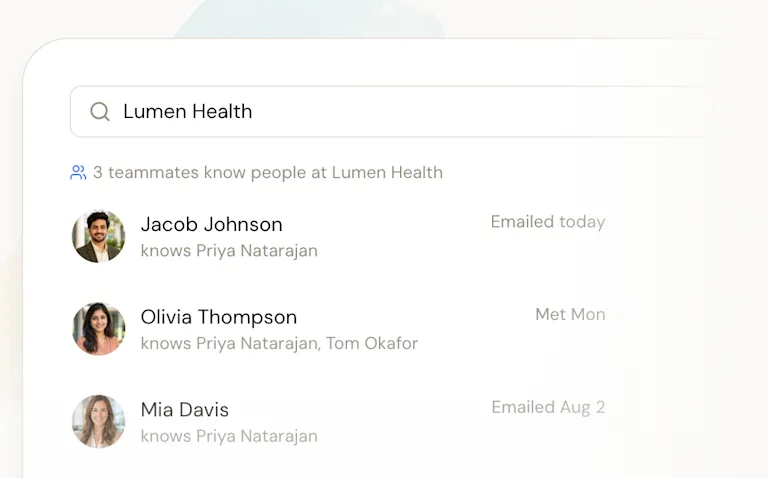
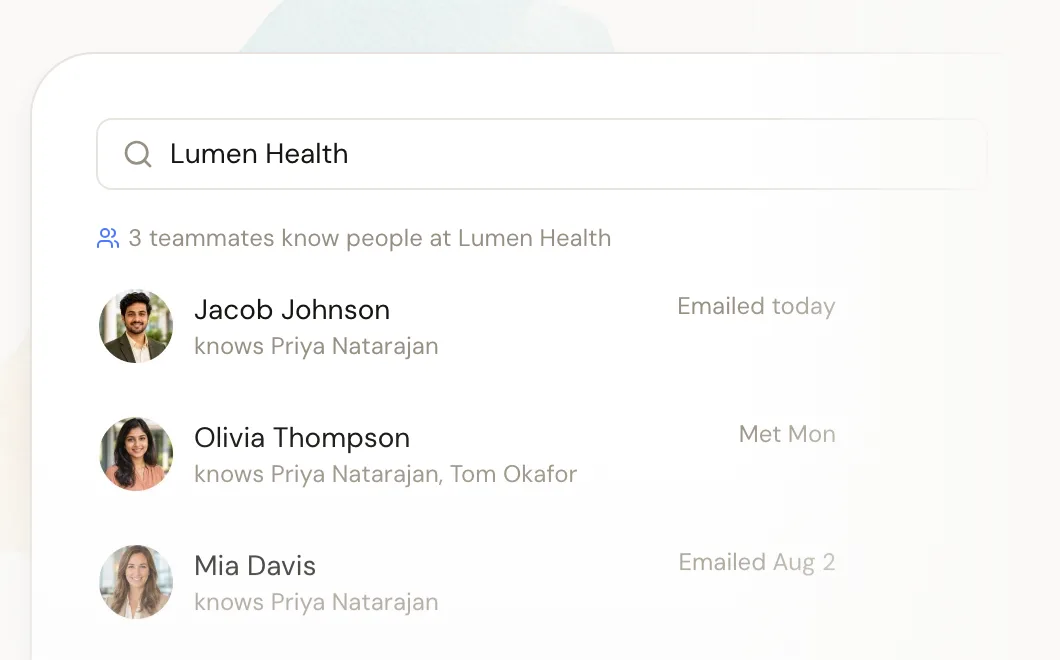
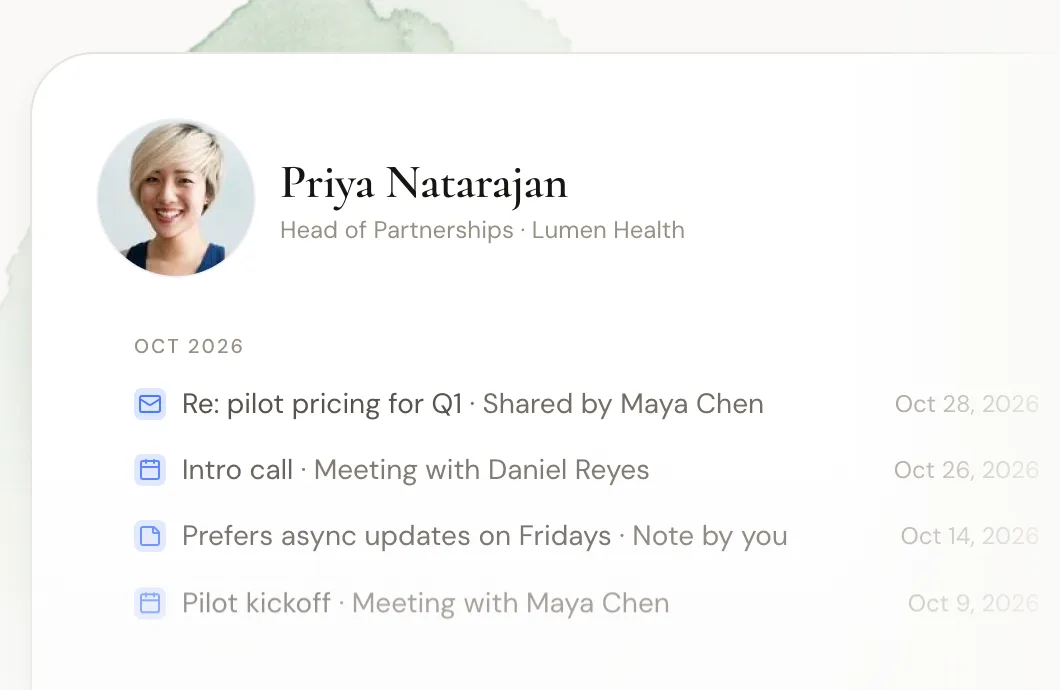
Each member connects their own accounts and chooses what the workspace sees. Search a person or company, and Dex shows which teammates are connected, when they last talked, and the history so far. LinkedIn syncs for each member, and the shared network refreshes about every two days, so the map stays current without a quarterly scramble.
Privacy is set per person. Each member decides whether the workspace sees only subject lines and metadata or full email content, notes can stay private, and anyone can change what they share later. Your personal Dex stays private either way. That matters for a who-knows-who map, because people only add their connections when they trust what gets shared. Our guide to shared contact management goes deeper on that.
Setup happens under Settings, then Team: create a workspace, choose a sharing level for each account, and invite teammates by email. There's a 14-day free trial with no card needed.
FAQ
What does "who knows who" mean?
In a team context, it means knowing which of your colleagues are connected to a given outside person or company, how well they know them, and how recently they talked. Teams use it to find warm paths to clients, prospects, investors, and candidates.
How do you map who knows who on a team?
Pick 30 to 50 target people or companies, have each teammate check their LinkedIn, email, calendar, and memory against the list, score each connection by strength and last contact, and put it all in one table sorted by target and strength.
Are LinkedIn connections enough to map a network?
No. A LinkedIn connection only shows that two people accepted a request. Score connections by how well people actually know each other, and check email and calendar history for recent contact.
Why do weak ties matter?
A study of more than 20 million LinkedIn users, published in Science in 2022, found that moderately weak ties helped people change jobs more than close ones. Acquaintances often reach people and information your close contacts don't.
How often should you update a who-knows-who map?
Refresh it every quarter, and add new targets as they come up. If the manual refresh keeps slipping, a tool that syncs email, calendar, and LinkedIn can keep it current for you.
The bottom line
Your team almost certainly knows someone at most of the companies on your list. You just can't see it yet. Mapping who knows who takes an afternoon:
Start with 30 to 50 targets that matter this half.
Gather connections from LinkedIn, email, calendar, and memory.
Score each one for strength and last contact.
Put it in one table and go through the strongest connection first.
Fix the targets that depend on one person, and refresh the map every quarter.
Do the first version by hand. It'll show you right away where your warm paths are, which relationships hang on one person, and how much time you'd save by not rebuilding the map every quarter. Then make checking it the first step before any cold email.
Want to see who knows who on your team without the spreadsheet? Start your free Dex for Teams trial and search your team's network in an afternoon.
Related guides