What Is a Personal CRM? Comparing 6 Types of Contact Systems
What is a personal CRM? A plain definition, plus how address books, spreadsheets, Notion templates, self-hosted tools and dedicated apps compare for keeping up with the people you know.


A personal CRM (sometimes called a PRM, or "personal relationship manager") is software that stores your personal and professional contacts alongside a running history of when you talked, what you talked about, and when you're due to reach out again. The core job it does that a phone contacts app or any other contact management system doesn't: it surfaces who you're losing touch with instead of just storing a name and number.
That single feature (automated follow-up surfacing) is the line that separates a good personal CRM from the five other ways people already manage contacts: the native address book, a spreadsheet, a DIY Notion or Airtable database, a repurposed business CRM, and a dedicated personal CRM app (either cloud-hosted or self-hosted open source). Below is how those six actually compare, not just in features but in what breaks first as your network grows.

Fast Facts about a Personal CRM
Free tier that already works for most people: your phone's native contacts app (Google/Apple/Outlook Contacts). It costs nothing and needs no setup, but it has no reminders and no interaction log.
Where spreadsheets break: past roughly 40-60 tracked contacts, follow-ups only happen if you remember to open the file. There's no system-generated nudge.
Cheapest system with a real reminder engine: Monica, open source and free to self-host on your own server, or $9 a month ($90 a year) for the hosted version.
Dedicated apps, priced as of October 2026: Dex ($12 a month for Premium, $20 for Professional, billed annually, with a 7-day free trial), Folk (from $24 per member a month, billed annually), and Cloze ($17 a month, billed annually). All three cost more on month-to-month billing.
Watch out: older "best personal CRM" roundups still recommend Clay. That app was renamed Mesh in March 2026. Don't confuse it with clay.com, an unrelated data platform for sales teams.
The Six Types of Contact Management Systems
System | Best For | Main Tradeoff | Why It Matters | Typical Cost |
|---|---|---|---|---|
Native address book (Google/Apple/Outlook Contacts) | Anyone with fewer than ~50 contacts they actively maintain | No interaction history, no reminders, no notes beyond basic fields | Already synced to your phone and email, so there's nothing to migrate | Free |
Spreadsheet (Sheets/Excel) | People who want full control over fields and don't mind manual upkeep | Follow-ups depend entirely on you remembering to open the file | Scales fine to ~40-60 rows, then sorting and searching gets slow | Free |
Notion/Airtable DIY template | People who already live in Notion and want relations, views, and tags | No native contact sync. You still type in every phone number and email by hand | Flexible schema, but zero automation of calendar, email, or text capture | Free on both tools' free plans; Airtable's Team plan is $20 per user a month, billed annually |
Self-hosted open source (Monica) | Privacy-focused users willing to run their own server | You own the uptime, backups, and updates | Full feature set (reminders, timelines, notes) with no vendor data access | Free to self-host; $9 a month for the hosted version |
Dedicated personal CRM SaaS (Dex, Folk, Cloze) | Networkers who want auto-capture from LinkedIn/Gmail plus reminders | Recurring cost, and your relationship data lives on a vendor's servers | Purpose-built reminder engines and browser extensions cut manual entry | $12 to $24 a month for entry plans, billed annually |
Repurposed business CRM (HubSpot's free CRM, monday CRM) | People who already use the tool for freelance/small-business work | Built for pipelines and deals, not casual friend/family tracking, so the UI is clunky for non-sales use | Zero extra cost if you're already a user, but adds sales-stage clutter you'll ignore | HubSpot's free CRM covers up to two users; monday CRM starts at $12 per seat a month, billed annually, with a three-seat minimum |
Native Address Book: Why It's Still the Right Call for Most People
For anyone tracking fewer than about 50 people they actually want to stay in touch with, the contacts app already on your phone does the job. It syncs across devices, backs up automatically with your account, and requires no setup. What it can't do is remind you that you haven't talked to someone in four months. That's a manual job, every time, and it's the exact gap every other system on this list exists to close.
Spreadsheets: Where the Wheels Come Off
A spreadsheet gives you one row per person and whatever columns you decide to add, such as last contacted date, notes, and tags. It works well until the row count climbs into the 40-60 range, at which point two things happen at once: sorting by "last contacted" stops being a habit you remember to do, and the notes column becomes a wall of text nobody re-reads before a call. The spreadsheet itself never breaks; the habit of checking it does. That's the mechanism every dedicated CRM below is built to replace with a system-generated nudge instead of a self-imposed one.
Notion and Airtable: Structure Without Sync
A Notion or Airtable personal CRM template gives you relational databases, saved views (board, calendar, timeline), and tags. That's a real upgrade over a flat spreadsheet for organizing the information. What it doesn't give you is contact sync: your actual phone numbers and emails still live in your phone's contacts or your email client, and nothing in Notion pulls a new LinkedIn message or a calendar meeting into the record automatically. You're building a better filing cabinet, not an automated one.
Self-Hosted Open Source: Monica
Monica is the DIY option for anyone who wants the full personal-CRM feature set (reminders, interaction timelines, notes, tags) without a vendor holding the data. Free if you run it on your own server; a managed hosted version exists for people who want the software without the sysadmin work. The tradeoff is direct: you (or your setup) own uptime, backups, and version updates. There's no support line to call if something breaks at 11pm.
Dedicated Personal CRM Apps: Dex, Folk, Cloze
This is the category most "best personal CRM" listicles are actually reviewing. These apps add a browser extension or email/calendar integration that auto-captures contact context (a LinkedIn connection, a Gmail thread, a calendar invite) and turns it into a contact record or timeline entry without manual typing. Dex leans toward LinkedIn-heavy networkers, with connection sync, job titles that update on their own, and research briefings on a contact; Folk and Cloze compete on broader integrations (email, calendar, sometimes social). The recurring cost buys automation. It also means your relationship notes live on someone else's servers.
Two recent changes worth flagging: UpHabit shut down its personal CRM apps on April 9, 2026. And Clay, still cited in a lot of 2023-2024-era "best personal CRM" content, was renamed Mesh in March 2026. It is still a personal CRM, with a free plan for up to 1,000 contacts, and we cover it in Dex vs Clay (Mesh). The old name now causes confusion because clay.com belongs to a different company, which sells a go-to-market data platform to sales teams. If a "best personal CRM" list from that period is your only source, check that each product still exists under that name before you sign up.
Repurposed Business CRMs
If you already run HubSpot's free CRM or a monday.com CRM for freelance client work, it's tempting to just add your personal contacts into the same tool instead of paying for a second app. It works, technically. But these tools are built around deal stages and pipelines, and a "Grandma's birthday" entry sitting next to a sales pipeline stage is a UI mismatch you'll feel every time you open it. Fine as a stopgap, not a long-term fit.
Prove-It: The Network-Size Break-Even
The honest way to decide between these six isn't a feature checklist. It's how many people you're actually trying to track and how much manual entry you're willing to do per touch logged.
Tracked Contacts | System That Still Works Without Frustration | What Breaks Below This Threshold |
|---|---|---|
Under 50 | Native address book | Nothing. A dedicated CRM here is overhead you won't use |
50-150 | Spreadsheet or Notion/Airtable template | Manual "last contacted" upkeep starts getting skipped |
150+ with weak recall of who you've talked to | Self-hosted (Monica) or dedicated SaaS (Dex/Folk/Cloze) | Spreadsheets and Notion have no reminder engine to catch the drop-off |
Any size, sales-pipeline overlap | Repurposed business CRM (HubSpot/monday) | Only makes sense if you're already paying for it |
Where Dex comes in
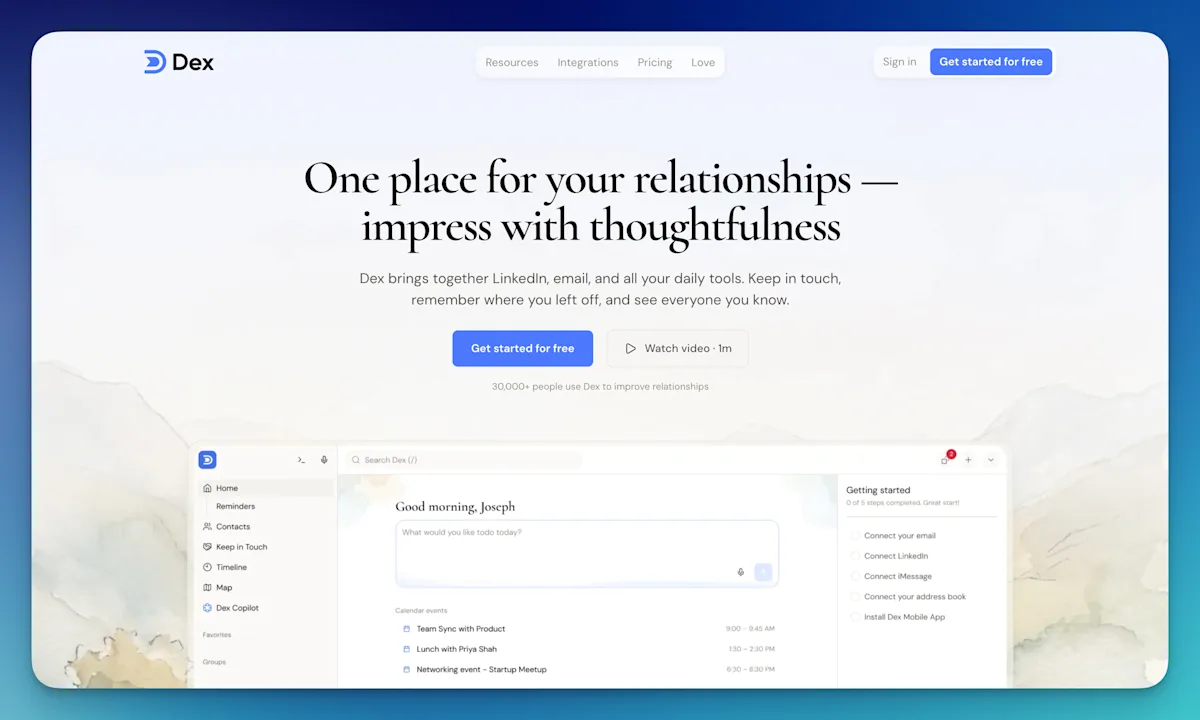
Dex is one of the dedicated apps compared above. It is also our product, so read this section with that in mind. It does the three things this article keeps returning to. It pulls people and context in automatically from Gmail, Outlook, Google Calendar, LinkedIn, WhatsApp and, in beta, iMessage (see the full list of integrations). It has a keep-in-touch reminder engine: you set how often you want to be in contact with someone, and Dex resurfaces them when that time is up. And it keeps a timeline for each person, so your notes, meetings and latest messages are in one place when you sit down to write to them.
By the break-even table above, that is worth paying for once you're past 150 people and can no longer say from memory who you last spoke to. Below that, your phone's contacts app or a spreadsheet usually still holds, and a subscription you stop opening helps nobody. If you're past that point and still deciding between the paid options, our guide to choosing a personal CRM goes through them in more depth. If you already know that auto-capture and reminders are what you're missing, try Dex free for 7 days.
Who this isn't for
You track fewer than 30-40 people you actually want to stay in touch with. A paid personal CRM is a subscription for a problem your phone's contacts app already solves. It won't get used past week two.
You want zero vendor access to your relationship notes. Skip cloud SaaS options (Dex, Folk, Cloze) and use a spreadsheet or self-hosted Monica instead. Your notes about people stay on hardware you control.
You already pay for a business CRM and your "personal" contacts are mostly client-adjacent. Adding a second, separate personal CRM app just means updating two systems for overlapping people. Use one.
You want a complete archive of your text messages. Dex syncs WhatsApp and, in a beta for Mac, iMessage and SMS. For each contact it updates the last-contact date and shows the most recent message. It does not store the full conversation. Cloze lists text message syncing among its features, and Folk lists WhatsApp sync. If you need every message captured and searchable, check exactly what a tool stores before you pay for it.
Original Research: Cross-Referencing 7 Tools' Public Pricing and Feature Pages
To build the break-even matrix above, we cross-referenced the publicly listed feature pages and pricing tiers of seven contact-management options (Google Contacts, a Google Sheets template, a Notion template, Monica, Dex, Mesh, and Folk) as of October 2026, mapping each one against two variables: whether it auto-captures interaction data (versus requiring manual entry) and whether it has a system-generated follow-up reminder at all. Only three of the seven (Dex, Folk, Mesh) combine both auto-capture and reminders. Monica has the reminders but depends on manual entry. The Clay rename stood out as a gap in current comparison content: many roundups, including ones dated 2026, still list the app under its old name, and clay.com is a separate company that sells to sales teams. A solo reader who follows the old name ends up evaluating the wrong product.
Frequently Asked Questions
Is a personal CRM worth it?
It's worth it once you're tracking more people than you can reliably remember to follow up with manually, typically somewhere past 50-150 contacts, based on the break-even matrix above. Below that, a native address book or spreadsheet covers the same ground for free.
What's the difference between a personal CRM and a business CRM?
Business CRMs (Salesforce, HubSpot) are built around deal stages, pipelines, and team reporting for one company selling to many customers. A personal CRM is built for one person managing many individual relationships over time, with no sales-stage structure at all.
Can I use Notion as a personal CRM?
Yes, for structure. Tags, saved views, and relational databases work well. It won't auto-capture calendar invites, emails, or texts the way dedicated apps like Dex or Folk do; you're still typing in every interaction by hand.
Is Google Contacts a personal CRM?
No. It's an address book. It stores names, numbers, and emails but has no interaction timeline and no follow-up reminder engine, which is the defining feature of a personal CRM.
What's the best free personal CRM?
Monica, self-hosted, is the most feature-complete free option, with full reminders and timelines and no subscription, if you're willing to run your own server. For zero setup, a Notion template or your phone's native contacts app are the free alternatives. Mesh, the app formerly called Clay, also has a free plan for up to 1,000 contacts.
Bottom Line
Start with what you already have. If your phone's contacts app or a spreadsheet is starting to fail you (meaning you're forgetting to follow up, not just that the UI feels dated), move to a system with an actual reminder engine: Monica if you want to self-host for free, Dex or Folk if you'd rather pay for auto-capture and skip the setup. If an older list sent you looking for Clay, the personal CRM is now called Mesh, and clay.com is a different company's sales tool. And don't add a second CRM on top of a business CRM you already pay for.
Related reading: Best personal CRMs for networking in 2026 · Dex vs Folk · Dex vs Cloze · Dex vs Monica · HubSpot vs Dex · Dex vs monday CRM