The Best Contact Management Software in 2026 (And Why Your Contacts App Doesn't Count)
Compare the best contact management software in 2026. Explore top tools like Dex, HubSpot, and Notion, plus how to choose the right one for your workflow.



The contacts app on your phone was designed to store phone numbers. It shipped with the original iPhone in 2007, back when "contact management" meant remembering a cousin's landline, and it has barely changed since. That same app now holds well over a thousand entries for most professionals, and many of those people you haven't spoken to in years. Running a real professional network out of iOS Contacts in 2026 is like running a hedge fund out of a filing cabinet: the shape fits, but the scale doesn't.
This guide covers what contact management software actually does, the seven tools worth considering in 2026 (including the free ones), how to choose between them based on the work you do, and where our own product fits in. We'll be upfront about that last part: we built Dex, so we have a horse in the race. We'll still try to be fair.
Where phone contacts stop working
A contacts app stores a name, a phone number, maybe an email, and a photo. That's the whole job. What it doesn't do is track when you last spoke to someone, what the conversation was about, which company they moved to last quarter, or whether enough time has passed to reach out again without it feeling awkward.
Contact management software adds that missing layer. The good ones consolidate contacts from multiple sources (email, LinkedIn, Gmail, phone, messaging apps), log interaction history automatically, surface reminders before relationships go cold, and give context before every meeting. A phone contacts app is a rolodex. Real contact management software is closer to a second brain.
The distinction matters, because most people searching for contact management software don't yet know whether they want a personal CRM, a sales CRM, or a beefed-up address book. Those are three different products solving three different problems, and a lot of regretted purchases come from confusing them.
The contact management tools worth a look in 2026
Dex
Dex is a personal CRM built for individuals who need to manage relationships across platforms without running a sales pipeline. It pulls contacts from
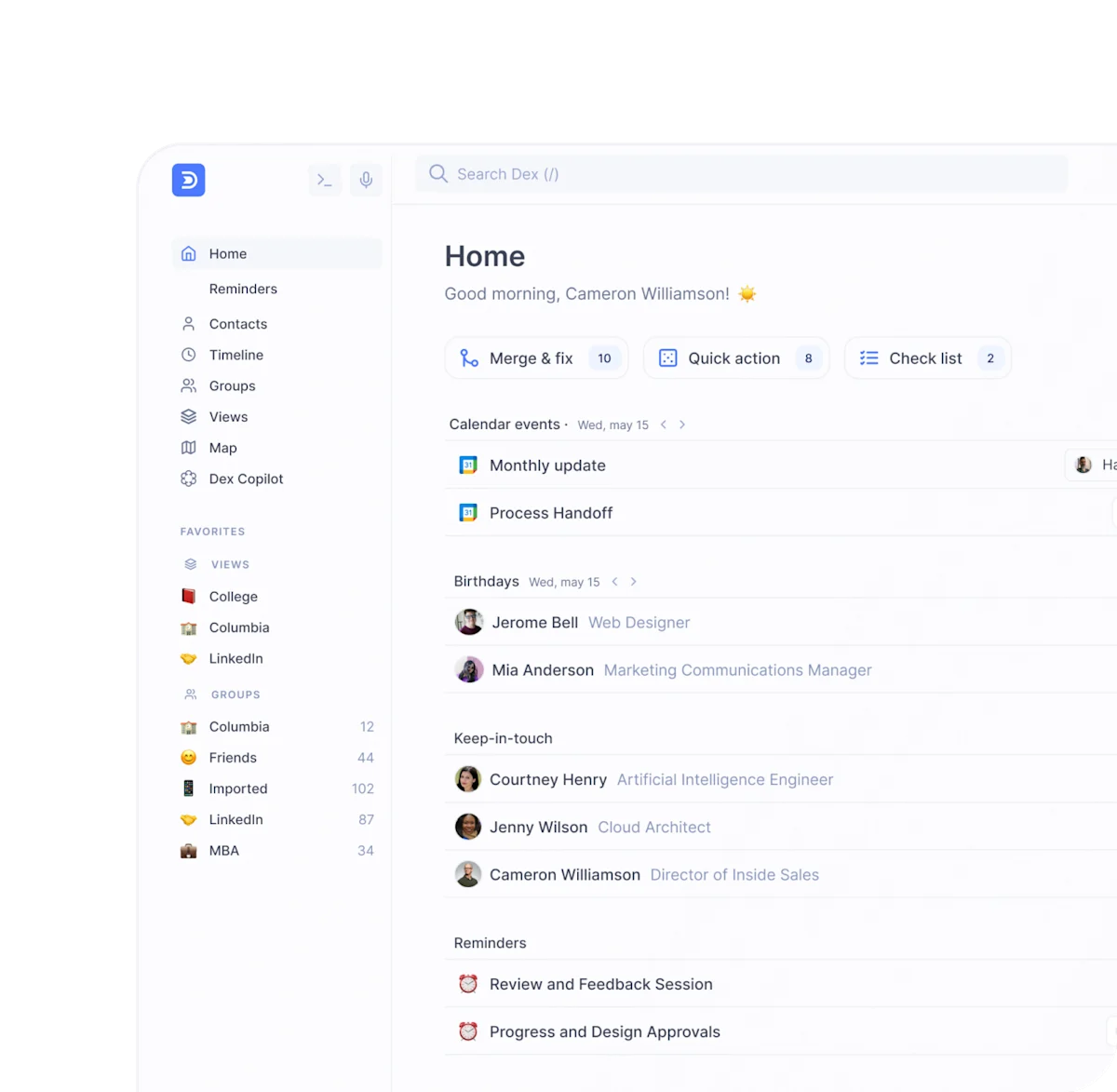
Timeline view in Dex
There's a mobile app for iOS and Android, a browser extension for one-click saves from LinkedIn, AI features that draft follow-ups from real context, and pre-meeting briefs that land before calendar events with a summary of past interactions. Pricing is a flat monthly fee with a free trial rather than per-seat math (check the current price on the pricing page, as of 2026).
The target user is a founder, investor, MBA student, job seeker, freelancer, or working professional managing a personal network. Dex is not the right fit for teams that need shared pipelines, collaborative deal tracking, or sales forecasting; it's built for one person at a time. Anyone expecting HubSpot should look elsewhere.
Google Contacts
Google Contacts is free, syncs across every device signed into a Google account, and handles the basics of name-and-email storage better than most standalone apps. It deduplicates reasonably well and integrates with Gmail and Google Calendar with no setup. For someone managing fewer than fifty professional relationships, it's more than enough.
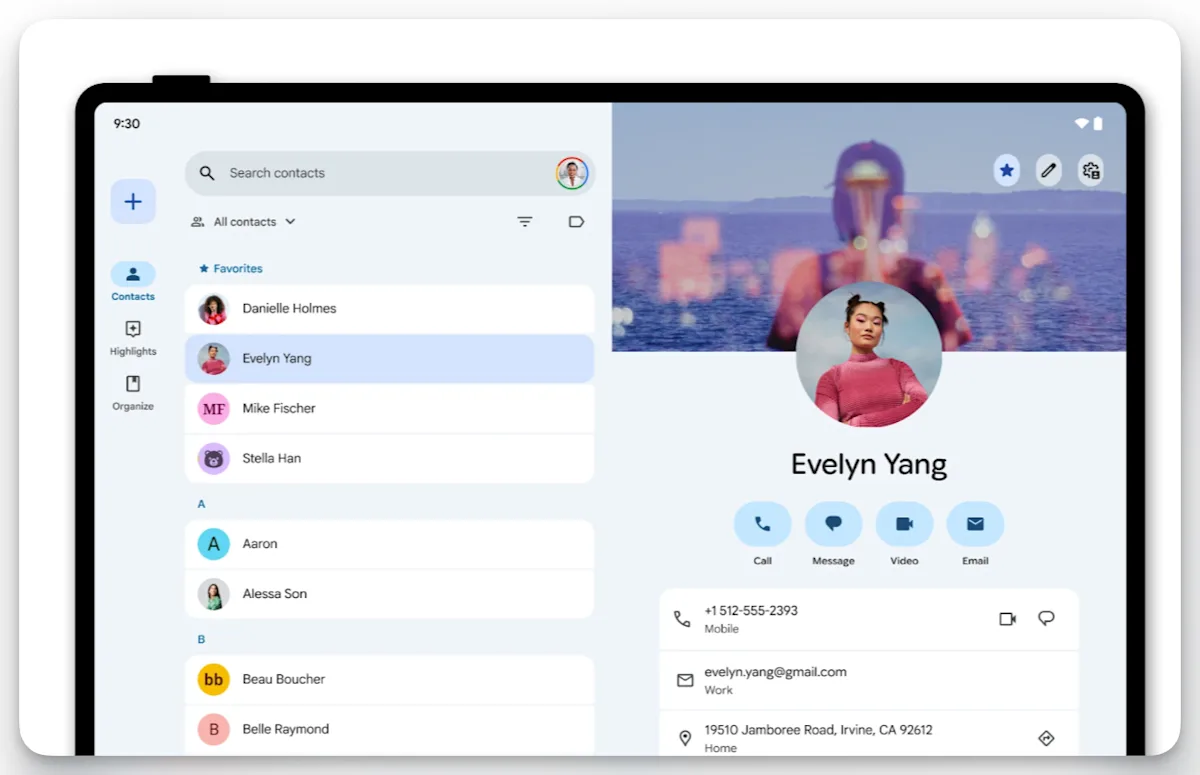
Image from Google Play
The problem starts when your network grows past a hundred people and there's no way to log notes, track interaction history, set reminders, or see who's gone cold. Google Contacts is a storage layer, not a management layer. It doesn't know that a contact changed jobs last month, and it won't prompt you to reach out again. This is the baseline to argue against, not the solution. Anyone relying on it for a real professional network is already losing relationships and doesn't know it yet.
HubSpot
HubSpot sits at the team-CRM end of the spectrum. The free tier includes contact management, email tracking, deal pipelines, and basic reporting for a large contact ceiling, which sounds impressive until the upsell path shows up around every feature that actually matters.
The paid Starter tier unlocks the real sales tooling for a per-seat monthly fee (check current pricing, as of 2026). For a small sales team it's a legitimate option, and it scales cleanly into the broader HubSpot stack (marketing automation, service hub, CMS) if the business needs that later. The product is built around a deal pipeline, so the interface uses sales terminology throughout: leads, deals, stages, properties.
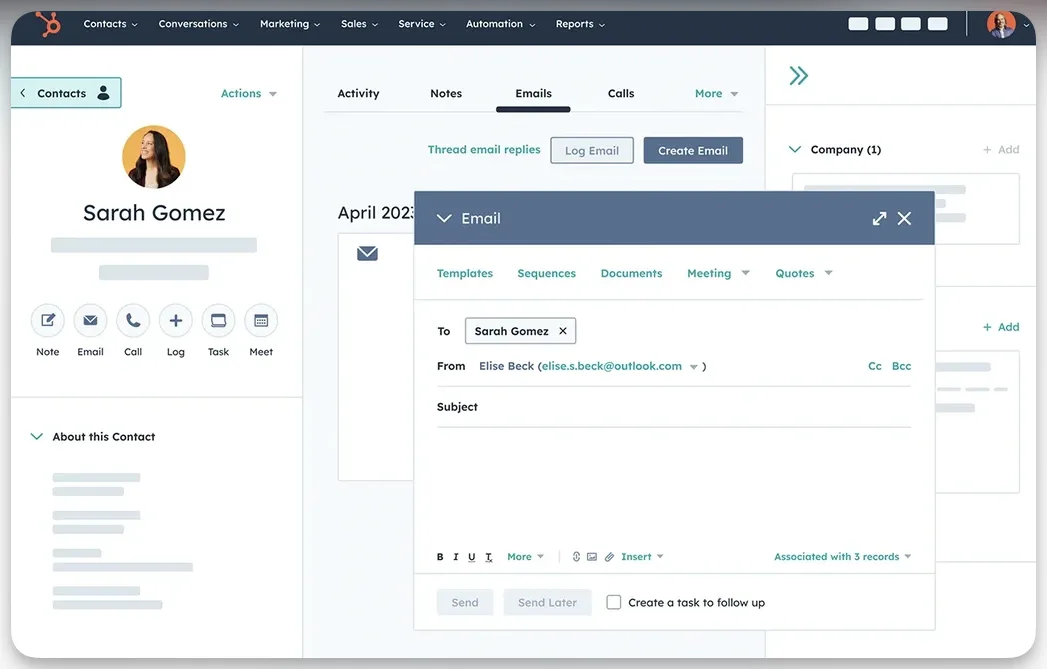
Image from Hubspot
Anyone managing a personal network in HubSpot will spend more time fighting the vocabulary than using the product. It's not wrong for what it is. It's wrong for anyone who isn't trying to close someone.
Check out how Dex compares with Hubspot here.
folk
folk is a polished team CRM priced per seat, with a higher-tier plan for advanced features (check current pricing, as of 2026). The folkX Chrome extension is genuinely one of the best browser tools in the category for saving LinkedIn contacts in one click with automatic enrichment. The interface is clean, onboarding is fast, and the AI assistants (Follow-up, Recap, Research) do useful work.
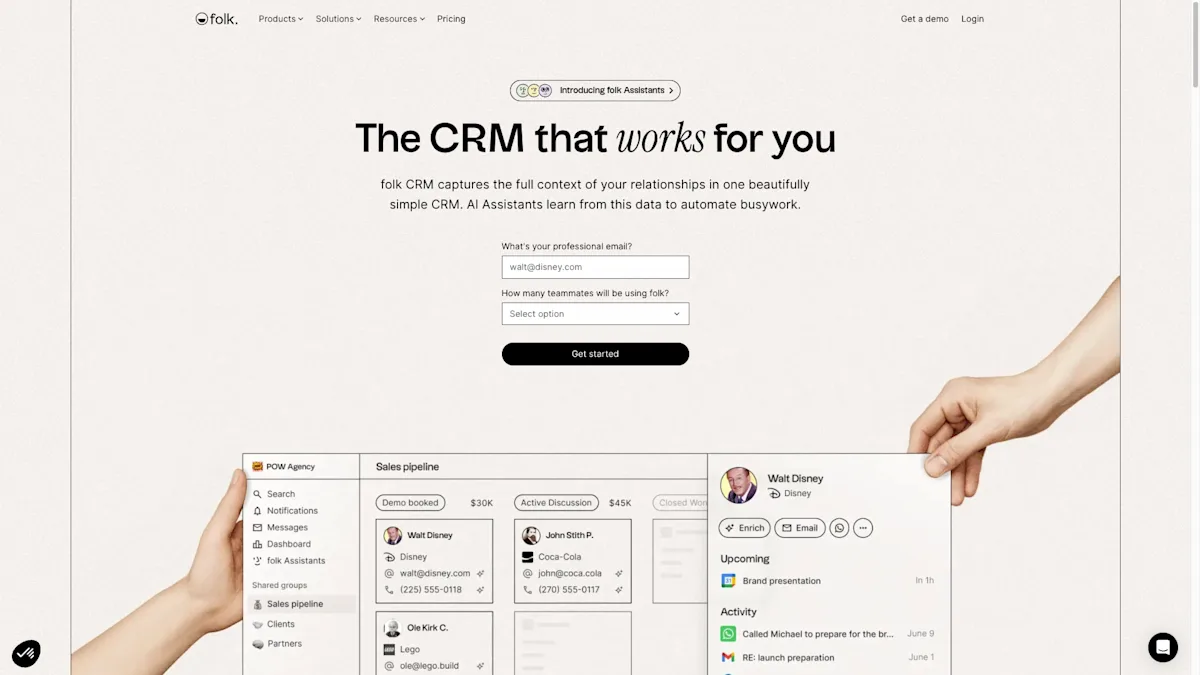
Image from folk.app
Where folk struggles is the gap between how it's marketed and how it's built. The marketing leans on personal-CRM language; the product is a team SaaS with no native mobile app, a limited set of native integrations (Gmail, Outlook, LinkedIn, WhatsApp), and key features like deals and email sequences gated behind the top tier. Small sales teams that work mostly on desktop will find folk a credible HubSpot alternative. Solo users and mobile-first networkers will not.
For a deeper look, we wrote a full folk CRM review that goes tier-by-tier on what's actually usable at each price point.
Clay (now Mesh)
Clay, which rebranded to Mesh in 2026, focuses on passive contact enrichment. It pulls data from Gmail, calendar, and social accounts to build rich contact profiles with minimal manual work, on a modest monthly plan (check current pricing, as of 2026). For someone who hates data entry and wants contact cards that fill themselves out in the background, Mesh is the right tool.
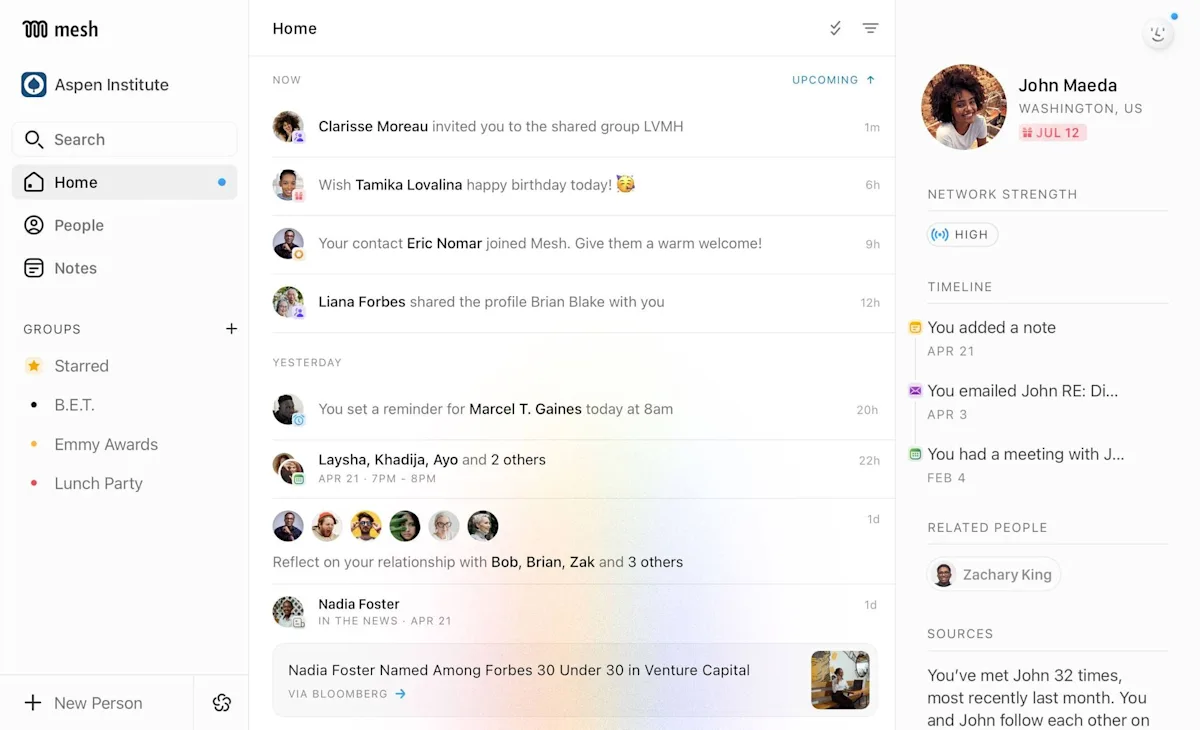
Image from me.sh
The enrichment is legitimately good and the interface is pleasant. Where it falls short is on follow-up workflows and LinkedIn sync, the features that matter most for anyone building a network rather than just cataloging one. Mesh is better at knowing who someone is than at reminding you to reach out. That's a real gap if the goal is relationship management rather than data collection. Worth considering if you want automatic enrichment and don't need a full keep-in-touch system; skip it if you already know who your contacts are and just need help staying in touch.
For a deeper look, we wrote a full Mesh CRM review that goes tier-by-tier on what's actually usable at each price point.
Monica
Monica is an open-source personal CRM with a self-hosted free tier and a modest hosted plan (check current pricing, as of 2026). The feature set covers contacts, notes, reminders, gift tracking, relationship types, and journal entries. It's genuinely impressive for a free product and has a loyal following among developers and privacy-focused users. The catch is that self-hosting means running a server, handling updates, and managing your own backups.
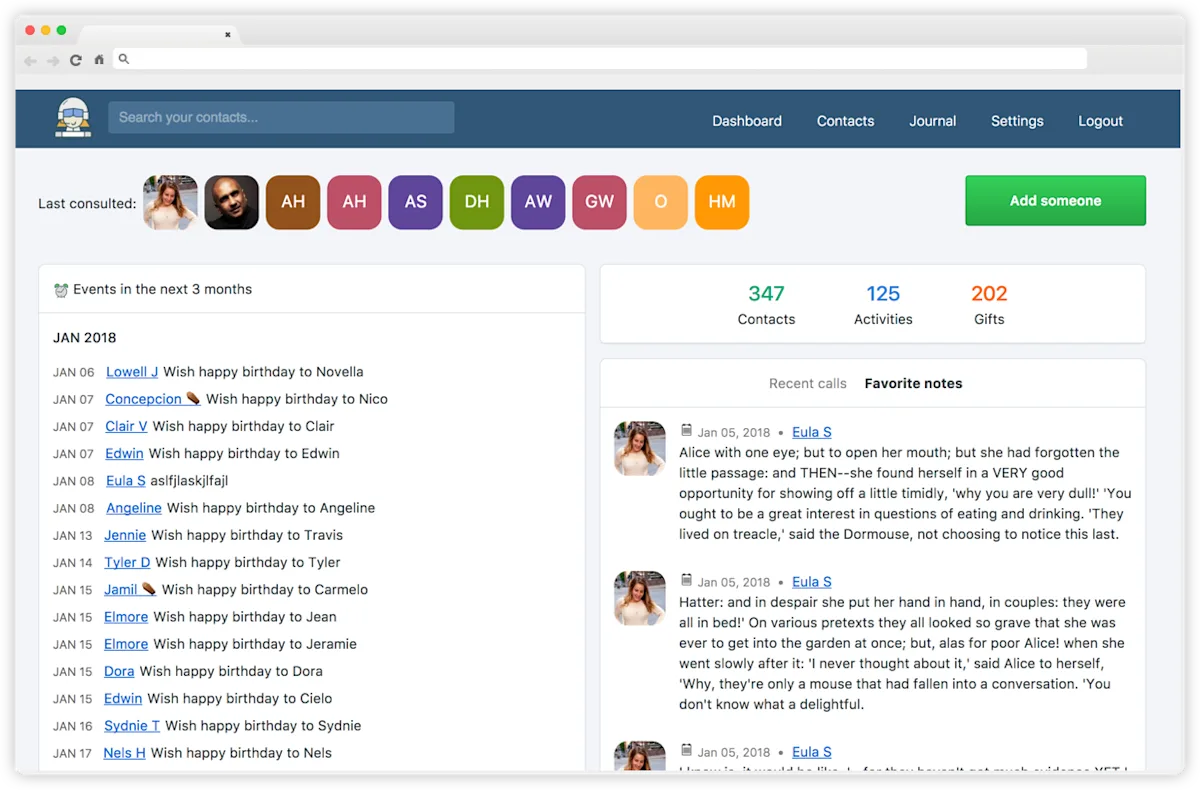
Dashboard view from monicahq.com
For a technical user willing to do that, Monica is a legitimate option. For a non-technical user, the hosted tier is fine but limited next to commercial alternatives, with no LinkedIn sync, no messaging-app integrations, and a UI that feels like it was designed by engineers (because it was). Monica is right for someone who values data ownership, privacy, and open-source principles enough to accept lower polish. It's wrong for someone who just wants a tool that works without project-managing their own CRM infrastructure.
For a deeper look, we wrote a full Monica CRM review that goes tier-by-tier on what's actually usable at each price point.
Notion
Including Notion in a contact-management roundup feels wrong, and that's the point. Notion is a flexible database tool that plenty of people have tried to turn into a CRM with templates, formulas, and relation properties. It sort of works. The problem is that "sort of works" hides how much maintenance it takes to keep a Notion-based CRM useful. There's no automatic sync from LinkedIn or email, no native reminders, no way to log interactions without typing them out, and no mobile experience worth using for capture on the move.
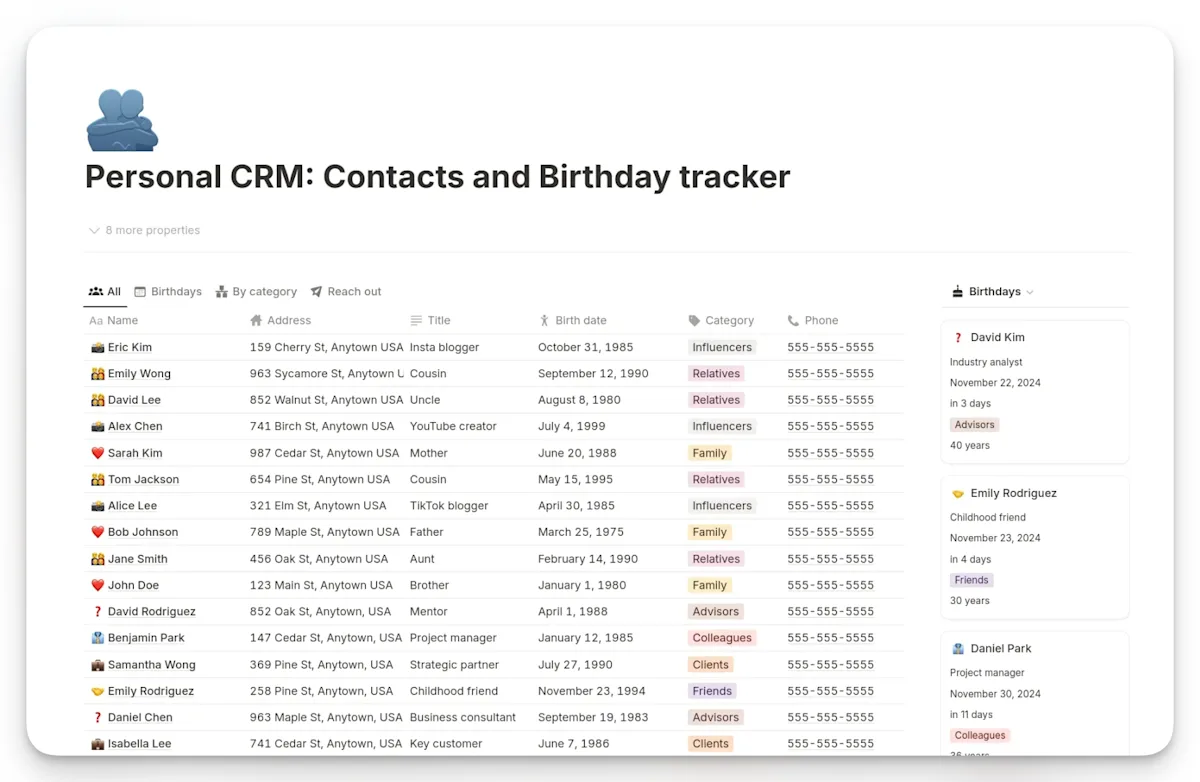
Personal CRM dashboard from notion.com
Notion is a great tool for documentation and project management. It's a poor tool for contact management specifically, because the work required to maintain it scales with the size of your network. Anyone using Notion to manage a real professional network tends to quit inside six months, usually without noticing they've abandoned the system until they see how many follow-ups slipped. Skip it unless the goal is a hobby build.
Check out how Dex compares with Notion here.
What to look for in contact management software
Before comparing products, it helps to know which capabilities actually separate contact management software from a glorified address book. These are the criteria worth weighing, roughly in order of how much they change day-to-day use.
Automatic contact capture and sync. The single biggest driver of whether you'll keep using a tool is whether contacts show up on their own. Look for native LinkedIn, Gmail, and Outlook sync so your database stays current without manual imports.
Interaction history. A good tool logs calls, emails, and meetings against each person automatically, so you can see the last time you spoke and what it was about before you reach out again.
Reminders and a keep-in-touch cadence. Relationships go cold quietly. The feature that prevents it is a reminder system that nudges you before a contact slips, ideally on a cadence you can set per person.
A real mobile app. Networking happens away from your desk. If a tool can't capture a contact or check context from your phone, it will drift out of date within a month.
Notes and custom fields. The context that makes a network valuable (how you met, shared interests, what someone is working on) lives in free-form notes and fields, not in a name-and-email row.
Transparent, predictable pricing. For solo use, a flat monthly price beats per-seat math and surprise upsells. For teams, confirm which features sit behind which tier before committing.
If you want a structured way to weigh these trade-offs, our guide to finding the right personal CRM walks through the same criteria with a decision framework.
How to pick between them
The choice between contact management tools comes down to three questions.
First: solo or team. Tools like HubSpot and folk are priced and built for teams with shared workflows. Dex, Monica, and Mesh are priced and built for individuals. Using a team tool as a solo user means overpaying for features that won't get used. Using a solo tool as a team means fighting the product every time two people need to collaborate on the same contact.
Second: mobile or desktop. Networking doesn't happen at a desk. Conferences, coffee meetings, transit, events, airports. The contact management tool that doesn't open on a phone is the contact management tool that stops being accurate within a month. folk has no native mobile app. HubSpot and Dex both do. Monica has a mobile-responsive web experience. For anyone whose work takes them out of the office regularly, this is the question that eliminates half the market.
Third: simple or pipeline-heavy. A personal network doesn't need deal stages, weighted revenue forecasting, or conversion analytics. A sales team does. Picking a pipeline-heavy tool for personal use means spending weeks configuring features that don't match the work. Picking a simple tool for sales work means hitting the ceiling fast. The honest question is whether the job involves closing deals or maintaining relationships. Those are different problems and the tools that solve them best are different products.
Who needs contact management software
Not everyone does, and it's worth being honest about that. If your professional world is a few dozen people you talk to constantly, your phone and your memory are fine. The tools in this guide start to earn their keep once your network outgrows what you can hold in your head. A few profiles where that happens fast:
Founders and operators juggling investors, advisors, candidates, and customers across hundreds of relationships that all matter at different moments.
Job seekers and career switchers running informational interviews and referrals, where a dropped follow-up can quietly cost an opportunity.
MBA students and recent grads trying to keep hundreds of orientation, recruiting, and classmate contacts from evaporating after graduation.
Freelancers and consultants who need to stay warm with past clients between projects so the next engagement comes from a relationship rather than a cold pitch.
Investors and business developers whose entire job is the strength and freshness of their network.
If that sounds like you and you want the free-first path, our roundup of the best free personal CRM options is a good starting point, and our piece on using a personal CRM for networking covers the habits that make any of these tools actually stick.
Where Dex fits
Dex is the right choice for individuals managing personal and professional networks. Founders tracking investors, advisors, and hiring pipelines. MBA students keeping orientation and recruiting contacts from slipping. Freelancers maintaining client relationships between projects. Job seekers running an informational interview pipeline. The through-line is that it's one person managing their own network, not a team running a shared sales process. Dex doesn't try to be HubSpot and doesn't pretend to be Notion. It's a personal CRM. For a broader comparison of options in the same category, we've also written a guide to the best personal CRM apps for 2026 and a longer-form best personal CRM overview.
Frequently asked questions about contact management software
What is contact management software?
Contact management software is a tool that stores contacts, logs interaction history, and helps users maintain relationships over time. Unlike a basic contacts app, it tracks when someone was last contacted, surfaces reminders to reach out, and consolidates information from multiple sources like email, LinkedIn, and messaging apps into one profile per person. The category overlaps with personal CRM and sales CRM depending on the use case.
What is the best free contact management software?
For individuals, Google Contacts is the most capable free option but is limited to basic storage without interaction tracking or reminders. Monica is a better fit for anyone willing to self-host an open-source tool. HubSpot has a free CRM tier aimed at sales teams that includes contact management. For a full personal CRM with LinkedIn sync and mobile apps, most dedicated tools start around $10 to $12 per month, which is the price range where features like reminders, interaction history, and platform sync become standard.
Is Google Contacts a CRM?
No. Google Contacts is a contact storage and sync tool, not a CRM. It handles name, email, phone, and photo fields across devices and integrates with Gmail and Google Calendar, but it doesn't track interaction history, surface reminders, log notes against contacts, or manage a relationship timeline. A CRM adds all of those workflow features on top of contact storage. Google Contacts can feed into a CRM as a data source, but it isn't one by itself.
What is the difference between contact management and CRM?
Contact management stores contact information and basic notes. A CRM (customer relationship management) adds workflow on top of that: interaction history, reminders, pipelines, reporting, and automation. A personal CRM focuses on maintaining relationships with people the user knows. A sales CRM focuses on converting leads into customers. Both are forms of contact management software with different priorities. Anyone managing relationships needs a personal CRM. Anyone closing deals needs a sales CRM.
Do professionals really need contact management software?
Not at every network size. For a network under fifty active contacts, a phone contacts app and good memory are enough. Past a hundred professional contacts, things start slipping. Follow-ups get forgotten, context from past conversations disappears, and natural touchpoints like job changes pass unnoticed. The threshold where contact management software starts paying for itself is usually somewhere between 100 and 300 active relationships, depending on how important those relationships are to someone's livelihood.
What's the easiest contact management software to use?
For solo users, tools with automatic sync (Dex, Clay/Mesh, folk) are easier than manual-entry tools (Notion, spreadsheets, Monica self-hosted) because the data maintenance happens in the background. For teams, HubSpot Free is the easiest on-ramp because of its zero-cost tier and broad feature set, though the interface is busier than smaller competitors. The single biggest factor in ease of use is whether contacts show up automatically without manual import, which is where LinkedIn and email integrations matter most.
What's the difference between a contacts app and contact management software?
A contacts app stores static records: name, number, email, photo. Contact management software adds a layer of movement on top of that data. It logs when you last spoke, keeps a running history of your interactions, reminds you before a relationship goes cold, and pulls updates from email, LinkedIn, and messaging apps so records stay current on their own. Put simply, a contacts app remembers who people are; contact management software helps you actually maintain the relationship.
Do I need contact management software if I use Google Contacts?
It depends on scale. Google Contacts is a capable, free storage-and-sync layer, and for a network of a few dozen people it's plenty. But it has no interaction history, no reminders, no notes timeline, and no automatic sense of who you've fallen out of touch with. Once you're tracking more than a hundred relationships you care about, you'll want the management layer that dedicated contact management software provides. Many tools import your Google Contacts as a starting point, so it's not an either/or choice.
What features matter most in contact management software?
For most people, the order is: automatic contact capture and sync first (a database you have to maintain by hand goes stale), then interaction history and keep-in-touch reminders, then a genuine mobile app, and finally notes and custom fields for context. Pipelines, forecasting, and reporting matter for sales teams but are noise for personal use. Match the feature list to the job you're actually doing, whether that's maintaining relationships or closing deals.
Free vs paid: which contact management software should I choose?
Free tools like Google Contacts and self-hosted Monica are the right call if your needs are basic storage or you're comfortable running your own server. HubSpot's free CRM tier is generous for sales-shaped work. But the features that define real contact management, automatic LinkedIn and email sync, reminders, interaction history, and polished mobile apps, generally become standard once you move to a paid personal CRM in the roughly $10-to-$12-per-month range (check current pricing, as of 2026). If your network drives your livelihood, that's usually a trade worth making.
Manage Your Contacts Effectively with Dex
Anyone managing their own professional network who wants a tool built specifically for that job can try Dex free for 7 days. Pull your contacts from LinkedIn, Gmail, and Outlook in a few minutes.