Wave Connect vs Dex: Best Digital Business Card?
The Wave Connect digital business card shares your details by QR, NFC, or wallet pass and scans paper cards back. Its scanner feeds a CRM you own elsewhere; Dex is the personal CRM the contact lands in. Wave's AI paper card scanner needs Pro at $7/mo, not the free plan.


The Wave Connect digital business card shares your details by QR, NFC, or wallet pass and scans paper cards back. Its scanner feeds a CRM you own elsewhere; Dex is the personal CRM the contact lands in.
Everyone evaluates a business card scanner app on the wrong thing. You point a phone at a card, the text comes out right or it doesn't, and by 2026 it basically always comes out right. Both of these tools nail it. So does Google Lens, which is free and installed on your phone already.
The interesting question starts about four seconds later. The contact now exists somewhere. What is that somewhere, and will it do anything for you in two months?
Wave Connect and Dex answer that differently enough that the scanner itself is close to irrelevant to the decision. One of them assumes you already own a system of record and just needs to get contacts into it. The other one is the system of record.
Fast facts
Wave Connect brands itself as the easiest way to create and share your digital business card.
Wave's AI paper card scanner and AI event badge scanner sit on the Pro plan at $9/month and above.
CSV export and native CRM sync are also Pro and up. The free tier shares your card; it does not hand you your leads in a portable format.
Dex is a personal CRM at $12/month for Premium and $20/month for Professional, with card scanning included and no separate scanner tier.
Dex's card scanner scans across iPhone and Android, adding back-to-back scanning and offline capture that syncs later with the card photo attached.
What Wave Connect is
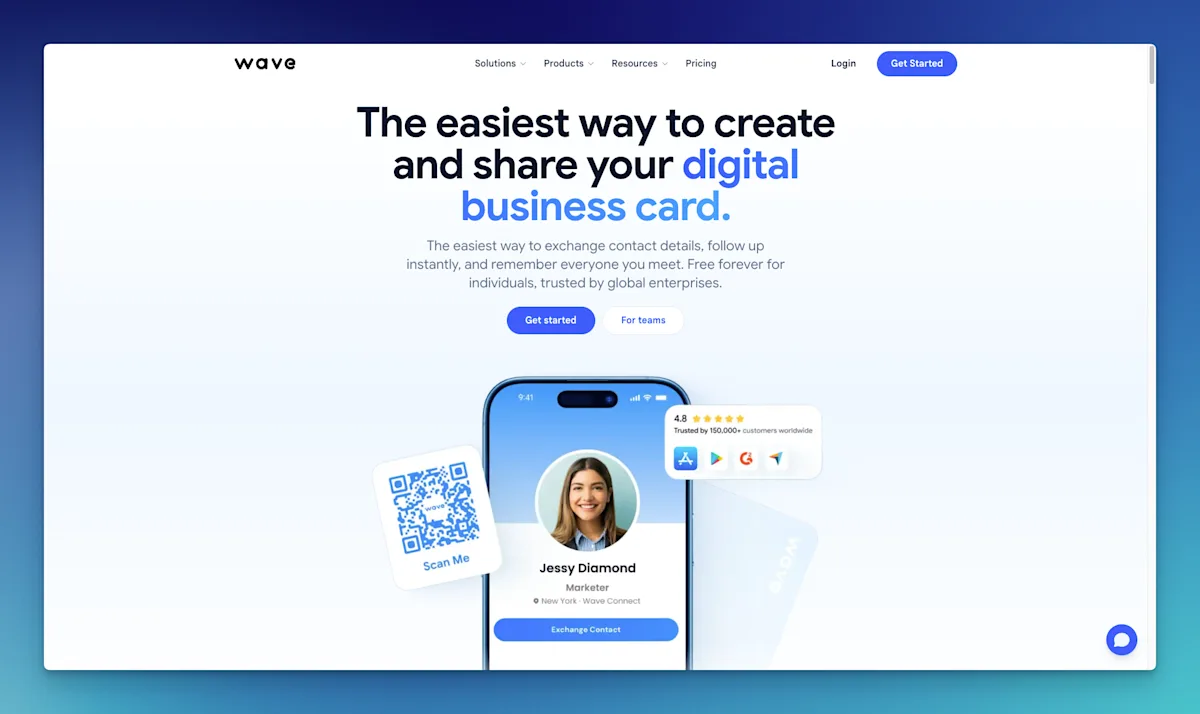
Wave is built around the exchange, not the archive. Its center of gravity is the Wave Connect digital business card itself: a profile of yours that other people receive by QR code, NFC tap, Apple or Google Wallet, or a branded email signature. Scanning is the reciprocal half of that. You hand them your card, you scan theirs, and both directions of the exchange happen in one app.
The product line reflects that. Digital business cards, NFC cards, email signatures, and event lead capture with badge scanning for trade show booths. Teams get an admin console, shared lead dashboards, bulk profile editing, and template locking so twelve reps do not each invent their own card design. Enterprise adds SSO and SCIM.
For the job it was built for, this is a coherent product. If your problem is that your booth staff are collecting leads on paper and typing them into Salesforce on the flight home, Wave solves that problem directly and cheaply.
What Dex is

Dex is a personal CRM. Its center of gravity is the relationship over time: keep-in-touch cadences, notes, a timeline per contact, and job change alerts pulled from LinkedIn.
Card scanning in Dex is a front door. You open the scanner from the mobile app, it reads the card and pre-fills a form, and every field stays editable before you save. The photo of the card gets attached to the contact either way, so if the OCR mangles a name you still have the original to check against. Save one and you drop straight back into the scanner rather than bouncing out to your contact list, which matters when you are working through a stack of forty. Scan with no signal and it is stored locally, then syncs with the image when you reconnect.
That is the same feature Wave has, described in nearly the same words. The difference is what the contact walks into.
The dividing line
Scanning inside the Wave Connect digital business card app is a capture endpoint. It gets a person out of the physical world and into a queue, and then its answer to "now what" is to push them somewhere else: Salesforce, HubSpot, Pipedrive, Zoho, Outlook, or 5,000 Zapier destinations. That is a sensible design when a downstream system exists and someone else is responsible for it.
Dex's scanner is an entry point to the destination. The contact lands in the place where you will actually work on the relationship, so the next actions are available immediately: set a cadence, write what you talked about, tag them to the event.

Dex's Business Card Scanner
That difference is what should decide the purchase, and it produces one clean rule. If the person you scanned belongs in a pipeline someone else manages, pick the business card scanner app attached to that pipeline, which here is Wave. If the person belongs to you and nobody is going to chase them but you, Dex.
| Wave Connect | Dex |
|---|---|---|
Category | Digital business card and lead capture | Personal CRM |
Paper card scanning | Yes, AI scanner (Pro and up) | Yes, included on all plans |
Event badge QR scanning | Yes (Pro and up) | No |
Share your own card | Yes: QR, NFC, Wallet, email signature | No |
Where the contact lives after | Wave's lead list, then synced out to a CRM | Dex itself, as the system of record |
Keep-in-touch reminders | Basic reminders | Per-contact cadences, core to the product |
Job change alerts | No | Yes, via LinkedIn sync |
Contact sources beyond scanning | Scans, lead forms, card exchanges | LinkedIn, Gmail, Outlook, calendar, WhatsApp, iMessage, extension |
Team admin and SSO | Yes, Teams and Enterprise | No, Rolodex for teams |
Entry price for scanning | $7/month (Pro) | $12/month (Premium) |
The pricing detail worth catching
Wave leads with a free plan, and it is a real free plan. A Wave Connect digital business card on $0 gets unlimited sharing, unlimited contacts, QR and email sharing, a lead capture form, and Apple Wallet.
The AI paper card scanner is not in it. Neither is the event badge scanner, native CRM sync, or CSV export. Those start at Pro, $7/month.
That last one deserves a beat. On the free tier you can collect leads and you cannot export them. Whether that bothers you depends entirely on how many you collect before you notice.
Plan | Price | Paper card scanner | CSV export |
|---|---|---|---|
Wave Free | $0 | No | No |
Wave Pro | $7/user/month | Yes | Yes |
Wave Teams | $5/user/month, 3 seat minimum | Yes | Yes |
Wave Enterprise | Custom | Yes | Yes |
Dex Premium | $12/month | Yes | Yes |
Dex Professional | $20/month | Yes | Yes |
What the week after the conference looks like
With Wave, Monday morning you have a lead list. If you are on Pro you push it to your CRM or export the CSV, and from that point the follow-up is whatever your CRM and your discipline produce. Automated follow-up emails and SMS reminders are available, which covers the first touch. The second one, five months later, is on you.
With Dex, the forty people you scanned are already contacts with a card photo attached and an event tag. You set cadences on the dozen worth keeping, quarterly or twice a year, and they resurface on their own. When one of them changes jobs, Dex tells you, which is usually the best moment to reach out and the one you would otherwise miss entirely.
That gap is the whole reason a business card scanner app is worth paying for at all. The scan was never the hard part. Nobody has a stack of cards because scanning is difficult. They have a stack of cards because nothing in their life was going to bring those people back up six months later, so the cards were correctly identified as pointless.
Where Wave is the better buy
If you need to share your own card, Dex has no equivalent to the Wave Connect digital business card. No NFC, no QR profile, no wallet pass. Someone whose actual complaint is that they keep running out of paper cards to hand out will find that Dex doesn't solve it.
At a booth, Wave is not close. Event badge QR scanning, offline capture, auto-tagged event leads, and a shared team dashboard add up to a purpose-built trade show kit that Dex simply does not have, and renting badge scanners from the event organizer typically costs more than a year of Wave.
Then there is the case where somebody else owns the CRM. If contacts have to land in the company Salesforce instance, dropping a personal CRM in the middle just creates a second place for the same record to go stale.
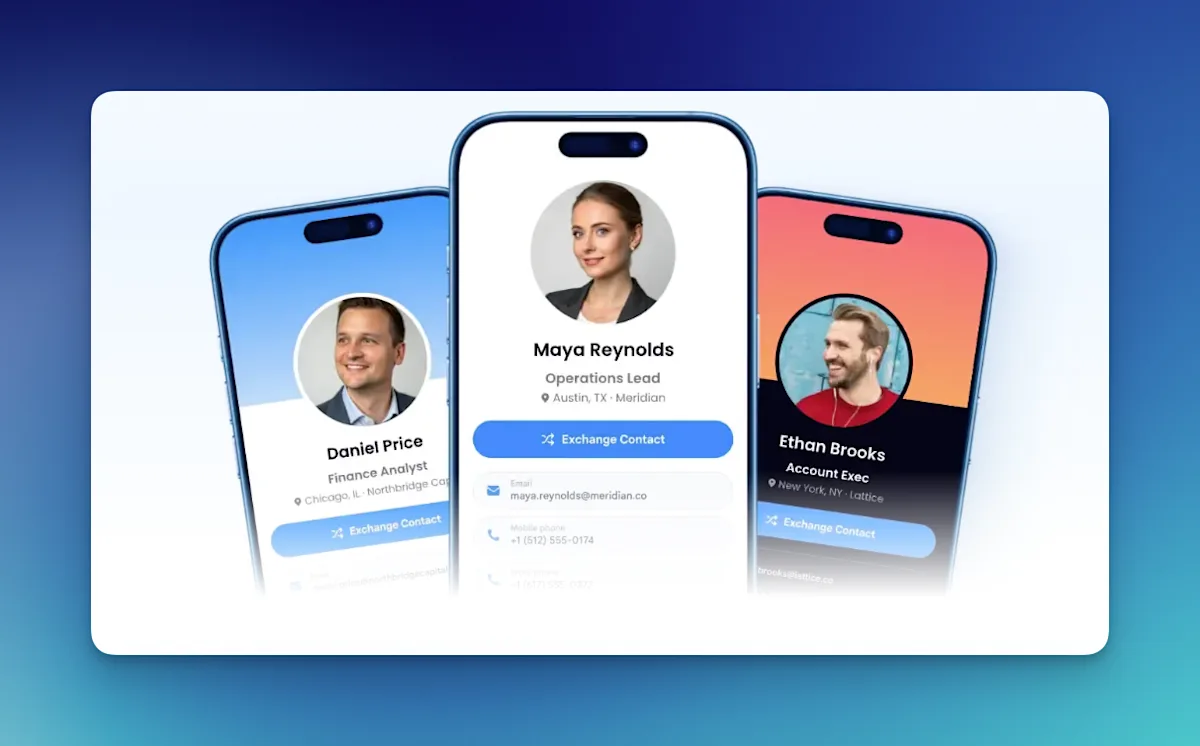
Wave Connnect's Digital Business Card from wavecnct.com
Who this isn't for
If you scan under five cards a year, no business card scanner app is worth a subscription. Google Lens or your phone's built-in camera text capture will do, and Wave itself says as much in its own roundup.
If your contacts are quota-carrying leads with a close date attached, you need a sales CRM, and the scanner should be whichever one plugs into it. Dex is the wrong shape for that, and we have written about why a sales CRM and a personal one are built on different objects.
If you have no intention of following up with anyone and just want the cards off your desk, a scan-to-CSV app is cheaper than either of these.
If your privacy stance rules out cloud contact sync, both are cloud products.
The honest summary
The Wave Connect digital business card is a good product with a competent scanner attached. Dex is a personal CRM with a competent scanner attached. Both scanners work. Neither company is really selling you OCR.
What you are choosing is the container. Wave's container is the exchange: it is excellent at the moment two people meet and reasonable at the handoff to whatever comes next. Dex's container is the relationship: it is unremarkable at the moment you meet and built entirely for the eleven months after.
Pick based on which of those you keep failing at. Most people who go looking for a business card scanner app think they have a capture problem. Look at your last three conferences honestly and you will usually find the cards did get scanned, or photographed, or typed into a note.
Scan once and stay connected forever
Stop collecting business cards and start building relationships. Scan every card straight into Dex, add notes, set a follow-up cadence, and let Dex remind you when it’s time to reconnect. Try Dex free for 7 days.
Frequently Asked Questions About Wave Digital Business Card
Does Wave Connect's business card scanner work on the free plan?
No. Wave's free plan covers sharing your own digital card, unlimited contacts, and a lead capture form, but the AI paper card scanner and AI event badge scanner start on the Pro plan at $7/month. CSV export and native CRM sync are also Pro and up. {{VERIFY: plan gating current as of publish date}}
Does Dex scan business cards on both iPhone and Android?
Yes. Dex rebuilt card scanning on both platforms, and it now supports back-to-back scanning of a stack, offline capture that syncs when you reconnect, and a saved photo of the card attached to the contact. The steps are in the Dex card scanner guide.
Can I use Wave Connect and Dex together?
Yes, and for some people that is the right answer. Use Wave for sharing your card and capturing leads at events, then export or sync the ones worth keeping into Dex for long-term follow-up. Dex's Professional plan includes Zapier, and Wave supports Zapier on Teams and above.
Which one syncs to Salesforce or HubSpot?
Wave has native one-click sync to Salesforce, HubSpot, Pipedrive, and Zoho on Pro and above. Dex offers CRM integrations on its Enterprise plan, plus API and Zapier access on Professional.
Is a business card scanner app still necessary if I have a digital card?
Usually yes, because the other person often does not have one. A Wave Connect digital business card handles your side of the exchange; a scanner handles the side you do not control, and paper is still the default at most conferences. That is the reason Wave ships both, and the reason Dex ships the scanner without shipping a card.
What happens to a contact after I scan it in Dex?
It becomes a full contact record with the card image attached. From there you can set a keep-in-touch cadence, add notes from the conversation, tag it to the event, and merge it with an existing LinkedIn or email contact if you already knew the person.
Related reading: Networking CRM: the best way to manage your contacts · Dex vs Salesforce · Best personal CRM for networking