
Today’s candidate is next year’s client.
Dex helps your firm share what each recruiter knows, see who already knows a hiring manager, and stay close to placed candidates between searches.
14-day free trial, no card needed
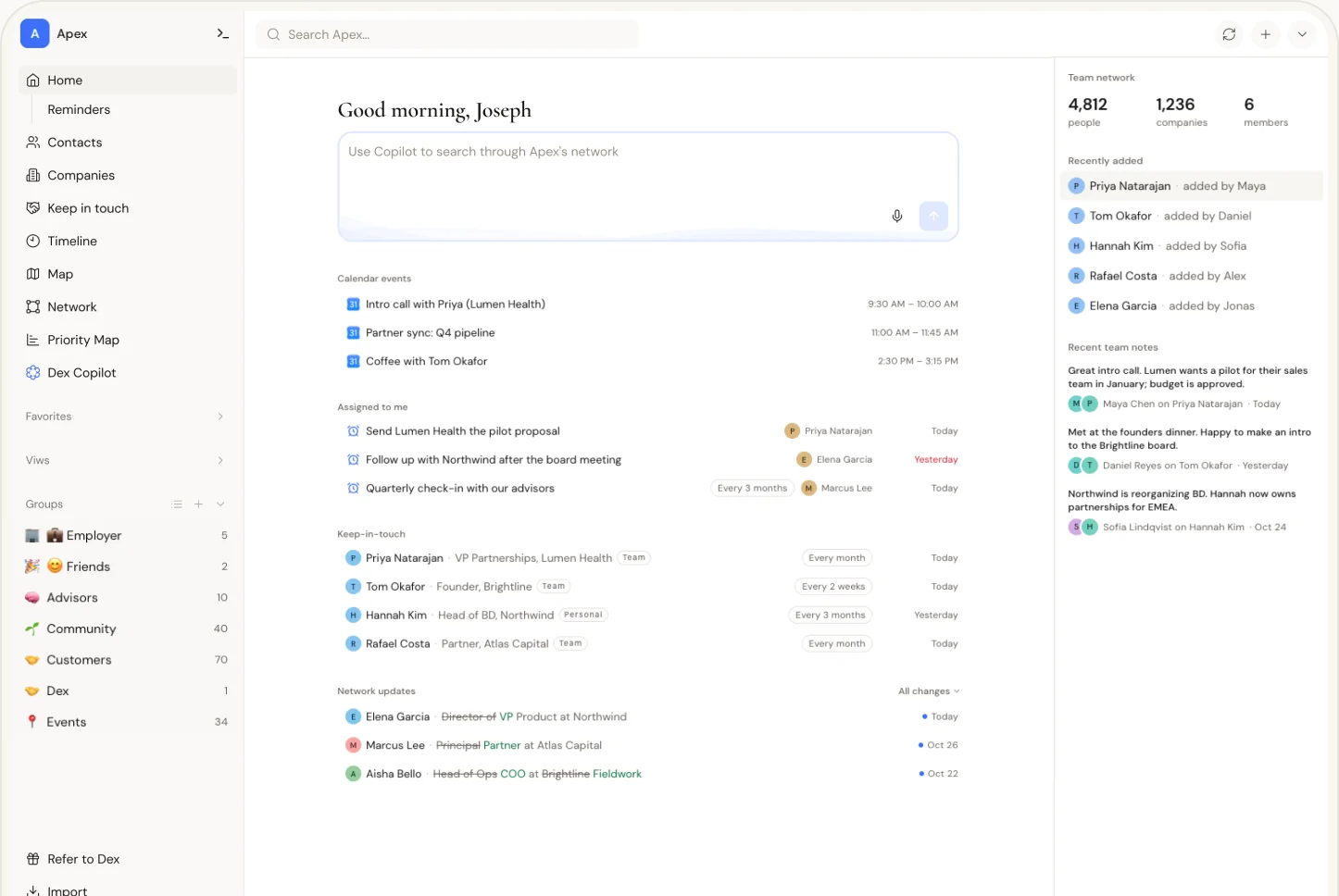


Your own Dex,
plus a workspace for the whole firm
Recruiting runs on people you knew before the req opened: the hiring manager who has called you for three searches, the candidate you placed in 2023 who now runs a team of her own. Most of that history sits in one recruiter’s inbox and calendar. Dex for Teams gives the firm a shared place for it.
Everyone at the firm keeps their own Dex. The workspace is a separate space you add to it. You choose which accounts it sees and which contacts and groups go into it, and your colleagues do the same.
Share what each recruiter knows
Pick up where your colleague left off
A shared contact’s timeline brings together what colleagues have chosen to share: the email and calendar history, and the notes written after an intake call or a debrief. Read it before you call a client, so you know what they told the recruiter on the next desk and don’t ask a hiring manager to explain the role twice.


See who already knows a hiring manager
See who already knows them
Search a person or a company and see which colleagues know them and when they last talked. Find out who at the firm can make the intro before a business development call, and whether a colleague spoke to a passive candidate last month. A candidate shouldn’t hear from two of your recruiters in the same week.

Stay close to placed candidates between searches
Keep in touch after the start date
Set a frequency per contact or group, for the firm or just for yourself: a hiring manager every month, a placed candidate every quarter, and twice a year for the passive candidate you’d place again tomorrow. The keep-in-touch list shows who’s due, and a reminder can go to the colleague who knows them best. When that candidate starts hiring, the call comes from someone who remembers them.


The req is in your ATS. The relationship is in someone’s inbox.
Bullhorn, Loxo, Ezekia, Greenhouse and the spreadsheet run the search: the req, the pipeline, the submittals. Keep them. Dex holds what’s left when the search closes: who at the firm knows whom, the email and calendar history each recruiter chooses to share, and who’s due a check-in. It isn’t an ATS and doesn’t try to be one.
Nobody hands over their inbox. Each recruiter decides which accounts the workspace sees and how much of them, and can change it later.
Add workspace fields like practice area, seniority or region, so the people are organized the way your firm already thinks about them.
When a recruiter leaves, the history stays
Recruiters move desks, go in-house and start their own firms. When an owner or admin removes someone from the workspace, what they shared stays, with their name on it: contacts, timeline items and shared notes. Whoever picks up their clients starts with that history instead of an empty inbox. Their connected accounts stop feeding the workspace, and their open reminders are unassigned for the team to pick up. Anything they never shared, and their personal Dex, leaves with them.

- 212 shared contactsStay in the workspace, with her name on them
- 640 shared emails, meetings and notesStay on each contact’s timeline
- 9 open remindersUnassigned, for the team to pick up
- Her personal DexLeaves with her
Share the relationship, not every conversation
A confidential search or a candidate’s counteroffer may need to stay with the person who heard it. For each connected account, you choose whether the workspace sees nothing, only subjects, participants and dates, or full content. If even the subject line is sensitive, leave that account out. Each note can be shared with the team or kept private. You can change any of this whenever you like. Your personal Dex stays private.

Ask the workspace a question
Connect the workspace to your AI assistant through the Dex MCP server. Ask who at the firm knows someone at a company, or what colleagues have shared about a hiring manager, from the tools you already use.


$40 per person per month
A five-person search firm is $200 a month; a twelve-recruiter agency is $480. Billed monthly. Start with a 14-day free trial of Dex for Teams, no card needed, and add the rest of the firm as you go.
Start with the recruiters who share clients
Pick two or three recruiters who work with the same hiring managers. Add those clients to the workspace and let each person choose what it sees. Before the next intake call, open the hiring manager’s timeline and see whether a colleague’s history changes how you prepare. If it does, invite the rest of the firm.
Start a free trial
Start a 14-day free trial of Dex, no card needed. Your own Dex comes first; the workspace is a separate space you add to it.
Start a free trialCreate a workspace
In Dex, go to Settings, then Team, and create a workspace for your company.
Create a workspaceAdd accounts and invite your team
Choose which of your accounts the workspace sees, and at what level, then invite teammates by email. Each of them makes the same choices for their own accounts.
Built for the people who hold the relationships
Agency and staffing firms
Recruiters and account managers who call the same hiring managers and HR leaders. Read a colleague’s history before you call a client, and keep it when a desk changes hands.
Executive and retained search firms
Partners, consultants and researchers whose relationships with senior candidates outlast any one search, and who want to be the first call when a placed executive starts building a team.
In-house talent acquisition teams
Recruiters who know the passive candidates they’ll want in two years’ time. The workspace keeps the relationship; your ATS keeps the req and the shortlist.
Your team’s data, protected
Dex is funded by subscriptions, not ads, and never sells your data. A workspace holds only what each member chooses to share, and each member can change that at any time.


Hosted with SOC 2 and ISO 27001 certified providers
Servers and databases run in the US with providers audited to both standards.
Encrypted in transit and at rest
Every request uses TLS, and stored data is encrypted at the storage level with AES-256.
Roles for the whole team
Owner, admin, member and viewer roles set who can add and edit in the workspace and who can only read.
FrequentlyAsked Questions
Dex for Teams adds a shared workspace to each person’s private Dex. A recruiting firm uses it to see which colleagues know a hiring manager or candidate, read the conversation history and notes colleagues have chosen to share, and set follow-up reminders for the team. It runs alongside the firm’s ATS.
No. Keep Bullhorn, Loxo, Ezekia, Greenhouse or your spreadsheet for reqs, pipelines and submittals. Dex doesn’t track jobs, placements, fees or candidate ownership. It holds the relationship side: who knows whom, the shared conversation history and the follow-up. Dex has no ATS integration. Import a CSV of contacts to get started.
By person. Each shared contact has a timeline. Search a company’s name to see which colleagues know people there and when they last talked. Dex doesn’t provide a separate directory of companies.
Anyone who holds relationships the firm depends on: recruiters, researchers, account managers and search partners. A viewer role gives read-only access. Viewers see everything the team has shared, so check what’s in the workspace before inviting a contractor or a part-time researcher.
When an owner or admin removes someone from the workspace, their connected accounts stop feeding it and their open reminders are unassigned for the team to pick up. What they shared stays, with their name on it: contacts, timeline items and shared notes. Anything they never shared, and their personal Dex, leaves with them.
Yes, by choosing what to share. For each connected account, each person decides whether the workspace sees nothing, only subjects, participants and dates, or full content. If a confidential search or a candidate’s counteroffer makes even the subject line sensitive, leave that account out. Each note can be shared or kept private. Nothing from a personal Dex reaches the workspace unless its owner chooses to share it.
No. Each person chooses which accounts the workspace sees, and at what level. Someone can take part with only the contacts and notes they add by hand.
Yes. Put placed candidates in a group of their own and give it a keep-in-touch frequency, for the team or just for yourself. The keep-in-touch list shows who’s due, and a reminder can be assigned to the recruiter who placed them. When a placed candidate starts hiring, anyone at the firm can read the shared history before reaching out.
No. An individual Dex plan gives a solo recruiter or independent search consultant the contacts, the timeline, keep-in-touch reminders and the AI tools, for one person. See Dex for recruiters. Add a workspace when a second person needs to know who you know.
The Team plan is $40 per user per month, billed monthly. Email us to set up your firm, or to ask about pricing for a larger one.
Yes. Start a 14-day free trial of Dex for Teams, no card needed, then create a workspace from Settings, then Team, and invite the firm.
Yes. Book a short demo with our team, or email us and we’ll get back to you.
Try Dex with one desk
30,000+ people use Dex to improve relationships