
Personal CRM Tools That Integrate With Email and Calendar (2026)

Every personal CRM claims email and calendar integration. What they actually mean ranges from "we auto-log every email and meeting" to "you can copy-paste a contact's address into our search bar." That gap matters. A personal CRM that requires manual data entry is a personal CRM that you will unfortunately stop using by week three.
We checked seven personal CRMs specifically on their email and calendar sync capabilities. Below is what each one actually does, what it skips, and what it costs.
Who syncs what (the honest version)
| Tool | Gmail auto-sync | Outlook auto-sync | Calendar auto-sync | LinkedIn auto-sync | Auto-logs interactions | Price (annual) |
|---|---|---|---|---|---|---|
| Dex | Yes | Pro plan only | Yes | Yes | Yes | $12/mo |
| Folk | Yes | Yes | Yes | Extension (1-by-1) | Yes | $24/mo |
| Mesh (formerly Clay) | Yes | No | Yes | Yes | Yes | Free / $10/mo Pro |
| Covve | Yes (two-way contacts) | Yes (two-way contacts) | Reminders only | No | App-initiated only | $9.99/mo |
| Monica | No | No | CalDAV only | No | No | Free (self-hosted) |
| Notion | No (Zapier workaround) | No (Zapier workaround) | No (Zapier workaround) | No | No | Free |
| Streak | Yes (lives in Gmail) | No | Partial | No | Gmail threads only | Free / $15/mo Solo |
If you just want the short answer: Dex, folk, and Mesh are the only three in this list that auto-log email interactions without you lifting a finger. Everyone else requires some degree of manual work. The rest of this article is about the degrees.

The three tiers of "email integration" (most tools overstate theirs)
Tier 1: Full auto-sync. OAuth connection to your email. The personal CRM reads message metadata (sender, recipient, timestamp, subject line) and logs interactions against matched contacts. Zero effort from you. Dex, folk, and Mesh work this way. You open the app Monday morning and everything from the weekend is there, attached to the right people.
Tier 2: Contact sync without passive logging. The personal CRM syncs your address book bidirectionally and can log calls or emails you initiate through the app. But it does not monitor your inbox. Covve sits here. It knows who your contacts are. It just does not know you emailed three of them yesterday unless you did it through Covve.
Tier 3: Manual or Zapier. No direct email connection. You type interactions by hand, or you build a Zapier automation and hope it holds together. Monica and Notion. You can wire Notion to Gmail through Zapier (starting at $19.99/mo for Zapier Starter), but the integration chokes on Relation-type fields, Rollup fields, and Formula fields, and the Notion API's rate limits cause missed entries when email volume spikes.
Here is why this matters in practice: Affinity found that 69% of teams spend four or more hours per week on manual personal CRM updates. For a solo professional, that is 30-40 minutes a day of copy-paste. A Tier 1 tool deletes that time entirely. A Tier 3 tool only works if you have the discipline to log every single interaction, and in my experience, almost nobody does after week three.
What "calendar sync" really means in each tool
Calendar sync sounds straightforward. It is not. "Reads your calendar" and "creates interaction records from your meetings" are two different things, and most tools do the first without doing the second.
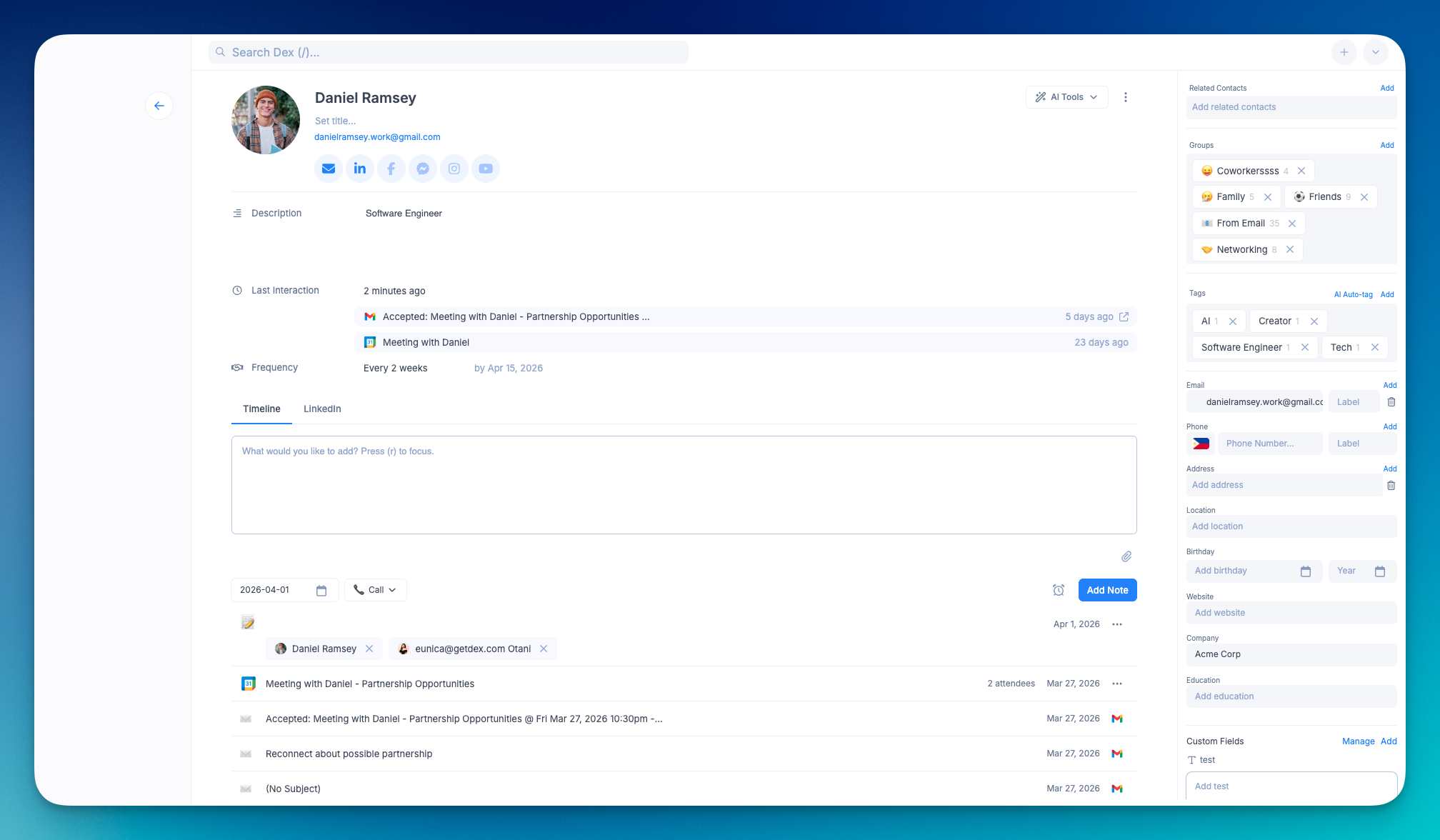
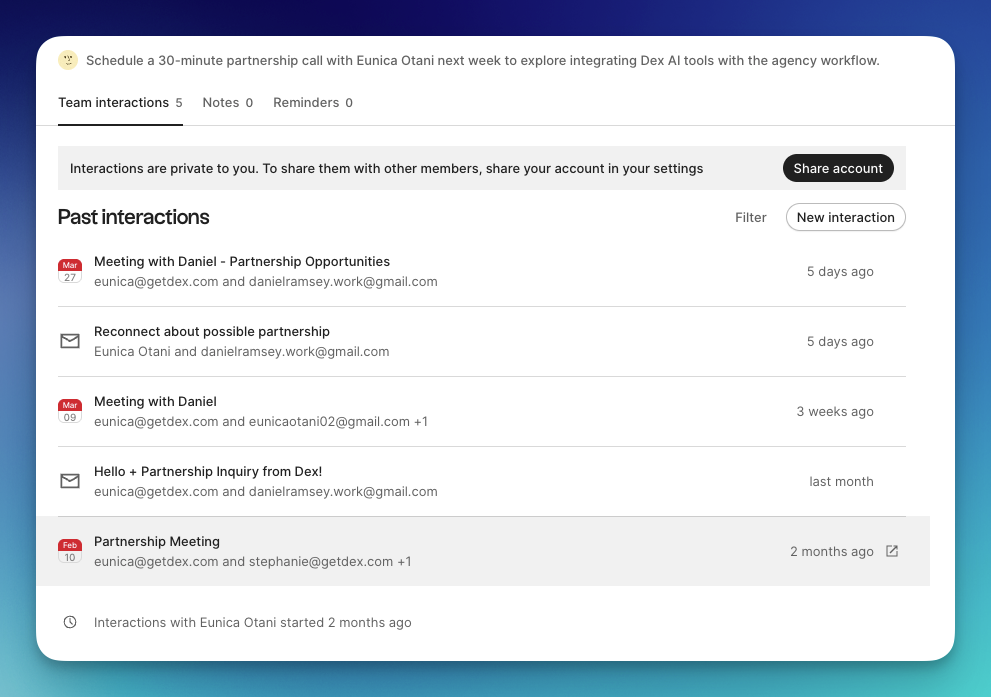
Dex connects to Google Calendar and Outlook. Meetings get matched to contacts by attendee email, logged as interactions, and the "last contacted" timestamp updates automatically. That timestamp is what drives keep-in-touch reminders, so your follow-up cadence stays accurate without maintenance. If I had a call with someone on a Tuesday, by Wednesday morning Dex had already adjusted when it would next remind me to reach out.
folk syncs Google Calendar and Outlook Calendar. Meetings land on contact timelines with attendee names and duration. If you run pipeline views for fundraising or hiring, folk layers calendar data into those views too, so "last meeting" sits next to deal stage.
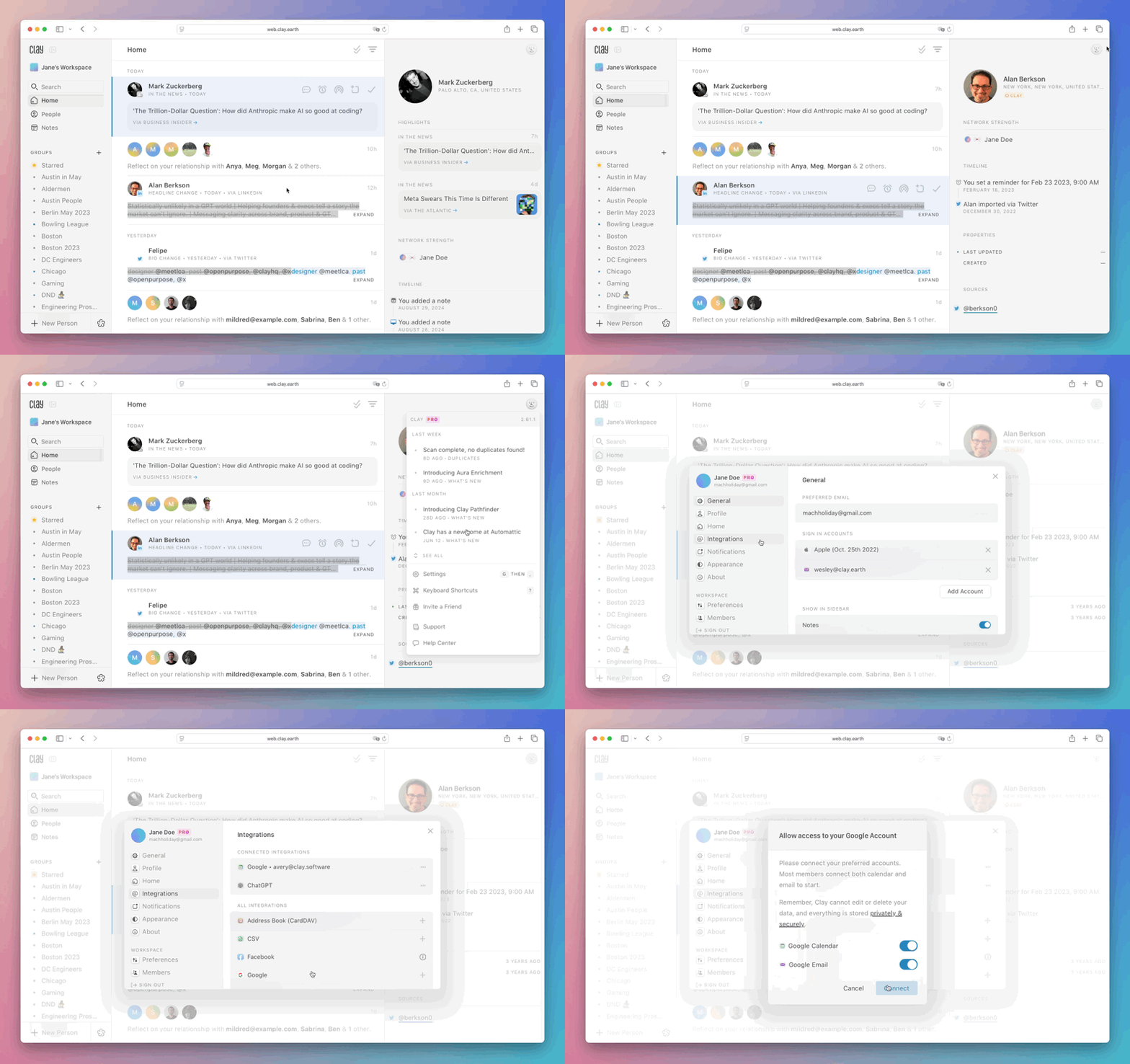
Mesh (formerly Clay at clay.earth) imports events and matches attendees to contacts. It feeds meeting frequency into its "going cold" detection. When you stop meeting with someone regularly, Mesh flags it. The free plan caps this at 1,000 contacts total.
Covve lets you push reminders to your phone's native calendar. Useful for scheduling follow-ups, but it does not pull meetings in or build interaction history from them.
Streak reads Google Calendar for context alongside email threads. It does not create standalone interaction records from meetings.
Monica supports CalDAV, which in practice means you can push Monica's reminders to a CalDAV-compatible calendar. It does not pull meeting data in.
Notion has no calendar sync. Zapier can create a database entry when a Google Calendar event starts, but you will be maintaining that automation indefinitely, and it breaks when either platform changes field types.
What each tool actually auto-captures (the depth matrix)
This is the comparison I could not find anywhere else. "Email sync" on a feature page is a binary. What the tool captures automatically, without you touching anything, varies by data point.
| Data point | Dex | Folk | Mesh | Covve | Monica | Notion | Streak |
|---|---|---|---|---|---|---|---|
| Email sender/recipient | Auto | Auto | Auto | App-initiated only | Manual | Manual | Auto (Gmail) |
| Email subject line | Auto | Auto | Auto | No | No | No | Auto (Gmail) |
| "Last interaction" updated | Auto | Auto | Auto | App-initiated only | Manual | Manual | Auto (Gmail) |
| Calendar meetings logged | Auto | Auto | Auto | No | CalDAV push only | No | Context only |
| LinkedIn messages | Auto | No | Auto | No | No | No | No |
| Contact job changes | Auto (LinkedIn) | Enrichment add-on | Auto | Auto | No | No | No |
| WhatsApp/iMessage | Last message view | WhatsApp sync | iMessage (Mac) | WhatsApp view | No | No | No |
| Notes/context | Manual + AI brief | Manual + AI draft | Manual | Manual | Manual + journal | Manual | Manual |
The pattern that jumps out: Dex and Mesh pull from the widest range of sources automatically because they both sync LinkedIn on top of email and calendar. Folk handles email and calendar well but treats LinkedIn as a one-at-a-time manual save via browser extension. Covve syncs your address book but does not watch your inbox. Monica and Notion are blank slates that only contain what you type into them.
When a paid personal CRM pays for itself (and when it does not)
I keep seeing people agonize over $12/month for a CRM while spending 30 minutes a day on manual data entry. So here is the actual math.
If you have 500+ contacts and interact with 20-30 of them weekly through email and meetings:
- ~90 seconds per manual log (find contact, add note, save)
- ~25 entries per week
- ~37 minutes weekly / ~2.5 hours monthly / ~30 hours annually
Dex costs $144/year. Your time needs to be worth more than $5/hour for that to make sense. It almost certainly is. folk at $288/year breaks even around $10/hour.
These numbers also ignore the real cost: missed follow-ups from entries you forgot to log. One dropped investor intro, one client who slipped through the cracks because you did not realize it had been six weeks since your last email. That is worth more than a year of subscription fees.
But if you have fewer than 100 contacts and email maybe 5 people a week? The manual work is about 8 minutes weekly. A Notion table handles it. Do not pay for automation you do not need.
When Dex is the wrong pick
You need your team to see the same contacts. Dex is a single-player tool. If two salespeople need shared pipeline visibility or a recruiting team needs handoff capability, Folk ($24/user/mo with team features) or even HubSpot Free is the right call.
Your company is all-in on Microsoft 365. Dex's Outlook sync is only on the Professional plan at $20/mo. Folk syncs Outlook on every paid plan. If Outlook is your primary inbox and you want the cheapest full-sync option, Folk wins.
You need total data control. Monica is open-source and self-hostable. No sync, no enrichment, no convenience features. But your contacts live on your server and nowhere else. If you are a journalist with sensitive sources or just someone who does not want contact data on third-party infrastructure, that trade is worth making.
Your network is tiny. Under 100 people? Make a spreadsheet. Add columns for name, company, last contacted, and notes. Update it on Fridays. It takes 5 minutes. Spending money on this is wasteful at that scale.
You meet people at conferences, not online. Covve scans business cards in 30+ languages, works offline, and is built around the workflow of "meet someone, scan card, set reminder." If your networking is physical and you rarely follow up by email, Covve at $9.99/month fits better than any tool optimized for inbox sync. (See also: personal CRMs with mobile apps.)
LinkedIn sync: the feature that splits this market in half
If your professional network lives on LinkedIn (and if you are a founder, consultant, or salesperson, it probably does), this is where the field narrows fast.
Dex auto-imports your LinkedIn connection list. Job title changes sync automatically, giving you a natural reason to reach out when someone moves. Your last LinkedIn message appears on the contact's timeline. Premium plan: 2,500 connections. Professional: up to 9,000. The browser extension adds any profile with one click.
Mesh also auto-syncs LinkedIn and flags job changes and news mentions. But the free tier caps at 1,000 total contacts across all sources. If your LinkedIn alone has 1,500 connections, you need Pro ($10/mo).
Folk does not sync LinkedIn. Its folkX extension saves one profile at a time. Click, save, click, save. If you have 2,000 connections, that is 2,000 clicks. Nobody is doing that.
Covve, Monica, Notion, Streak: no LinkedIn integration at all.
Match the tool to your communication stack
Stop looking for "the best personal CRM." Look for the one that plugs into the tools you already use.
- Gmail + Google Calendar + LinkedIn: Dex. Built for this exact stack. Everything auto-syncs.
- Outlook + Gmail + team needs: folk. Both email providers, plus shared pipelines and WhatsApp.
- Gmail + social + small network: Mesh. Generous free tier. Upgrade at 1,000 contacts.
- Phone-first, conferences and events: Covve. Card scanning, offline mode, mobile-native.
- Self-hosted, privacy-first: Monica. No automation. Full ownership. Bring your own Docker.
- Gmail power user, refuses to leave inbox: Streak. CRM inside Gmail. Zero context switch.
- Under 100 contacts, $0 budget: Notion or a Google Sheet. Genuinely fine.
Frequently asked questions
What is a personal CRM, and how is it different from a sales CRM?
A personal CRM helps one person track their own relationships, follow-ups, and conversation history. Salesforce, HubSpot, and Pipedrive are built for sales teams managing leads through stages with quotas and reporting. If you are an individual trying to remember who you met at last month's conference and when to follow up, you want a personal CRM. If you are running a 10-person outbound sales team, you do not.
Can Notion work as a personal CRM with email integration?
Not without significant effort. Notion has no native email or calendar sync. You can wire it to Gmail through Zapier (starting at $19.99/mo), but the integration cannot handle Relation-type or Rollup fields, the API rate-limits under heavy email volume, and the whole setup requires ongoing maintenance when either platform updates. At $20/month just for Zapier, you are paying more than Dex ($12/mo) and getting a fraction of the automation. Below 100 contacts, Notion is fine as a manual database. Above that, you are fighting the tool. (See our full Notion vs. Dex comparison.)
Do these CRMs read my actual emails?
The ones with email sync (Dex, Folk, Mesh, Streak) read metadata: sender, recipient, timestamp, subject line. Not the email body. Mesh pulls slightly more context for enrichment. Monica reads nothing because it has no email connection at all. If email privacy matters to you, read each tool's privacy policy before connecting. But for what it is worth, metadata-only access is the industry standard for personal CRMs.
Which tool has the best LinkedIn integration?
Dex and Mesh are the only personal CRMs that bulk-sync your LinkedIn connections. Dex handles up to 9,000 on Professional, tracks job changes, and shows your last LinkedIn message per contact. Mesh auto-syncs but caps free accounts at 1,000 total contacts. Folk has a browser extension for saving profiles one at a time, which is not the same thing as a sync.
Is a free personal CRM enough for professional networking?
Mesh has the strongest free tier: real email and calendar auto-sync for up to 1,000 contacts. Streak is free inside Gmail but has no calendar logging or LinkedIn. Monica is free and self-hosted but entirely manual. If your network is over 500 people and LinkedIn is part of how you work, a paid tool saves more time than it costs. Below that threshold, free tools are genuinely fine.